A PPC change log is one of the simplest things an agency can add to its reporting workflow, and one of the most consistently overlooked. In my experience running campaigns for clients across multiple verticals, the single biggest driver of client churn is not poor performance. It is the feeling that the agency is a black box, making changes nobody understands or can trace back to a decision.
Most agencies send monthly reports with metrics: impressions, clicks, conversions, ROAS. These numbers tell the client what happened. They do not explain why it happened, or what the agency did to influence the outcome. (For the underlying selection of what to include in those reports, see our breakdown of paid search reporting metrics and best practices.)
The Transparency Problem in PPC
A typical agency media buyer makes 20 to 50 changes per week across a single client's ad accounts. Budget adjustments, bid strategy shifts, audience refinements, negative keyword additions, ad copy tests, landing page swaps. Each change has a reason behind it, and each one affects the numbers the client sees in the next report.
Without documentation, those changes are invisible. The client sees that CPC went up by 15% and asks why. The media buyer has to reconstruct their reasoning from memory, often weeks after the fact. The answer sounds vague. Trust erodes.
The opposite scenario is equally common. The agency makes a series of smart optimisations that improve ROAS by 20%. The client looks at the report and assumes the improvement happened on its own. The agency's work goes unrecognised, which makes it harder to justify fees when the next pricing conversation comes around.
What a PPC Change Log Should Include
An effective change log does not need to be complex. Each entry should capture four elements: what changed, why it changed, what the expected impact was, and (once enough time has passed) what the actual result was.
A practical entry might look like this:
- Date: 14 April 2026
- Change: Reduced daily budget on Brand Search campaign from $80 to $55
- Reason: Account pacing 18% ahead of monthly target on day 14
- Expected impact: Bring monthly pacing back to 100% by month end
- Actual result: Month ended at 101.2% of target (within acceptable range)
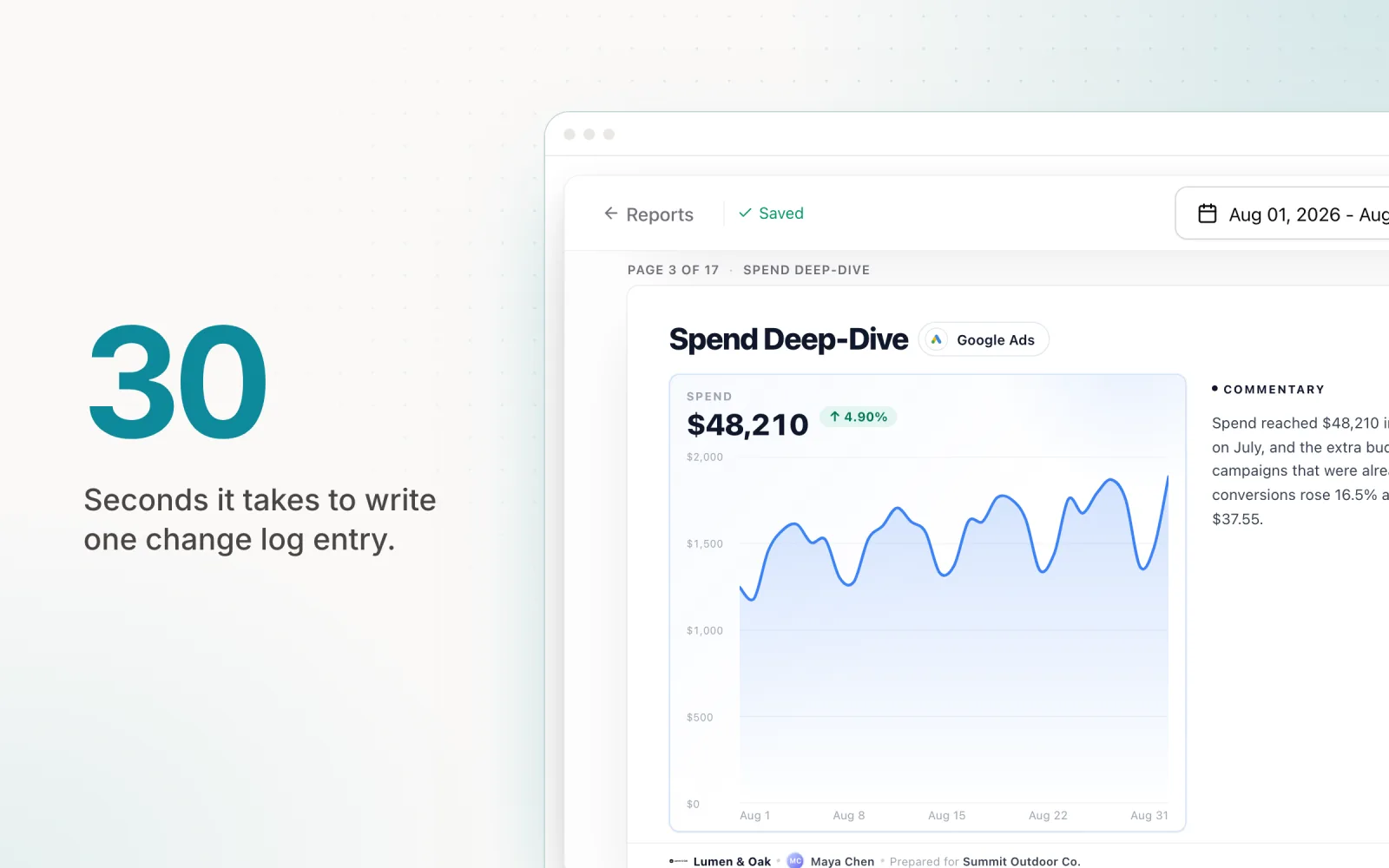
This format takes 30 seconds to write. It gives the client a clear picture of the decision-making process. When something goes wrong, the log shows the reasoning at the time of the decision, not a post-hoc justification.
Manual Change Logs vs. Automated Audit Trails
The manual approach works at small scale. A shared Google Doc or a dedicated section in your reporting template can handle five to ten clients without too much overhead. Each media buyer logs their changes as they make them, and the account manager compiles the highlights for the monthly report.
The problem is that manual logging does not scale. As the hidden costs of manual processes compound, media buyers start skipping entries when they are busy. By the end of a heavy optimisation week, the log is incomplete. The entries that do exist are inconsistent in format and level of detail.
Automated audit trails solve the consistency problem. When a tool records every change programmatically, nothing gets missed. The log captures the exact timestamp, the before and after values, and (in the case of AI-driven tools) the reasoning behind the change. This creates a complete record that requires zero additional effort from the media buyer.
The time difference is significant. Manual logging across 10 accounts typically adds 3 to 5 hours per week. Automated logging adds zero hours, because the system generates the trail as a byproduct of making the changes themselves.
How Change Logs Improve Client Retention
Client retention in the agency world correlates strongly with perceived transparency. Industry surveys consistently find that the top reason clients leave agencies is a lack of communication about what the agency is doing. Not poor results. Poor communication about results.
Change logs directly address this. When a client can see that their agency made 47 documented optimisations last month, each with a clear rationale, the value of the relationship becomes tangible. The agency is no longer asking the client to trust that work is being done. The work is visible.
Change logs also shift the dynamic during performance dips. Instead of a reactive "why did results drop?" conversation, the agency can point to the log and say, "We identified the drop on day 8, adjusted the bid strategy on day 9, and performance recovered by day 14. Here is the full timeline." That is a fundamentally different conversation from "we're looking into it."
Explainable AI and Automated Reasoning
As more agencies adopt AI-driven optimisation tools, the change log becomes even more important. If an automated system adjusts a budget or shifts spend between campaigns, the client (and the agency) need to understand why.
Tools that document their reasoning build trust in a way that "the AI optimised it" never will. A log entry that reads "Budget reduced by 12% because spend was pacing 15% ahead of the monthly target, with 11 days remaining" is verifiable. The client can check the numbers. The agency can confirm the logic was sound.
This matters because agencies need to maintain strategic oversight even when automation handles the execution. The change log is how you maintain that oversight. It is both an accountability tool and a learning tool, showing patterns in how campaigns behave and how the optimisation strategy evolves over time.
From Reactive Calls to Proactive Updates
Consider this scenario. A client logs into Google Ads on a Monday morning and notices spend jumped 30% over the weekend. They email the agency asking what happened. The agency scrambles to investigate, pulls together an explanation, and sends it back three hours later. The client is frustrated by the delay and the surprise.
With a change log in place, that same scenario plays out differently. The automated system detected the spend increase, adjusted the budget on Saturday, and logged the change with full context. On Monday morning, the agency sends a proactive update: "Weekend CPCs were elevated due to increased auction competition. Our pacing system detected the overspend and reduced daily budgets by 18% on Saturday. We are back on track for the monthly target."
The client gets the same information, but the experience is entirely different. Instead of discovering a problem and waiting for an explanation, they receive a proactive update that demonstrates the agency is monitoring and responding in real time.
Adding a change log to your PPC reports does not require new software or a major process overhaul. Start with a simple shared document. Log the four elements for every meaningful change. Over time, the log becomes one of the most valuable assets in your client relationship, a running record that proves the value of your work and builds the kind of trust that keeps clients for years, not months.
Pace generates a full audit trail automatically for every budget change it makes, with timestamps, values, and reasoning included. Start a free trial to see how automated change logging works in practice.

Jordan Parrello
Founder of Pace. Ran an agency pacing sheet by hand for years before building the thing that checks it every 5 minutes. About Pace or LinkedIn