Custom Flighting paces an account or campaign group to its own date range instead of the calendar month. It's on Pro plans and above, and it works on Google Ads, Meta Ads, LinkedIn Ads, Microsoft Ads, TikTok Ads, Reddit Ads, Amazon Ads and X Ads.
A flight comes in three shapes:
- One-off flight — a start date, an end date, and one budget for the whole period.
- Weighted phases — the same flight split into consecutive phases, each with its own length and share of the budget.
- Repeating cycle — a cycle length in days and a per-cycle budget that rolls forward until you switch back to Monthly.
Why use it
- Media plans rarely start on the 1st, so a six-week push paced to a month is judged on the wrong period.
- A launch week spends harder than the weeks after it, and phases give each stretch its own share.
- Retainers on a 14-day rhythm keep rolling, so you never have to reset a budget.
How it works
Pick the rhythm in the account's Settings → Budget tab, or in a campaign group's settings: Budget rhythm offers Monthly (the default) or Custom flight. Custom flight opens the editor, where you set One-off or Repeating, the dates or cycle length, and the budget.
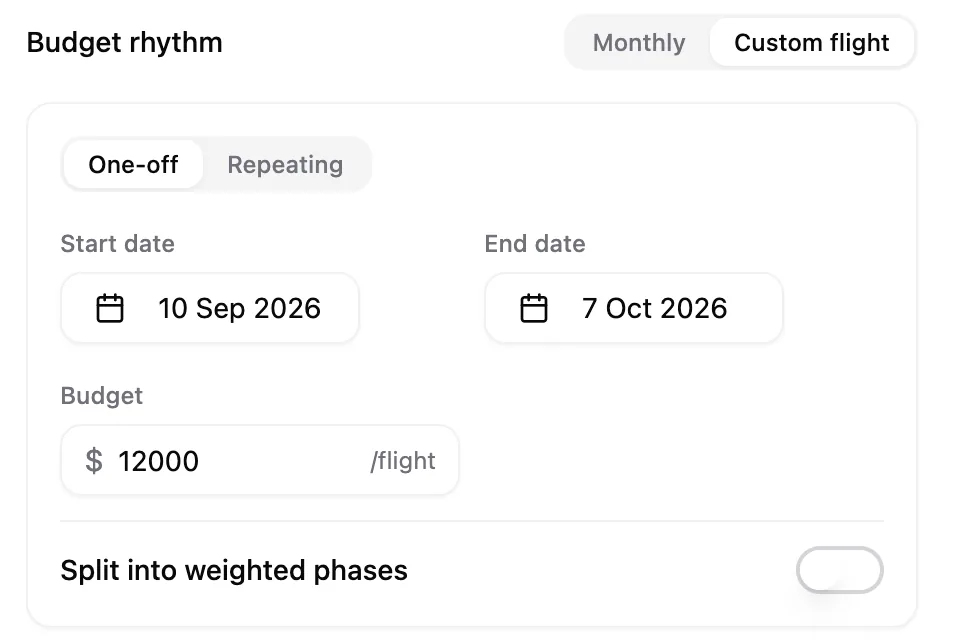
A running flight fully replaces the monthly budget, so the two never run at once. Pace measures spend against the flight's own dates and steers daily budgets to land on its target. The pacing bar, the account row, and the group spend indicator switch to flight progress, labelled Flight · phase 2/3 or 14-day cycle.
Before the start date nothing changes and the monthly fields stay editable. Once the flight starts they gray out with a note that the monthly budget is inactive. The number is kept, so switching back to Monthly picks up where you left off.
When a one-off flight reaches its end date, Pace stops adjusting those budgets and sends a Flight ended alert. A repeating cycle rolls straight into its next cycle. Cycle rollovers, phase transitions, and the end of a flight all land in the account's Changes history with the planned budget and actual spend for the period that just closed.
Splitting a flight into phases
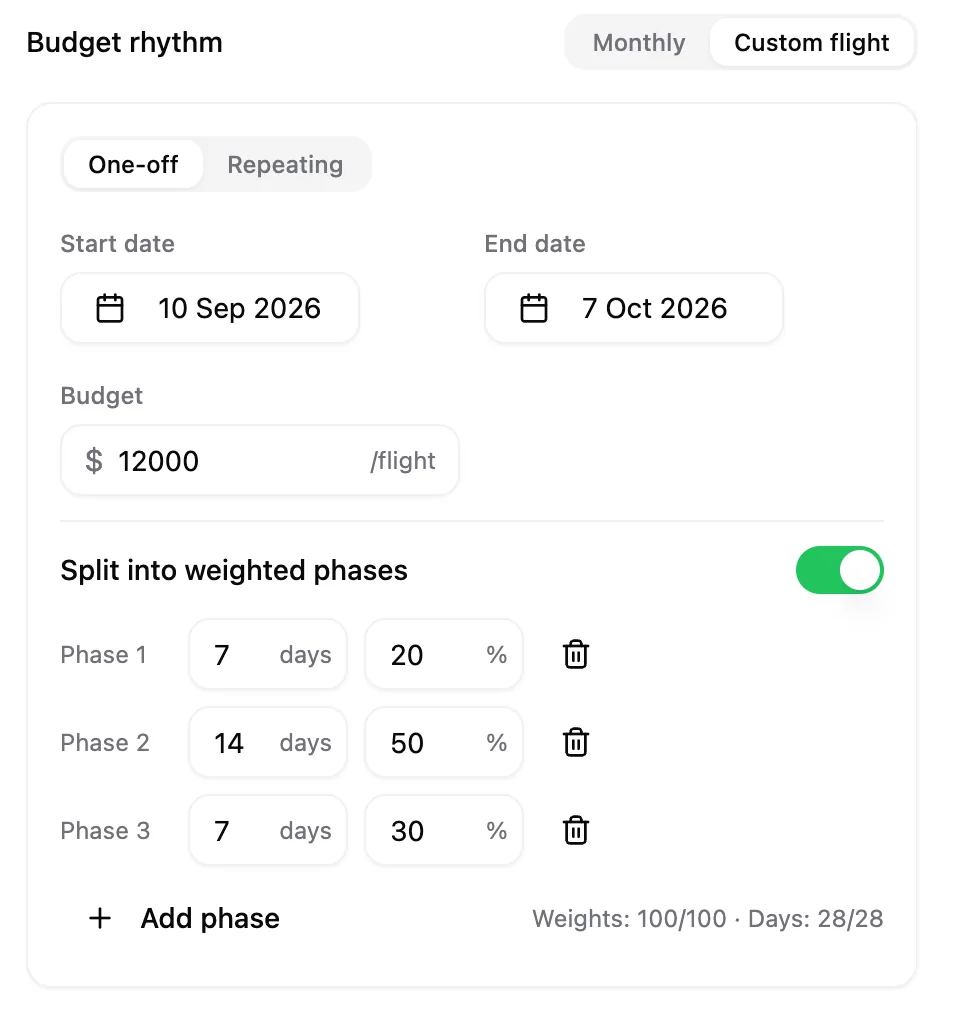
Turn on Split into weighted phases and give each phase a length in days and a share of the flight budget. A 20% / 50% / 30% split lets a launch spend hard and the tail spend steadily. The editor runs a live Weights and Days check: phases tile the flight, so the days add up to its length and the weights to 100%.
What it doesn't do
- Flights sit on accounts and campaign groups, not on individual campaigns, and Bulk Budgets and sheet import stay monthly.
- Phase shares are percentages of the flight budget, not dollar amounts.
- Nothing carries between phases or cycles, and budget rollover is unavailable while a flight runs.
- A flight runs for up to 365 days, and a repeating cycle is at least two days.
- The Budget rhythm control is hidden in Daily Floor mode, because a floor and a flight can't run together.
Note: A flighted group's spend is left out of its parent account's monthly maths, so the two never double-count.
For the wider picture, read how budgets and pacing fit together.