Turn on one switch in Account Settings and Pace paces the ad sets or ad groups inside your ABO campaigns directly, instead of the campaign above them.
Campaigns using ABO (Ad Set or Ad Group Budget Optimization) hold their budgets one level down. On Meta Ads there's no campaign budget for Pace to move, so those campaigns aren't paced until you switch this on. On TikTok Ads they are paced, but Pace splits the campaign budget evenly across its ad groups. With the switch on, each active, daily-budgeted ad set or ad group becomes its own budget line.
You'll need: the Pro plan or above, and a connected Meta Ads or TikTok Ads account with at least one ABO campaign included in automation.
Switch it on
- Open the account and click the Settings (gear) icon.
- Stay on the General tab.
- Turn on Manage ad set budgets (ABO campaigns) on a Meta Ads account, or Manage ad group budgets (ABO campaigns) on a TikTok Ads account.
- Click Save.

A Settings Saved confirmation appears. From the next pacing run, Pace writes daily budgets to those ad sets or ad groups and logs each pass in the account's Changes tab, counting the campaigns and the ad sets or ad groups it adjusted. Campaigns that hold their own budget (CBO) are untouched at this level.
Set rails and a target per ad set on Meta Ads
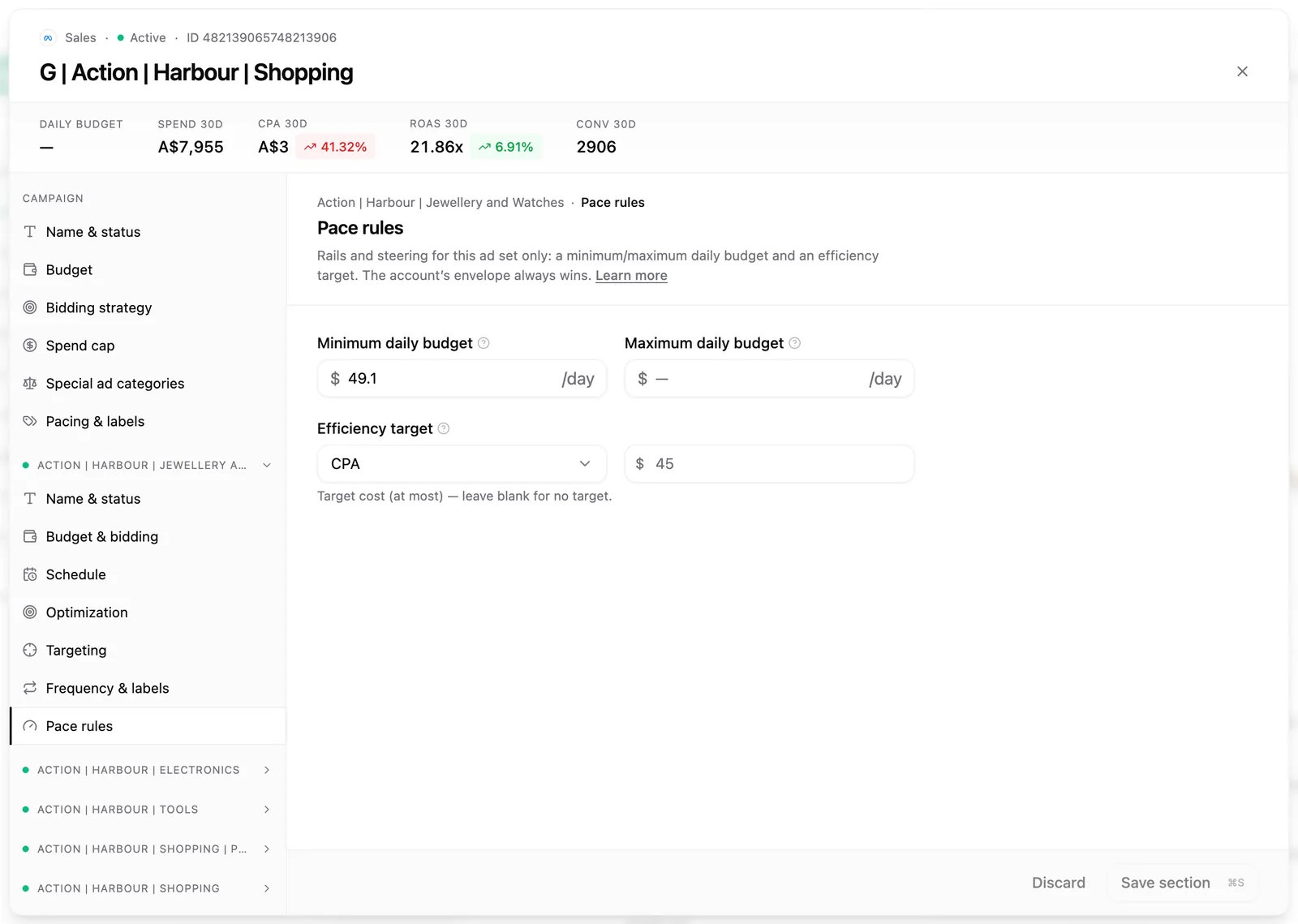
Each Meta ad set can carry its own minimum and maximum daily budget plus an efficiency target, which bound how far Pace moves it.
- Hover the campaign's row in the campaign table and choose Edit from the gear menu.
- Pick an ad set in the left rail and open its Pace rules section.
- Set a Minimum daily budget of at least $1.56, Meta's ad-set daily minimum, a Maximum daily budget, and a CPA or ROAS Efficiency target.
- Save the section. Rules save one ad set at a time.
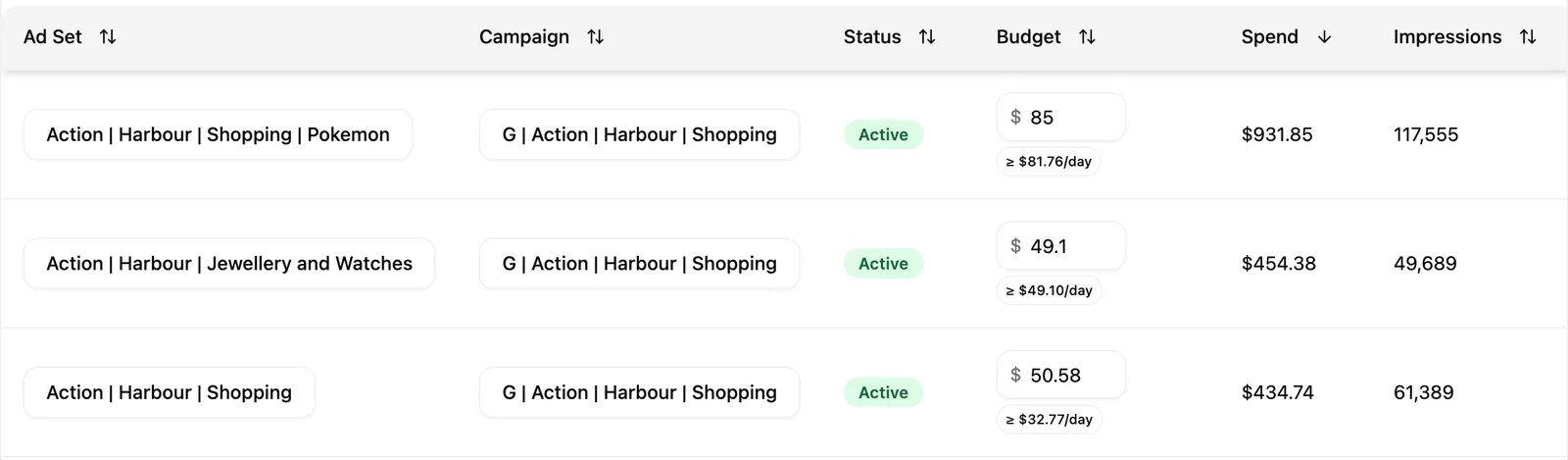
Configured ad sets carry a badge in the Budget column of the Ad Sets tab: ≥ $X/day when a minimum is set, otherwise Paced. Hover the badge for the full minimum, maximum and target.
Note: You can save Pace rules before you switch ad set budget management on. They take effect the moment you enable it.
What differs between the two platforms
On Meta Ads accounts running Daily Floor pacing, managed ad set budgets sit inside the account's floor and cap as one pool with the campaigns, and the summed ad-set minimums are checked against the hard daily cap when you save. An account built entirely on ABO campaigns can use Daily Floor pacing once this is on.
TikTok Ads ad group management runs on the Monthly Budget pacing mode only, and it paces each ad group on its own results in place of the even split. There are no per-ad-group rails or targets, and Smart+ campaigns keep pacing exactly as they did.
Warning: On a TikTok Ads account in Daily Floor mode, this switch has no effect. The floor keeps controlling CBO and Smart+ campaigns at the campaign level.
If a run can't read the ad set or ad group performance it needs, Pace paces the campaigns normally and skips the lower level for that run rather than moving a budget blind. The next cycle picks it up automatically. For the level Pace works at on every other platform, see how budget pacing works across platforms.