Add your accountant's email under Billing contacts on the Billing tab, and they get a copy of every Pace invoice once it's paid. You can add up to five addresses. They don't need a Pace login.
Your invoices go to the billing email on your account, usually the workspace owner's. Billing contacts get a copy on top of that.
Permissions required: The Billing tab is only shown to the workspace owner, so the owner sets up this list.
Add a billing contact
- Open Settings and select the Billing tab.
- Scroll to the Billing contacts card, below Invoices.
- Type the email address and select Add.
- Add any other addresses the same way.
There's no Save button. Each address saves as soon as you add it, and the card shows Saved next to its title. The list applies from the next paid invoice. Earlier invoices aren't sent.
If an address doesn't look like an email, or it's already on the list, Pace tells you and doesn't add it. Once you reach five, the field turns off until you remove one. If a change can't be saved, the list goes back to how it was and Pace tells you why under the field.
Remove a billing contact
Select the × next to the address. It's removed and saved straight away. Removed it by mistake? Add it again.
What each billing contact gets
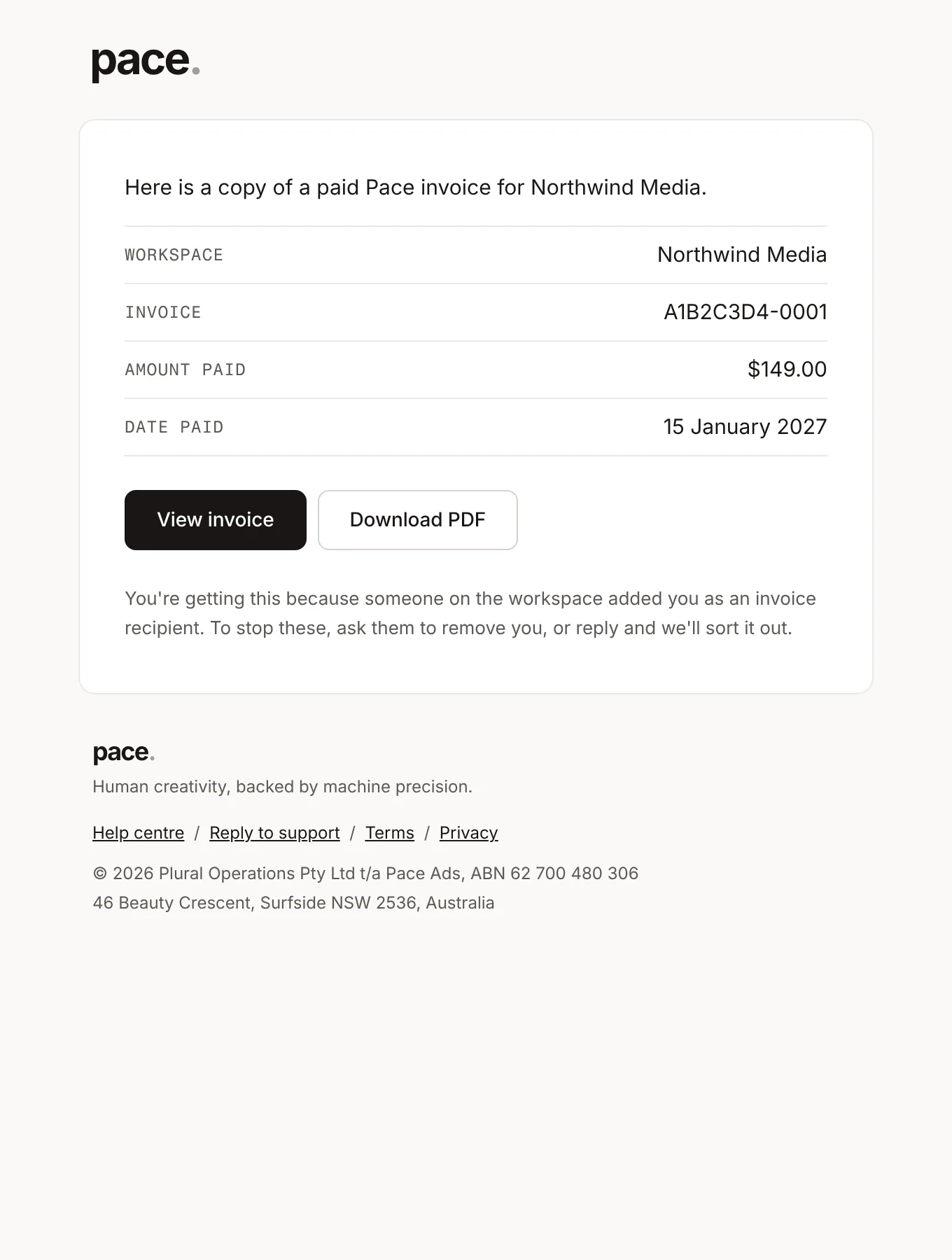
Every time a Pace invoice is paid, each address on the list gets its own email. The subject names the invoice number and your workspace. The email shows:
- Workspace: your workspace name.
- Invoice: the invoice number.
- Amount paid: what was charged.
- Date paid: the day the payment went through.
Below that are two buttons: View invoice opens the invoice in Stripe, the payment processor Pace uses, and Download PDF saves a copy.
A few things to know:
- $0 invoices aren't sent. The invoice created when a free trial starts has nothing to pay, so nobody gets a copy.
- Each invoice is sent once. Billing contacts won't get the same invoice twice.
- There's no unsubscribe link. These are billing emails, not marketing. If a billing contact wants to stop, they can ask you to remove them or reply to the email.
Can't find the Billing contacts card?
If you don't see the Billing tab, you're not the workspace owner. Ask the owner to add the address for you. Read who can manage billing for more.