Pace tells you what's changed in three places: the New in Pace row inside Dot, the Changelog page, and the Roadmap page. All three are one click from the menu under your name in the header.
Why it's worth a look
- You find out in the app, not from a marketing email you've already archived.
- Every release has its own page you can bookmark or send to a teammate.
- You can see what's coming, so you know whether to wait for something or work around it.
How it works
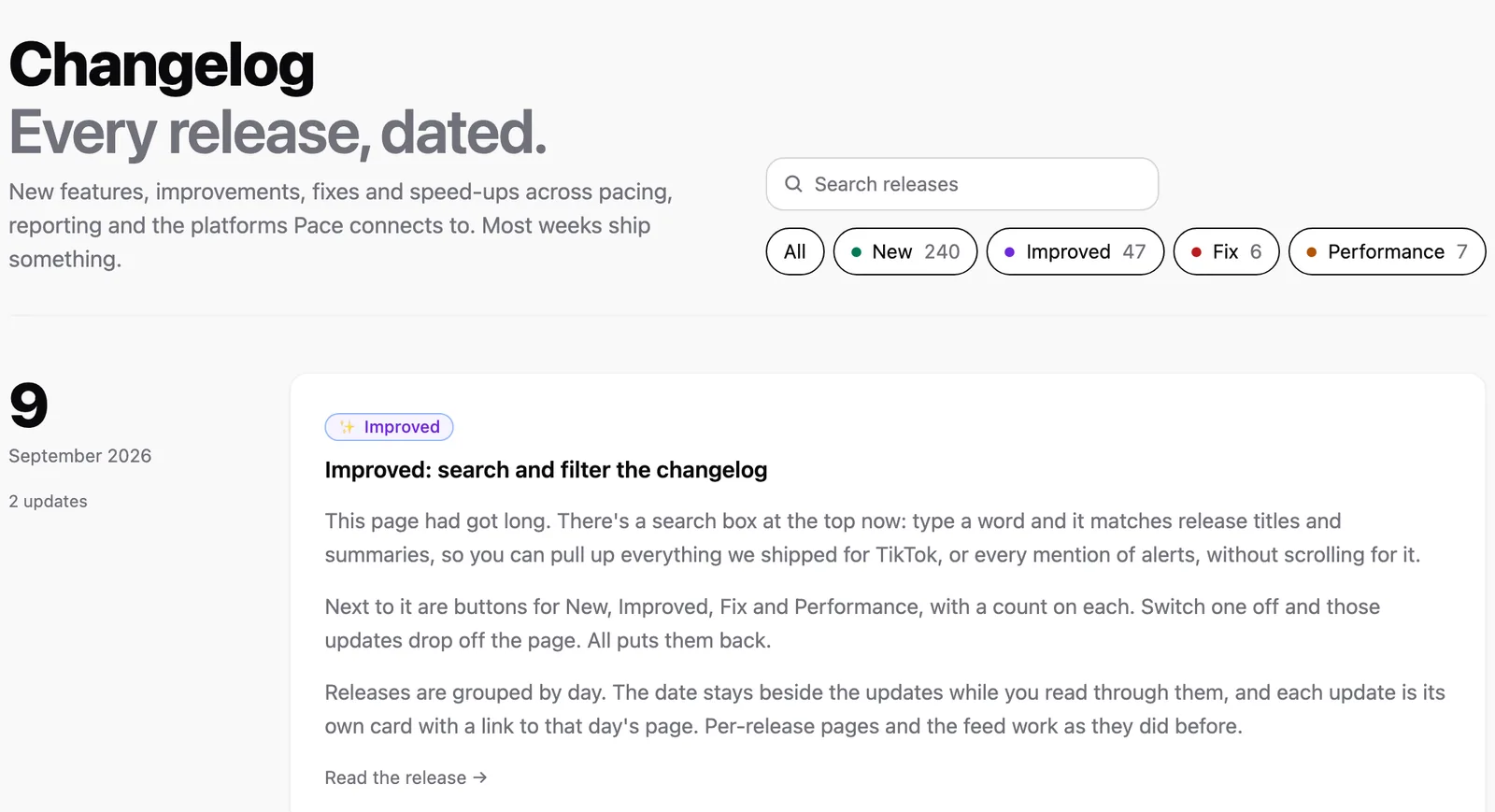
The Changelog at /changelog is public, so you don't need to be signed in to read it. Releases are grouped by day, with the date beside that day's updates and a colour-coded badge on each one: New, Improved, Fix or Performance. Search the page to match release titles and summaries, or use the filter buttons — All, New, Improved, Fix, Performance — to show only the kinds of update you care about. Each button carries a count of how many releases it covers. Click any date to open that release on its own page, with links to the previous and next releases at the bottom. If you'd rather follow it from a feed reader, the feed lives at /changelog/rss.xml.
Inside the app, Dot tells you. When something is tagged New or Improved, a single row appears at the bottom of Dot's opening screen with a badge and the release title. Click it and Dot opens a conversation about that release, so you can ask what changed and whether it affects your accounts. Dismiss it with the X and it's gone. Either way it disappears once the release is a week old, and it only counts releases you haven't already seen. Dot is included on the One plan and above.
The sign-in page shows a shorter version: the three most recent updates with their dates, and a See all updates link through to the changelog.
The Roadmap at /roadmap is also public. It's a board with three columns: In progress, Planned and Shipped. Click a card to read the full description, and on a shipped card click Read the release to jump to the changelog entry that delivered it. The top of the page shows when it was last updated.
Every card has a thumbs-up. Vote for the things you want sooner; the count is visible to everyone, and clicking again takes your vote back. If what you need isn't on the board, use Suggest a feature at the bottom: a title, a line on what it would save you, and an email if you'd like a reply. The Pace team reviews every suggestion, and the ones we take on appear in the Planned column marked Suggested by a customer.
When to use it
Check the changelog when a screen looks different from last week, or when you want the detail behind an update Dot mentioned. Check the roadmap before you build a workaround, because the thing you need may already be in progress.
Limitations
The roadmap doesn't carry delivery dates. Votes and suggestions shape the order, but they aren't a commitment. To ask about a specific item, message the Pace team from inside Pace.
The New in Pace row only appears for New and Improved entries. Fixes and performance work still show on the changelog, so that's the page to check if you're tracking everything.
Next
Read how to ask Dot about your accounts to get more out of the panel the release row lives in.