You can message the Pace team from any page in the app, on every plan, and the reply comes back to the same place you sent it from. It's the fastest route when something looks wrong and you'd rather ask a person than dig.
Send a message to the Pace team
- Open support in whichever way is handiest:
- Select Support in the menu under your name, top right.
- Or open the bubble in the bottom corner of the app (Cmd+I). On Basic and Pro it opens to a help panel, so select Message support. On One and above it opens Dot, so select the three-dot menu in the panel header, then Support.
- Select Open a new ticket.
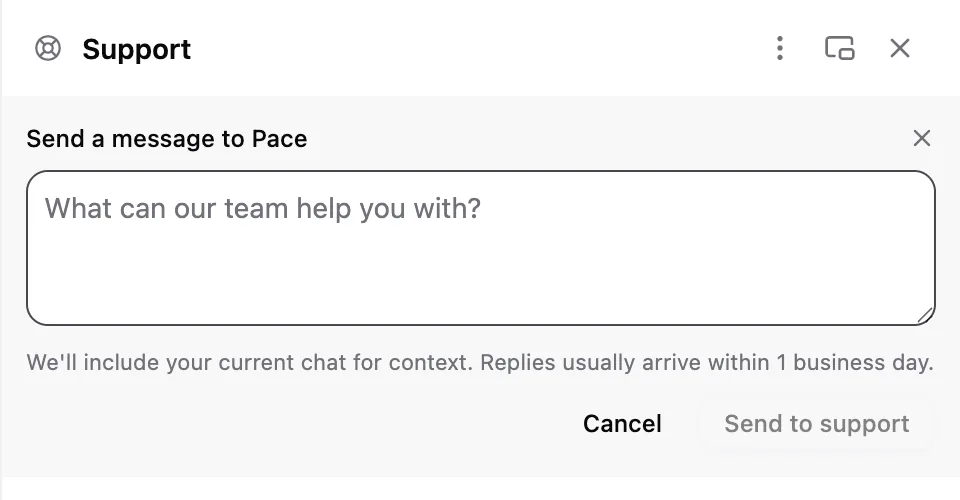
- Describe what you need in the box, then select Send to support. Cmd+Enter (Ctrl+Enter on Windows) sends it too.
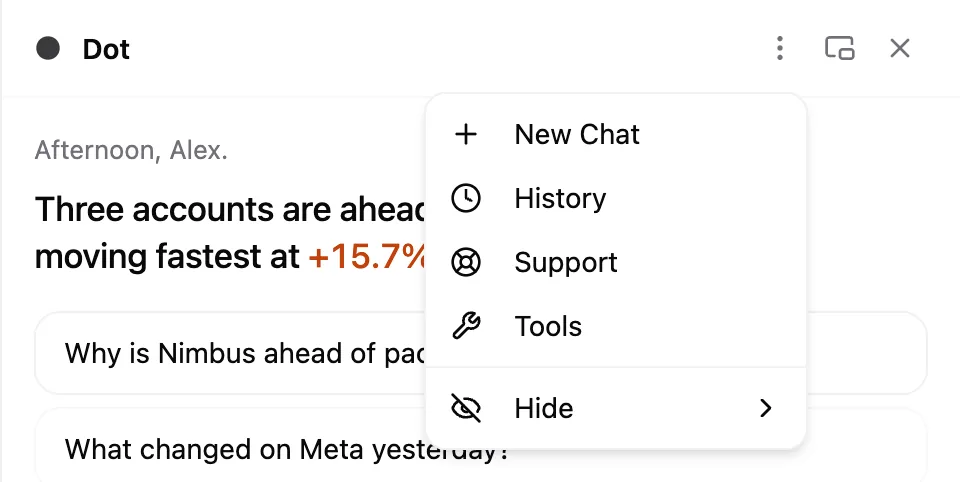
Your ticket appears straight away with the status Awaiting Pace. Replies usually arrive within one business day.
On One and above you don't have to start the ticket yourself. If you're already chatting with Dot and ask for a person (or the question is about billing, your account, or security), Dot hands the conversation over and the panel switches to the new ticket.
What to include
The more specific you are, the faster the answer:
- The account or campaign name you're looking at.
- What you expected to see, and what you saw instead.
- The exact wording of any error message.
Pace attaches the rest for you. Every ticket carries the page you were on, plus a snapshot of the Dot conversation you came from if you started it from Dot, so you don't have to re-explain the background.
If support asks for your Workspace ID, find it on Settings → Workspace, where a copy button sits next to it.
Follow the conversation
Open the Support panel any time to see your tickets. Each one shows who it's waiting on:
- Awaiting Pace — it's in our queue.
- Pace replied — there's an answer waiting for you.
- Resolved — the thread is closed.
New replies appear in the panel without a refresh, and a red dot sits on the bubble until you've read them. Threads survive a reload, a closed tab, and a switch between workspaces, so you can pick a conversation back up days later.
If a resolved ticket turns out not to be resolved, just reply to it. That reopens the thread and puts it back in our queue.
Note: You can keep three tickets open at once. If you've hit that, reply in an existing thread instead of starting another.
If you'd rather use email
Email [email protected] and you'll reach the same team. It's also the right route if you can't sign in.
For answers you can get without waiting, search this help centre (on Basic and Pro it's one click from the help panel), which covers connecting accounts, budget pacing, reporting, and billing. If your issue is an account that won't connect, common connection errors will likely settle it in a minute. If an account is connected but the numbers look stale, start with why isn't my ad account syncing.