Dot is the AI assistant built into Pace, and it answers from your live account data rather than from memory. Open it from the round Dot button in the corner of any page, or press Cmd+I.
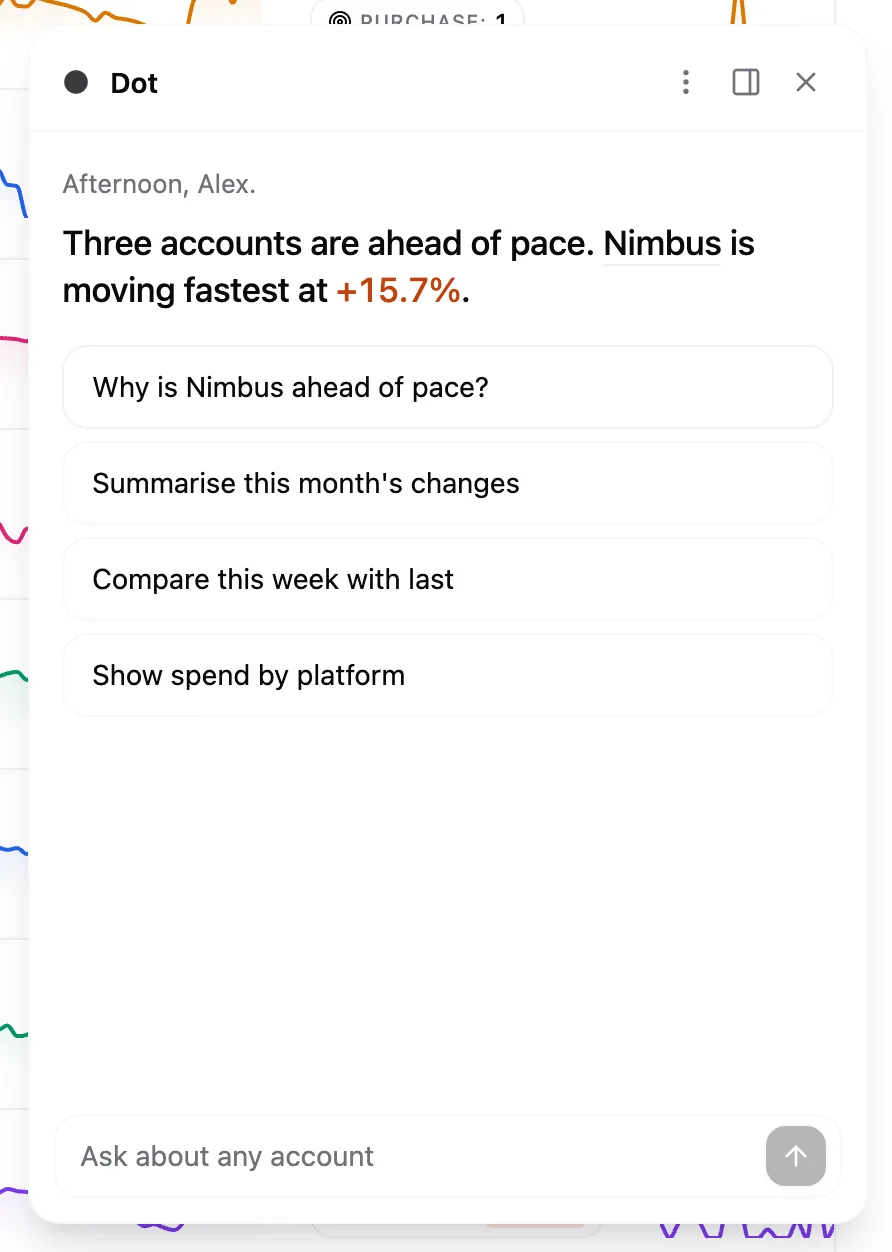
A fresh panel opens with one sentence about how your accounts are pacing this month, a few suggested questions underneath, and a New in Pace row when Pace has shipped something recently. Open Dot from an account page and that sentence is about the account you're looking at instead.
What you can ask
- How your accounts are doing — an overview of every linked account, last seven days against the seven before, per-campaign breakdowns, day-by-day trends, and platform-specific detail like Google Ads search terms or Meta Ads audience saturation.
- Why Pace changed something — Dot reads the account's Changes history and past insights, so it can explain the reasoning behind a budget change and what Pace currently thinks about the account.
- How anything in Pace works — Dot searches the help centre before it answers and links the article it used, so "how do I set a monthly budget?" gets the real steps.
How it works
Ask a question and Dot picks the tools it needs, then shows you a live checklist of what it's doing: comparing weeks, digging into a platform, reading a document. Each step ticks off as it finishes, and once the answer lands the steps fold into a short summary you can reopen.
While Dot is writing, the send button becomes a stop control that ends the reply where it is. Hover a finished reply for a copy button, and the newest one for a retry.
When you ask where something lives, Dot puts a button in its reply that takes you to that page. Dot never navigates for you. The button moves you only once you click it, and it appears only for screens you're allowed to open.
Dot opens as a floating card you can park in any corner. On a desktop-width window, the Dock to side icon in the header pins it as a full-height panel and the page reflows beside it, so the table you're asking about stays readable. Pop out returns it to the card, and Pace remembers which you used last.
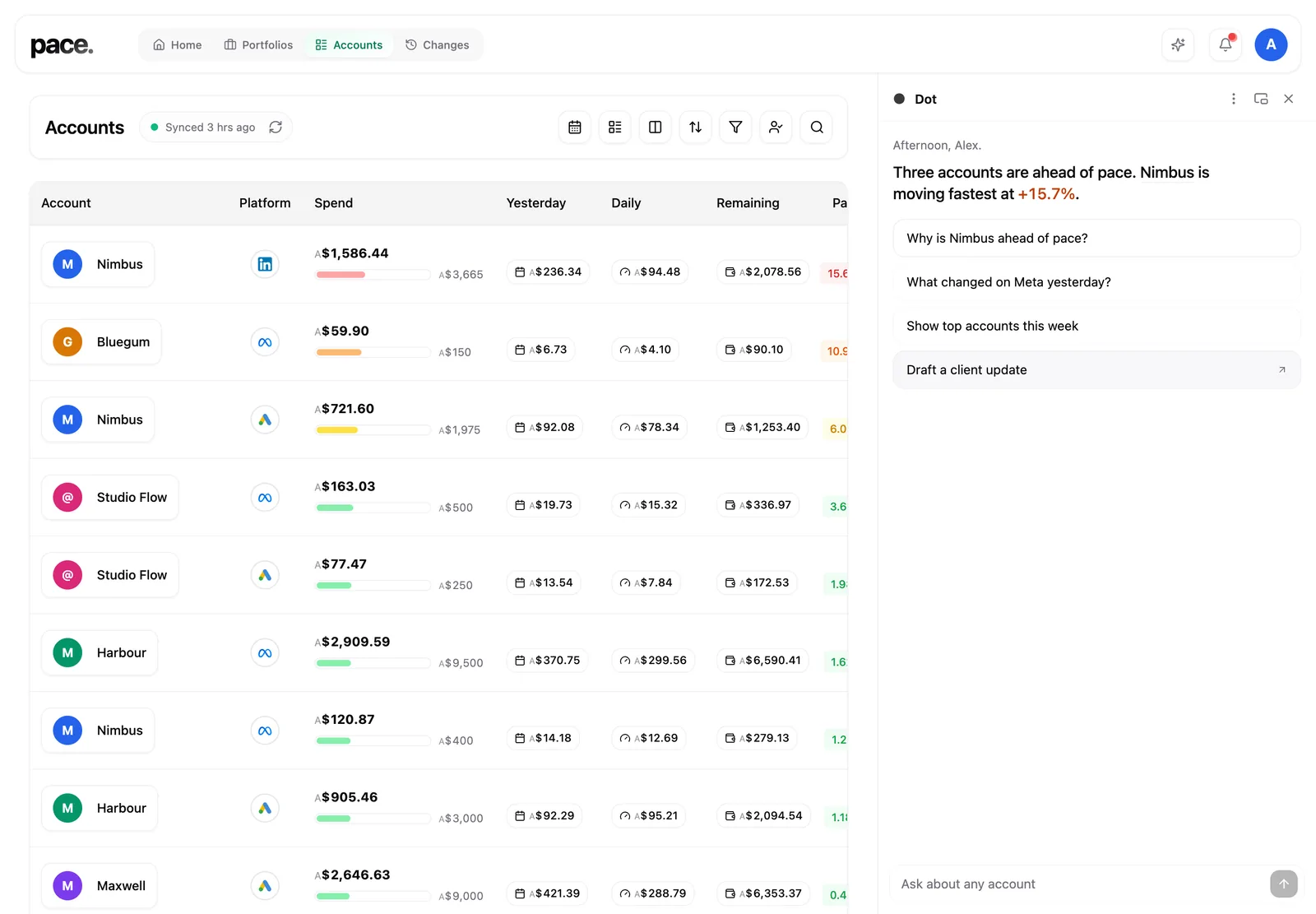
Want more room? The Maximize icon opens the same chat on a full page, and Prompts beside the message box offers ready-made questions. Read use Dot full page and the prompt library.
What Dot can and can't change
Dot is read-only with two exceptions. It can set an account's monthly pacing target: ask, and it shows an Approve / Cancel card naming the account and the exact new number. It can also change budgets and settings across many accounts and groups at once. Read make bulk changes with Claude or Dot. Nothing happens until you approve, and every approved change lands in the account's Changes history.
Permissions required: Any workspace member sees this card once the workspace owner has switched on AI writes. The same switch governs connecting Pace to an outside AI assistant.
It stops there. Dot can't pause a campaign, and it can't write budgets into Google Ads, Meta Ads, LinkedIn Ads, Microsoft Ads, TikTok Ads, Reddit Ads or Amazon Ads directly. It changes Pace's targets and settings, and your ad platforms follow on the next pacing run. The exception is switching an account to Daily Floor, which can resume paused campaigns straight away.
Dot is included on the One plan and above, and it's always on for those workspaces.
Next
Read why Pace changed your budget for the reasoning Dot draws on when you ask about a change.