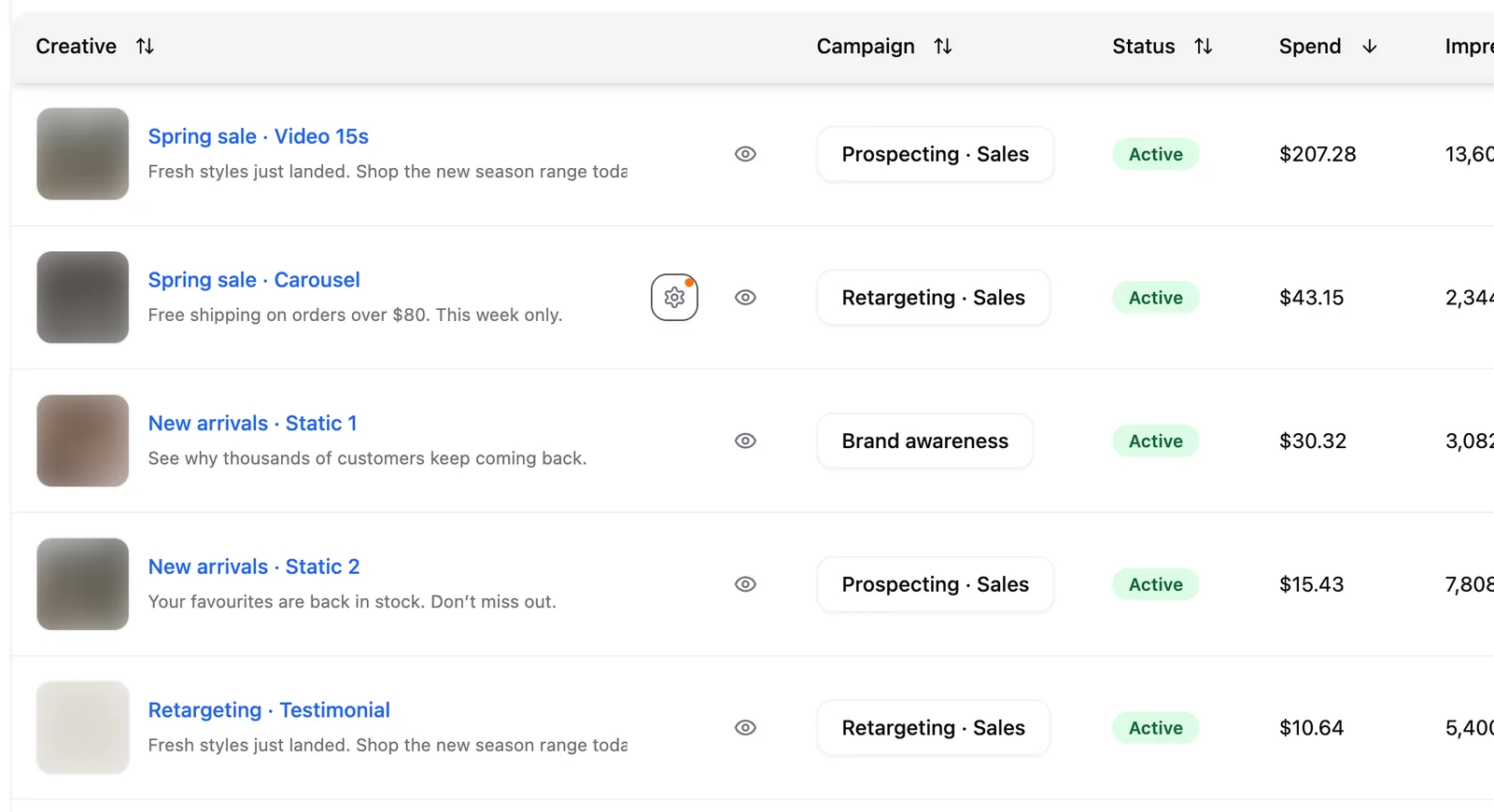
Every Meta Ads ad row in Pace has a cog beside the ad name. Click it and you'll see which of Meta's automatic creative edits are switched on for that ad, and what each one changes.
What Meta can change
Meta can edit a live ad without asking you. Depending on the switches attached to the creative, it can rewrite your headline or body copy, crop or expand an image, generate a new background, animate a still, add text overlays, or pick the ad format for you.
Those switches live in Ads Manager, usually turned on at the point the ad was created, and Ads Manager has no column that lists them across an account. If you run creative for a client, or to brand or compliance rules, that's worth being able to check quickly.
How to read the panel
Open an account, go to the Ads tab, and hover any ad row. The cog appears next to the ad name. Clicking it opens Meta AI creative edits, a read-only list of every switch Meta reports for that ad, each marked On or Off with a line describing what it does.
The switches that generate or rewrite creative sort to the top, so the ones with the most say over your ad are the first thing you read.
When one of those is switched on, the cog carries a small amber dot, so you can tell before you open the panel.
Each panel ends with an Open in Ads Manager link for that ad.
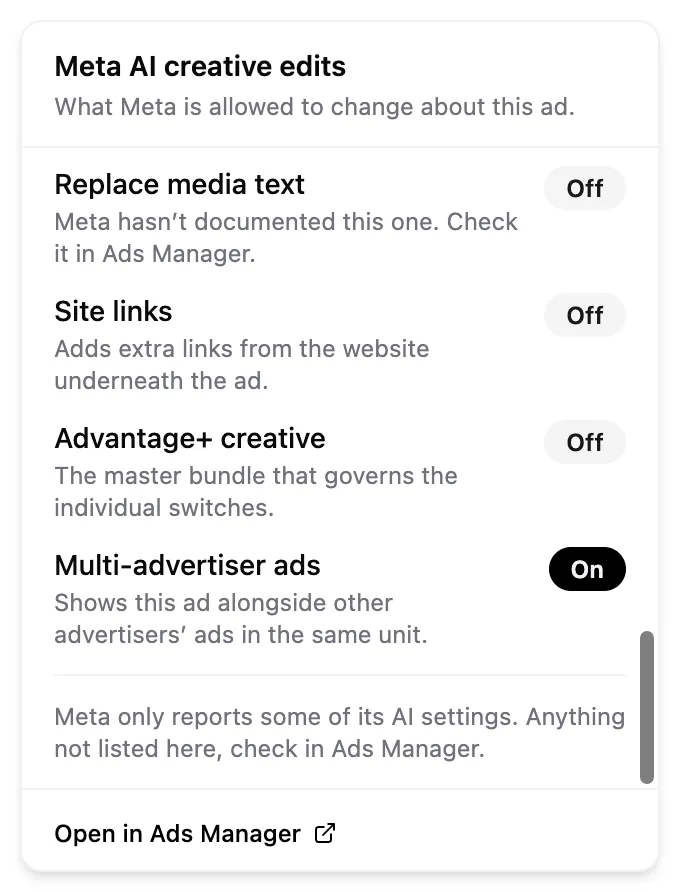
Note: The panel is read-only. Turning one of these switches off means replacing the creative in Ads Manager, so Pace shows you the state rather than offering a control that can't do the job.
When Meta reports nothing
Meta shares these settings for some ads and not others. Where it shares nothing for an ad, the panel shows a dashed Not reported by Meta badge instead of a list. The settings are unknown in that case, not off. Check that ad in Ads Manager.
Ads that do report carry the same caution in a footnote, because Meta only discloses part of the picture. Anything missing from the list is worth confirming in Ads Manager.
Limitations
- Meta Ads only. Google Ads, LinkedIn Ads, Microsoft Ads, TikTok Ads, Reddit Ads, Amazon Ads and X Ads accounts don't have this panel.
- The panel reads settings; it never changes them.
- Meta adds and renames these switches regularly. A switch Pace doesn't recognise still appears in the list, under a readable version of its own name, without a description.
See also
- See which creatives are working ranks your ads on quality, resonance and freshness.
- Edit a Meta Ads campaign in Pace covers the campaign and ad set settings you can change from Pace.