Change history is the record of everything that happened to your ad accounts: every budget Pace moved, every edit your team made in Pace, and every change made directly in Google Ads or Meta Ads. Open Changes in the top navigation to see the whole workspace in one list.
Why it's useful
- Answer "who changed what" without opening each ad platform and cross-checking dates.
- See why Pace made an automated budget move, not just the number it landed on.
- Catch edits made outside Pace, like a bulk update someone ran in Ads Manager overnight.
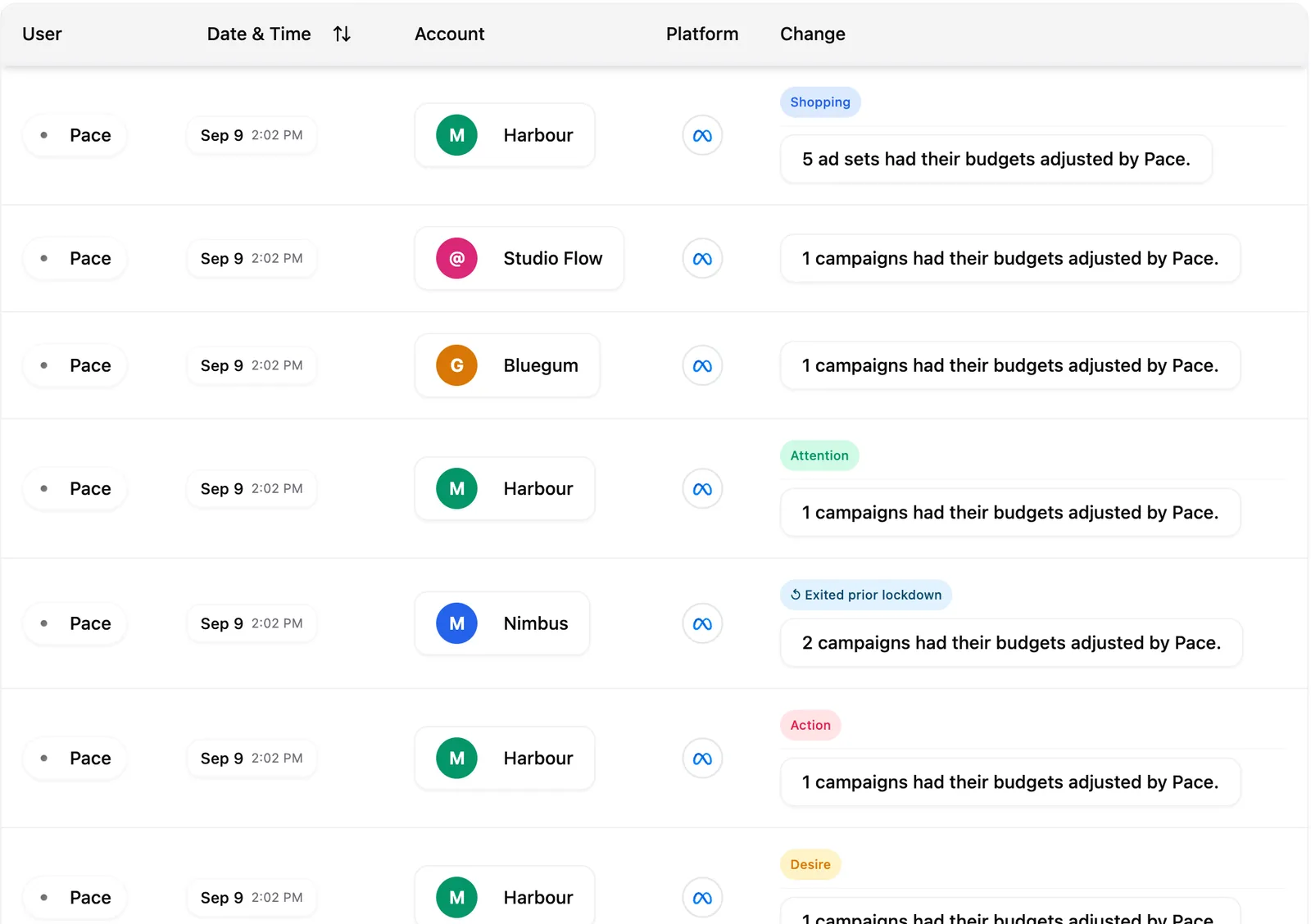
How it works
Every row names the person, the date and time, the account, the platform and what changed. The list holds four kinds of entry:
- Pace — the pacing engine's own budget moves, plus edits you and your team make inside Pace.
- Dot — budget changes you approved in Dot, marked with a Dot pill.
- Claude — budget changes requested through a connected AI assistant such as Claude, marked with a Claude pill.
- In-platform — changes made directly in Google Ads or Meta Ads, marked with an In-platform badge. Pace reads each platform's own change log every hour and folds those edits in.
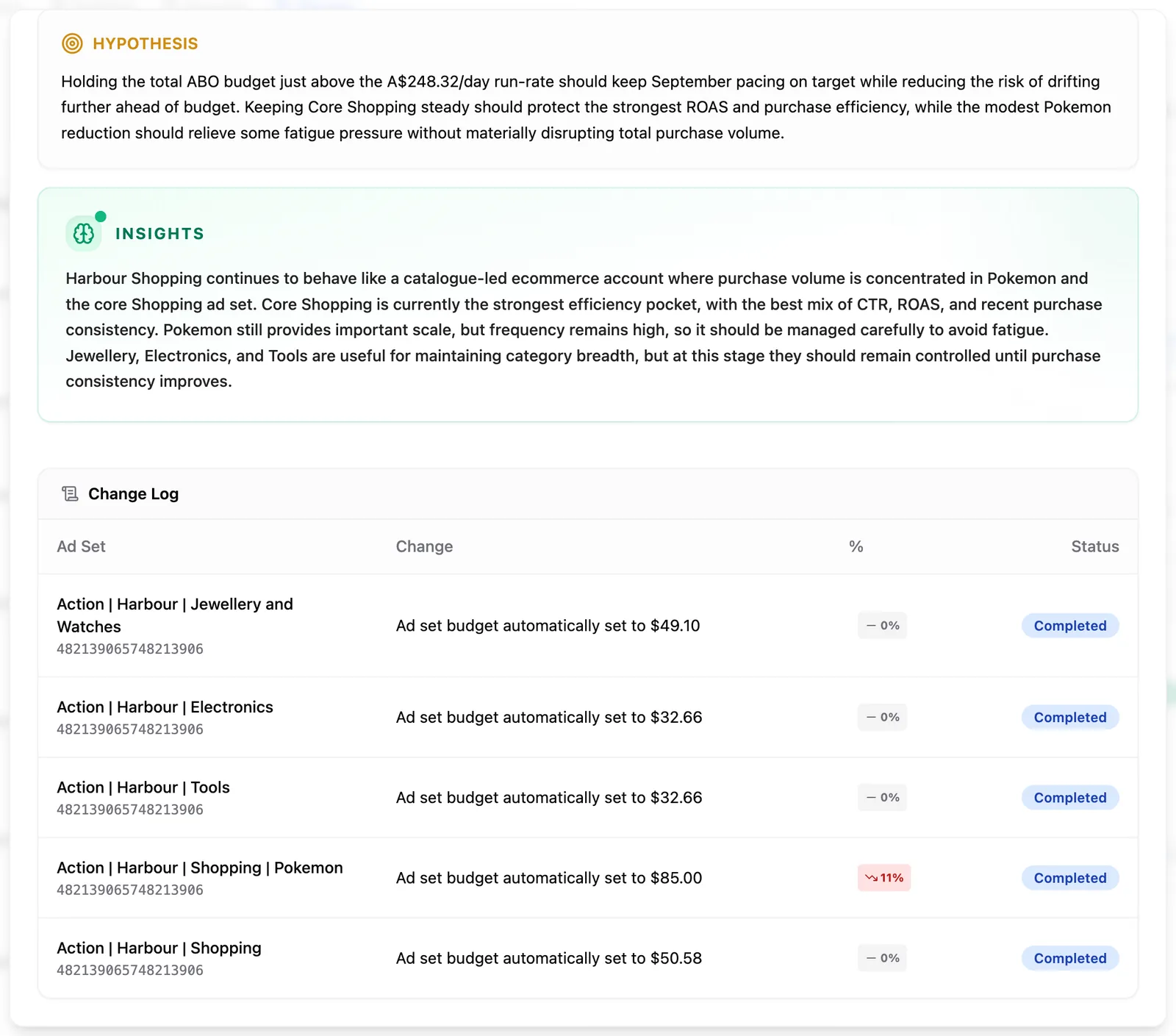
Click any row to open its detail view. Automated pacing changes show Reasoning (why Pace acted), Hypothesis (what it expected), Insights (the analysis behind it) and a Change Log table of exactly what was modified. If an ad platform refused a change, that row shows the platform's reason underneath, for example Meta saying the ad account needs a verified advertiser. Hover it to read the full message. A Dot or Claude entry instead shows where the request came from, the before and after budget, and which member authorised it.
The Summary card beside the table counts the changes in your selected range and breaks them down by platform, account, campaign group and team member, with a sparkline of daily activity.
Narrowing the list
The date-range picker controls how much history loads, and defaults to Last 30 days. Presets run from Today to Last 90 days, plus This month, Last month, This quarter, Last quarter and Year to date, and you can set any custom range. Here the Last presets include today, so a change made this morning shows up. The range is shared with the Alerts and Findings tabs, so picking one on any of them sets all three. Asking for a longer window fetches that whole window rather than filtering recent activity. When a range holds a lot of history, Load more pulls the rest.
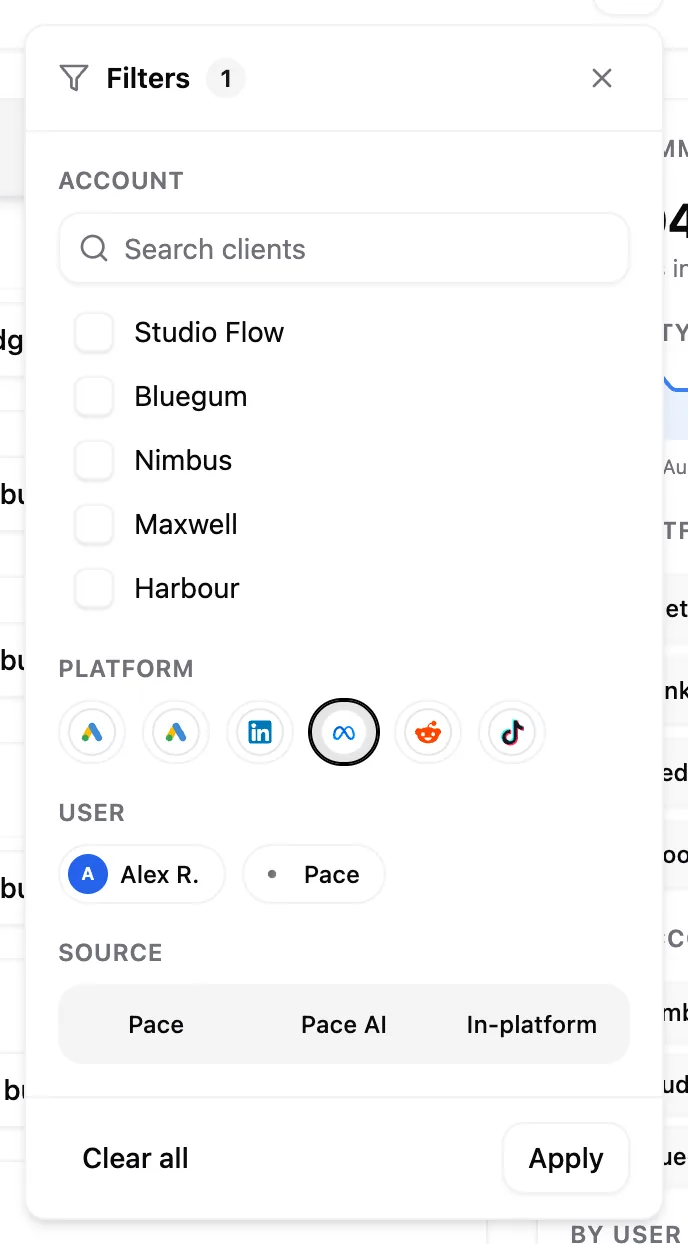
Open Filters to narrow by account (with a search box), platform, team member, and source (Pace, Dot, Claude or In-platform). Selections stage as you pick them and apply when you click Apply; Clear all resets the panel. Sort by Date & Time, and set the page size from 10 up to 500 rows.
Where else to find it
Every account has its own Changes tab showing the same history scoped to that account, with the source filter and date range in place. Portfolios have one too, covering every account inside them.
Limitations
In-platform capture covers Google Ads and Meta Ads only. LinkedIn Ads, Microsoft Ads, TikTok Ads, Reddit Ads, Amazon Ads and X Ads show Pace's own changes but not edits made in those platforms. In-platform rows also carry whatever the platform reports about who made the change, so an external editor appears without a Pace profile photo.
Note: Change history is on every plan, and every member of a workspace can read it.
To understand the thinking behind an automated budget move, read how Pace decides budget changes or why Pace changed my budget.