If you have managed ad budgets at an agency in the past five years, you have probably heard of Shape.io. It was one of the first tools built specifically for budget pacing, and it earned a loyal following among media teams who were tired of managing spend in spreadsheets. The Shape.io vs. Pace Ads comparison matters because the pacing tool landscape has changed significantly since NinjaCat's acquisition.
I used Shape.io at my agency before the acquisition. It did what it promised: connected to ad platforms, tracked spend against monthly targets, and gave you a visual dashboard to see which campaigns were on track. It was straightforward and purpose-built. That focus is what made it valuable.
Shape.io's History and the NinjaCat Acquisition
Shape.io launched as a standalone budget pacing tool for digital agencies. It connected to Google Ads, Facebook Ads, and a handful of other platforms, pulled spend data, and displayed pacing status against monthly budgets. The interface was clean, the setup was simple, and it solved a specific problem well.
In 2022, NinjaCat acquired Shape.io. NinjaCat is a data management and reporting platform built for agencies. The acquisition made strategic sense: NinjaCat wanted to add budget pacing to its reporting suite, and Shape.io needed resources to scale.
If you visit shape.io today, it redirects to ninjacat.io. The standalone product no longer exists as a separate entity. Shape.io's pacing features have been folded into NinjaCat's broader platform, which now includes reporting, data warehousing, AI agents, and client dashboards.
What Happened to Shape.io's Budget Pacing Features
Post-acquisition, NinjaCat integrated Shape.io's pacing capabilities into its reporting workflow. Budget pacing became one component within a larger platform, rather than the core product. For agencies that only needed pacing, this meant adopting a broader (and more expensive) platform to access a feature that was previously standalone.
NinjaCat's current product direction emphasises AI agents, automated reporting, and data management. Their 2026 roadmap focuses on AI-powered insights and data unification across marketing channels. Budget pacing is still available, but it is no longer the primary focus of the product.
This is a common pattern in ad tech. A focused tool gets acquired, folded into a larger suite, and gradually deprioritised as the parent company pursues its own strategic goals. The original users, who chose the tool for its simplicity and focus, are left with a product that no longer matches their needs.
What Shape.io Customers Actually Experienced After the Acquisition
The acquisition headline is the easy part. The lived experience for agency teams who had Shape.io plugged into their day-to-day pacing was messier, and it is the reason searches for Shape.io alternatives have stayed steady three years later.
Agencies we have spoken to describe a few common threads. Standalone pricing tiers were phased out in favour of NinjaCat contracts that bundled reporting, data warehousing, and client dashboards. For agencies that already had a reporting stack they liked, the new pricing structure did not always match the value they were getting from pacing alone.
Public roadmap signals around pure pacing also went quieter post-acquisition. Release notes shifted toward reporting connectors, AI agents for client questions, and data unification. The Shape.io product blog and standalone documentation moved into the NinjaCat help centre, which made it harder for outside observers to track what was being actively maintained.
Support and account ownership reportedly changed hands as teams reorganised. Several agencies we have spoken to mentioned losing the direct line they had to Shape.io's original product team, and going through a re-onboarding when contracts moved across to the parent platform. None of this is unique to NinjaCat — it is a common pattern in post-acquisition products — but it is part of why pacing-only buyers started looking elsewhere.
If you are doing that evaluation now, our roundup of Shape.io alternatives in 2026 walks through what each option does well and where each falls short — and the Shape.io → Pace migration guide maps every Shape workflow to its closest equivalent.
Shape.io Pricing: Then and Now
Shape.io's original pricing was one of its selling points: standalone tiers that scaled with ad spend, transparent enough to budget for, and priced for the pacing job alone. Small agencies could get on for a few hundred dollars a month, and you paid for pacing — not for a data warehouse you were not using.
That pricing no longer exists. Since the acquisition, Shape.io's pacing features are sold as part of NinjaCat's platform, which is quoted rather than listed, bundles reporting and data management whether you need them or not, and is oriented at enterprise contracts. Agencies that ask for "just the pacing" are quoted for the platform. If you have gone looking for a Shape.io pricing page and landed on a demo-request form, that is why.
Pace's pricing is closer in spirit to what Shape.io originally offered: per ad account managed, listed on the pricing page, with no reporting-suite bundle and no enterprise minimum. New workspaces start with a 14-day free trial that includes every Enterprise feature, so you can validate the pacing engine on live accounts before paying anything.
Budget Pacing Tools Compared: NinjaCat vs. Pace Ads
Pace Ads was built specifically for cross-platform budget pacing. Unlike NinjaCat, which offers pacing as one feature within a reporting suite, Pace is purpose-built around the pacing workflow. Here is how the two compare across the features that matter most to agencies.
Platform support. NinjaCat connects to a wide range of data sources for reporting purposes, including Google Ads, Meta, LinkedIn, Microsoft Ads, and many others. Pace connects to Google Ads, Meta, TikTok, LinkedIn, Microsoft Ads, Reddit Ads, X Ads, and Amazon Ads with a focused integration that goes deeper on budget management. Pace's roadmap includes Snapchat and additional platforms.
Auto-pacing. NinjaCat's pacing features track spend against budgets and surface alerts. Pace goes further by automatically calculating and applying daily budget adjustments based on remaining budget and remaining days. The system recalculates multiple times daily and can apply changes without manual intervention.
Transparency and audit trails. Pace logs every budget change with a timestamp, the old value, the new value, and the reason for the change. This creates a complete audit trail that agencies can share with clients. NinjaCat provides reporting on budget status but does not offer the same level of change-level transparency.
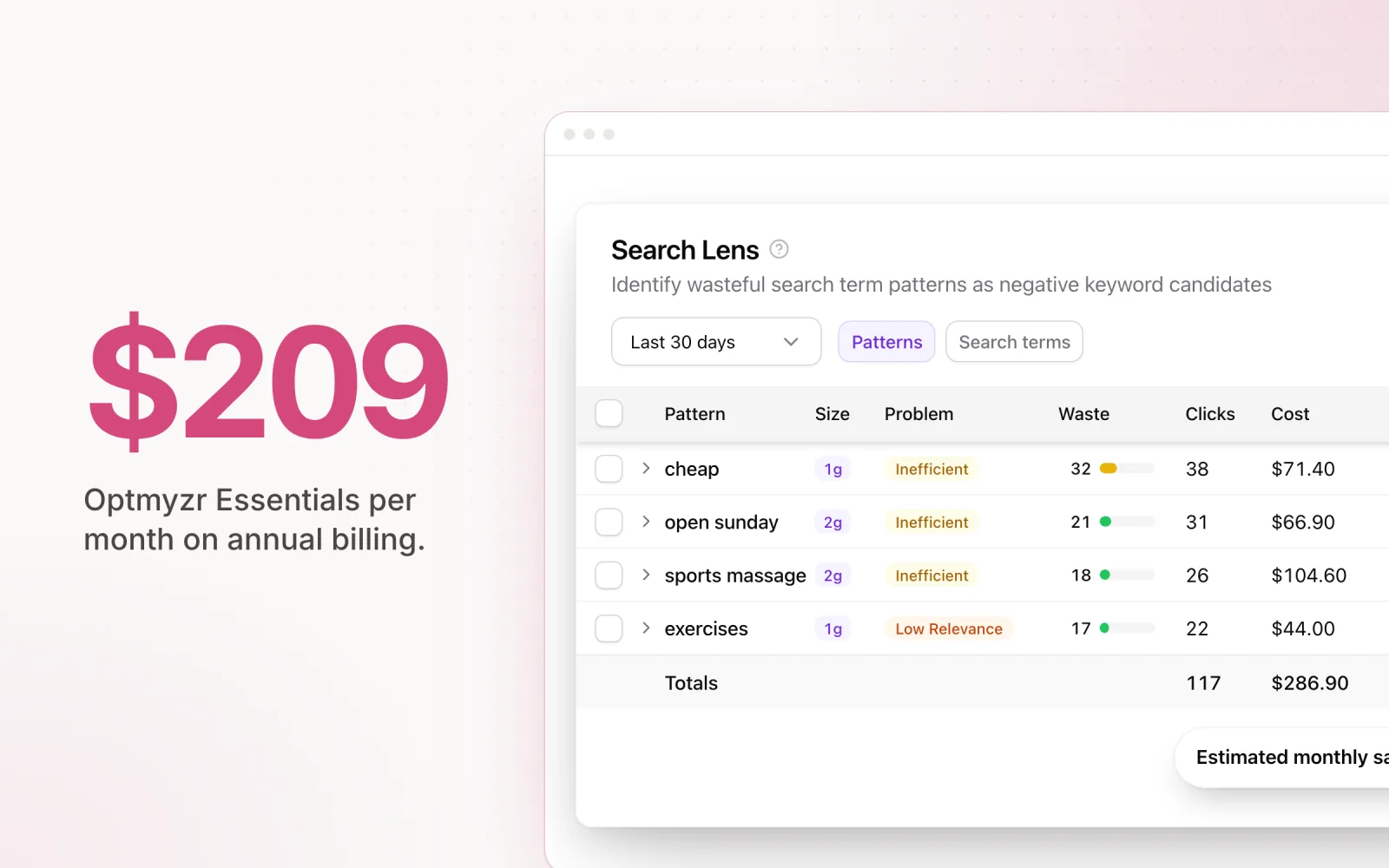
Beyond pacing. Pace includes several capabilities that NinjaCat does not offer: overspend protection that treats the monthly budget as the cap, checked every 5 minutes, Findings for automated anomaly detection across all platforms, Dot — a conversational AI agent for investigating account data in real time — Search Lens for keyword and search term analysis with waste scoring, and performance records that track all-time bests with “Record Broken” alerts via Slack and email.
Ease of setup. Pace connects via OAuth in minutes. You authorise your ad accounts, set monthly budget targets, and the system starts tracking and adjusting. NinjaCat requires a more involved onboarding process because you are setting up a full reporting and data management platform, not just a pacing tool.
Pricing model. NinjaCat is an enterprise-oriented platform with pricing that reflects its broad feature set. Pace is designed to be accessible to agencies of all sizes, with pricing based on the number of ad accounts managed — and new accounts get a 14-day free trial with every Enterprise feature included so teams can pressure-test it on real client data before they commit.
Feature Comparison at a Glance
| Feature | NinjaCat (Shape.io) | Pace Ads |
|---|---|---|
| Primary focus | Reporting + data management | Budget pacing + optimisation |
| Auto budget adjustments | Alerts only | Automated daily adjustments |
| Change audit trail | Limited | Full log with reasoning |
| Setup time | Days to weeks | Minutes |
| AI-driven pacing | General AI agents | Frontier-model AI engine |
| Google Ads | Yes | Yes |
| Meta Ads | Yes | Yes |
| LinkedIn Ads | Yes | Yes |
| Best for | Agencies needing full reporting suite | Agencies needing focused pacing |
Who NinjaCat Is Better For
NinjaCat is a strong choice for agencies that need a comprehensive reporting and data management platform. If your primary pain point is client reporting across dozens of data sources, and budget pacing is a secondary need, NinjaCat's integrated approach makes sense.
Agencies already using NinjaCat for reporting will find that the built-in pacing features (inherited from Shape.io) provide adequate visibility into budget status without adding another tool to their stack. The trade-off is less depth and automation on the pacing side.
Who Pace Ads Is Better For
Pace is built for agencies where budget pacing is the primary problem. If you are losing time to spreadsheet-based pacing, missing monthly targets, or struggling to explain budget variances to clients, Pace addresses those issues directly.
Agencies managing budgets across Google, Meta, TikTok, LinkedIn, Microsoft, Reddit, X Ads, and Amazon Ads benefit from Pace's cross-platform dashboard and automated adjustments. The audit trail and change logging features are particularly valuable for agencies that need to maintain transparency with clients, as we covered in our comparison of budget pacing tools.
If you previously relied on Shape.io and are looking for a dedicated replacement that focuses on pacing rather than general reporting, Pace is the closest match to what Shape.io originally offered, with modern AI-driven optimisation built in.
What the Pace Interface Looks Like Now
If the last time you evaluated Pace was a year ago, the product has moved on. Here is how the current interface is laid out so you know what you are walking into.
Top-level navigation. A persistent left sidebar lists your workspace, then the home dashboard, followed by each connected ad account grouped by platform with a color avatar. Portfolios and campaign groups sit underneath. Settings, connections, and alerts live at the bottom of the rail.
Home dashboard widgets. The home page leads with a real-time pacing bar that reads something like "{name}, 12 of 15 accounts on pace" with color-coded count pills. Underneath that, an aggregate spend progress bar shows total spend against total budget across every account, coloured by pacing variance. A worst-performer callout surfaces any account running more than 15% off and links straight to it. Further down sit the Findings hero section, a blended multi-metric chart with a 7-day vs prior 7-day comparison, a recent activity timeline, a recent alerts list, and a curated industry news feed.
Where pacing controls live. Open any account from the sidebar and you land on the account overview. The account detail view uses a collapsible sidebar with tabs for Overview, Performance, Improvements, Findings, Records, Changes, Reports, and Notes. The pacing controls themselves sit inside the account settings on each account: monthly budget, what happens when the monthly budget is reached ($1-a-day trickle or pause), pacing schedule, and goal selection. A "Pace Now" button triggers an on-demand optimisation run. A "Pace All" button at the portfolio level does the same across every account in one click.
The chat assistant. A floating widget called Dot opens with Cmd+I from any page. It is a conversational agent that can pull weekly comparisons, campaign breakdowns, learning-limited ad sets, irrelevant search terms, lead form drop-off, and the AI's running hypothesis for any account you ask about. You can resize the panel, expand it full screen, and @mention any account by name.
The Changes tab. This is the surface most Shape.io users will care about. Every automated budget change Pace makes is logged with the timestamp, the campaign, the before and after value, and the reasoning the AI used. The same surface includes a scope-divergence badge that flags pacing runs where significant spend was flowing outside Pace's control, so you can see at a glance which runs were operating on a partial picture.
Migrating From Shape.io to Pace: A Practical How-To
If you are moving off Shape.io (whether because of the NinjaCat bundling, pricing changes, or because pacing is no longer the product's centre of gravity), the cleanest path is to run the two tools in parallel for a billing cycle before you cut over. Here is the order of operations we recommend.
1. Export what you can from Shape.io. Inside the NinjaCat platform, pull a CSV export of your current account list, monthly budget targets, pacing groups, and historical pacing reports. The connection credentials themselves do not transfer. Every platform connection on Pace uses fresh OAuth, so what you need from the export is the configuration: which accounts you manage, what the monthly target on each one is, which campaigns belong together, and how you want each account handled once its budget is spent. Save these to a working sheet you can reference during setup.
2. Connect platforms in Pace via OAuth. In Pace, go to Settings then Connections and authorise Google Ads, Meta, TikTok, LinkedIn, Microsoft Ads, Reddit Ads, X Ads, and Amazon Ads one at a time. Each connection prompts a standard OAuth flow with the platform; Pace requests read and write scopes so it can both pull spend data and apply budget changes. For Google Ads MCC structures, Pace discovers nested sub-MCCs automatically. For Microsoft Ads, multi-level manager account hierarchies are walked the same way.
3. Set monthly budgets and goals on each account. Open each account, set the monthly budget target from your Shape.io export, pick a primary goal (Conversions, ROAS, CPA, CTR, CPC, CPM, Phone Calls, or a specific conversion action you have configured in the ad platform). The monthly budget is the cap: once it is reached, Pace drops each campaign to $1 a day by default, or pauses them if you switch that setting to Pause.
4. Mirror your pacing groups as campaign groups. If you grouped campaigns in Shape.io (for example: Brand, Prospecting, Retargeting), recreate those as campaign groups inside the relevant account. Each group can carry its own monthly budget, its own goal, and its own choice of what happens when that budget is reached. Ungrouped campaigns automatically inherit the residual account budget. The naming convention is up to you, but matching what your team and clients already recognise from Shape.io reports tends to reduce the change-management friction.
5. Run Pace in shadow mode for a billing cycle. Leave Shape.io connected and watching. In Pace, set the pacing schedule to whatever your tier supports (one to three runs per day) and let it generate recommendations. For the first cycle, compare Pace's daily adjustments against what you would have done manually or what Shape.io's alerts surfaced. The Changes tab gives you the full reasoning behind each move, so the audit is straightforward.
6. Cut over and disconnect Shape.io. Once you have validated a billing cycle of Pace runs, disconnect the NinjaCat platform from your ad accounts (or downgrade your contract if you are keeping it for reporting). At this point Pace is the sole automated system writing to your budgets, which avoids any risk of two tools fighting over the same daily budget field.
Edge cases worth flagging upfront. A few things will not map cleanly:
- Custom Shape.io metrics built on top of NinjaCat's data warehouse layer (e.g. blended cost-per-MQL that mixes ad spend with CRM data) do not have an equivalent in Pace. If those metrics drove your pacing decisions, you will need to either recreate them in your reporting stack or pick a Pace-native goal (like a specific conversion action) that approximates the same intent.
- Microsoft Ads accounts under deeply nested MCCs sometimes need manual reconnection if the parent manager account changes ownership during the migration. Pace's discovery handles standard nesting, but unusual permission setups can require an additional manual auth step from the account owner.
- Performance Max campaigns on Google Ads pace at the campaign-budget level in Pace today. The campaign editor opens on PMax for the settings Google Ads allows on that type, and PMax spend is included in pacing math, but the granular asset-group edits stay in the Google Ads UI for now.
- Meta CBO campaigns render budget at the campaign level, not the ad-set level. If your Shape.io setup treated CBO ad sets as independent budget units, the cleanest equivalent in Pace is to use campaign groups to organise CBO and ABO campaigns separately so each gets the right pacing scope.
- Historical change logs from Shape.io do not import. Pace builds its own audit trail from the moment you connect, so the first month is also the first month of unified change history. If you need long-running historical pacing data for client reports, keep the Shape.io export accessible.
For agencies running campaigns across multiple platforms, this same migration framework holds. Our guide on managing Google, Meta, and LinkedIn Ads in one place covers the cross-platform setup in more depth, and the wider budget pacing tools roundup is useful if you are still comparing options.
The bottom line: NinjaCat and Pace serve different needs. Choose NinjaCat if reporting is your priority. Choose Pace if pacing accuracy is what keeps you up at night. The Shape.io alternative page shows the migration mapped feature by feature — or try Pace free and see how it compares with your current setup firsthand.