Your customers don't live on just one platform. They see your ad on Instagram, search for your brand on Google, and check your company page on LinkedIn. Your marketing strategy is unified, so why are your operations fragmented?
The short answer
To manage Google, Meta and LinkedIn ads in one place, connect all three ad accounts to a single cross-platform tool through each platform's official API (OAuth), group the accounts by client, and set one budget per client that the tool tracks across every platform. The type of tool decides what "one place" means. A data connector gives you one dataset. A reporting dashboard gives you one report. A pacing and management platform also lets you change budgets and catch overspend from the same screen.
| Approach | Examples | One view of spend | Change budgets from it | Best for |
|---|---|---|---|---|
| Native dashboards | Google Ads, Meta Ads Manager, LinkedIn Campaign Manager | No | Yes, one platform at a time | One platform, a few accounts |
| Data connector + sheet or BI | Supermetrics, Funnel, Adverity, Improvado | Yes, after you build it | No | Teams with an analyst and a BI stack |
| Reporting dashboard | AgencyAnalytics, Whatagraph, Swydo, Looker Studio | Yes | No | White-label monthly client reports |
| Pacing and management platform | Pace, Optmyzr (strongest on Google and Microsoft) | Yes | Yes | Agencies running budgets across several platforms per client |
| Enterprise bidding platform | Skai, Marin Software, Smartly | Yes | Yes, with cross-platform bidding | Very large single-client budgets |
If all you need is yesterday's spend from each platform in one sheet every morning, a connector or a script will do it; our guide to daily ad spend reporting across Google, Meta and LinkedIn walks through the Google Sheets build and where it breaks. If you also need to keep each client on budget, you need the pacing layer, which is what the rest of this guide covers.
How to Set It Up in Five Steps
- Pick the layer you actually need. Reporting only, or reporting plus budget control. Use the table above; buying a dashboard when the pain is overspend is the most common mistake.
- Connect each platform through OAuth. Sign in to Google Ads (or your MCC), Meta Business, and LinkedIn Campaign Manager from inside the tool. Nobody should be sharing passwords, and access should be revocable from each platform.
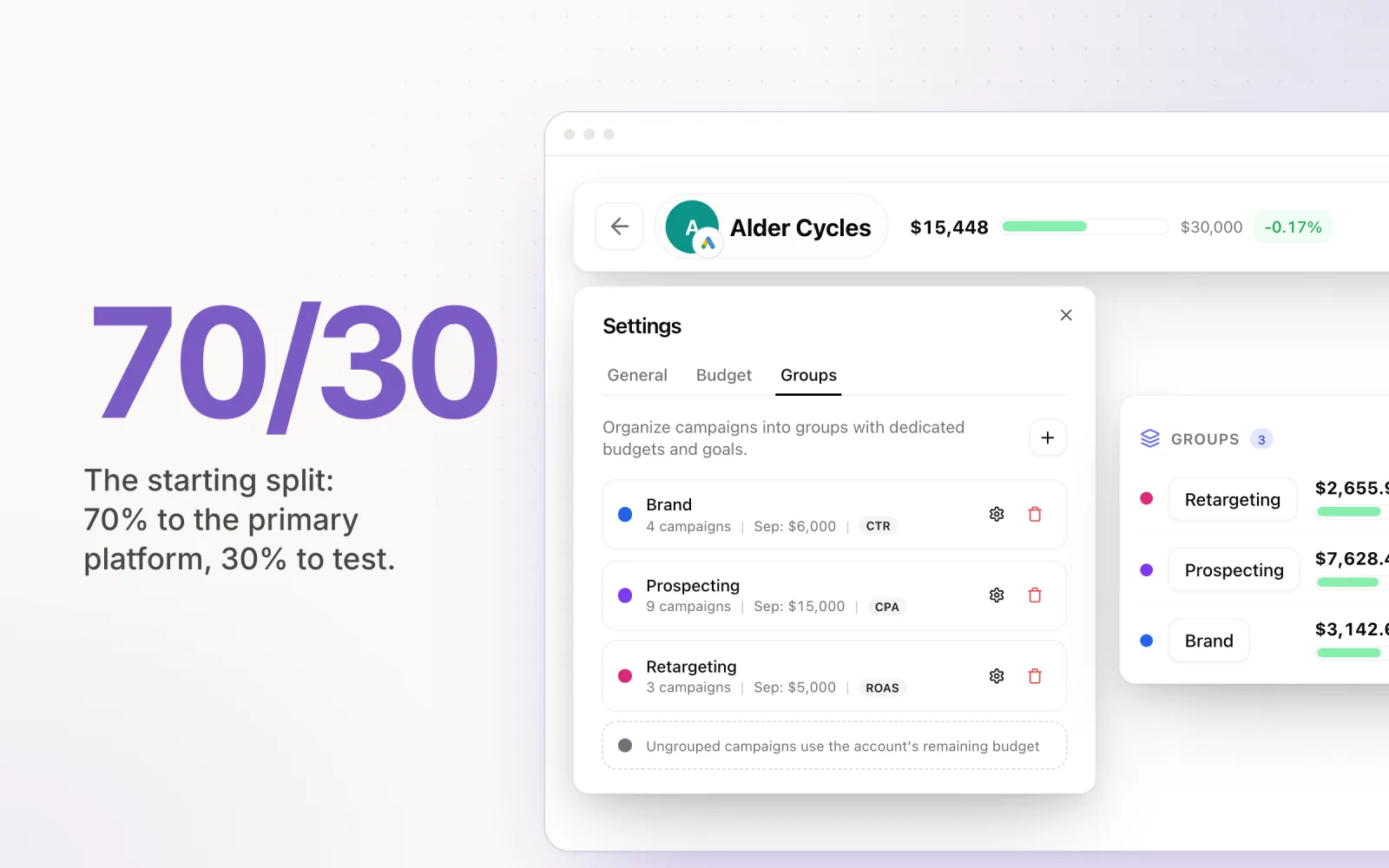
- Group accounts by client, not by platform. One client might own a Google account, a Meta ad account and a LinkedIn account. Put them together so spend rolls up to the client.
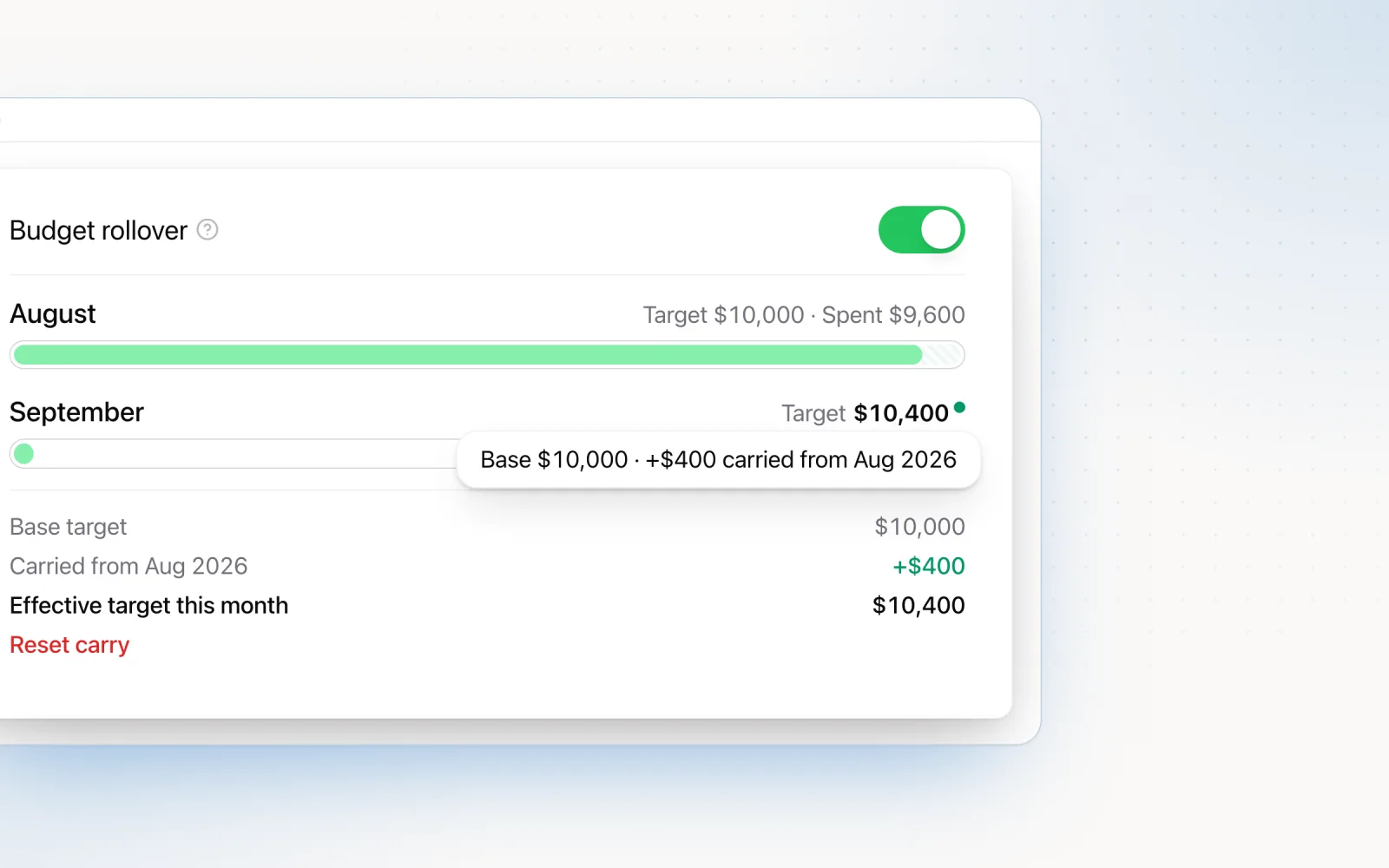
- Set one monthly budget per client and split it by platform. The tool can then work out remaining budget divided by remaining days for each platform, and for the client as a whole.
- Agree one set of metric definitions. Google, Meta and LinkedIn count conversions with different attribution windows (see reporting below). Label them in reports, or clients will compare numbers that were never comparable.
In Pace, that is: connect the accounts under Linked Accounts, add them to a client workspace, set a budget and goal on each account, and turn on automated pacing. Daily spend, pace and any drift then show on one client list across every connected platform.
The Real Cost of Platform Fragmentation
The average agency media buyer spends three or more hours per day switching between Google Ads, Meta Business Manager, and LinkedIn Campaign Manager. That is not an exaggeration. Between login cycles, loading dashboards, exporting data, and cross-referencing numbers in a spreadsheet, the time adds up fast. As we detailed in how agencies waste 10+ hours a week on manual ad budgeting, the cost compounds with every client you add.
Each platform has its own metrics naming conventions, its own budget pacing logic, and its own reporting lag. Google Ads reports in near-real-time. Meta can have attribution delays of up to 72 hours depending on your conversion window settings. LinkedIn's reporting API updates every four to six hours. When you are juggling all three, you are never looking at a consistent snapshot of spend.
The consequence is what we call Platform Blindness. You might be overspending on one platform while underspending on another, but because each dashboard only shows its own slice, the imbalance stays hidden until end-of-month reconciliation. By then, the budget damage is done.
How Each Platform Paces Budget Differently
Understanding the pacing mechanics of each platform is critical to managing them together. They do not work the same way.
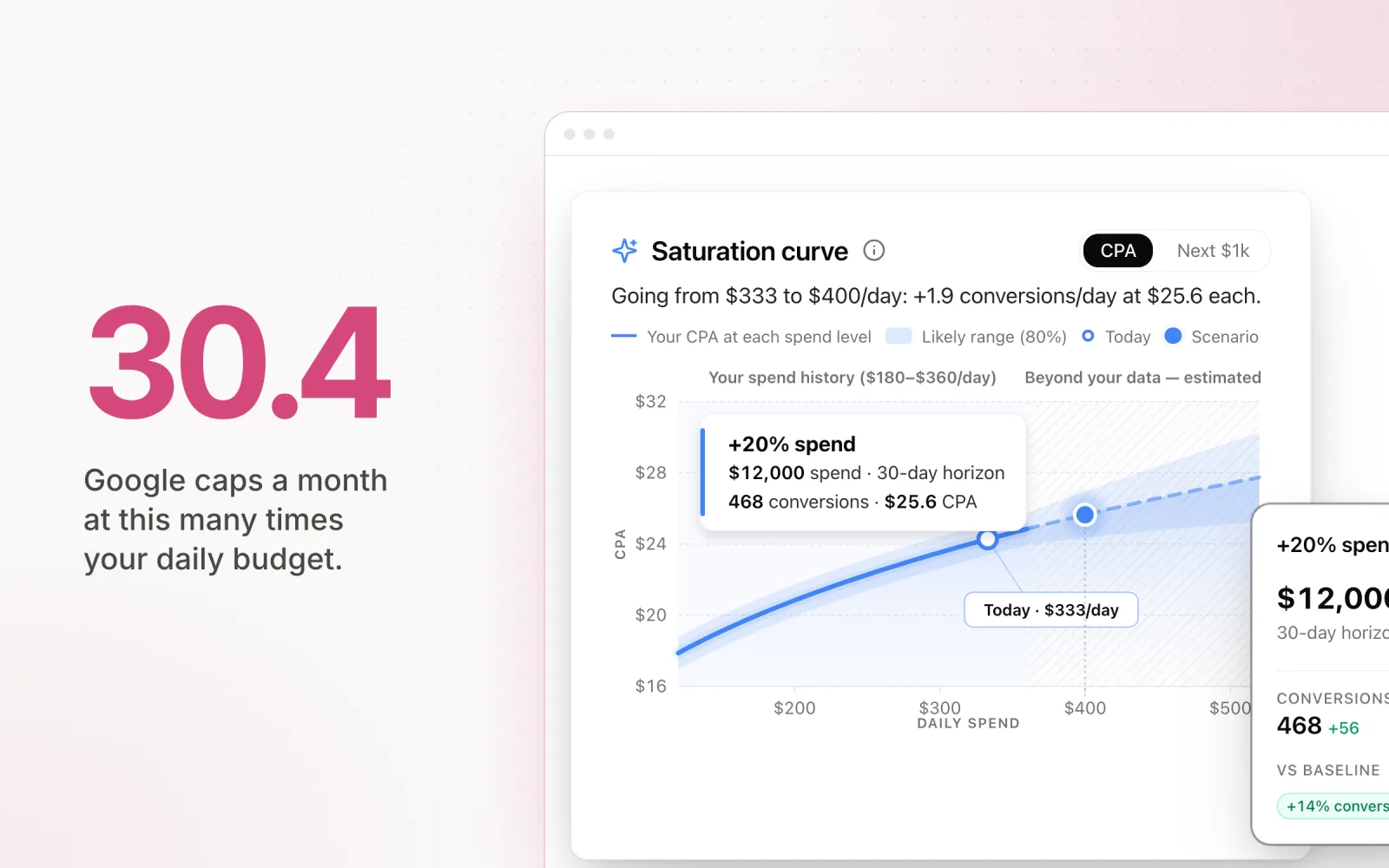
- Google Ads uses a 30.4-day monthly cycle. Your daily spend can exceed your set daily budget by up to 2x on any given day, but Google caps monthly spend at your daily budget multiplied by 30.4. This means short-term spikes are normal, and checking spend on a single day can be misleading. (Google Ads Help: About campaign budgets)
- Meta Ads distributes spend dynamically through Campaign Budget Optimization (CBO). New campaigns enter a "learning phase" during the first roughly 50 conversions, where spend is volatile and often front-loaded. On any given day, Meta can overshoot your daily budget by up to 75%, though weekly spend will not exceed seven times the daily budget. Meta's pacing algorithm is designed for conversions, not your budget spreadsheet.
- LinkedIn Ads defaults to maximum delivery bidding, which means the algorithm bids aggressively when it finds matching users. Daily budgets can be overshot by up to 50%. CPCs typically run $5 to $12 for most B2B verticals, and higher for enterprise audiences. The auction inventory is smaller than Google or Meta, so LinkedIn takes an aggressive approach when opportunities appear. This is well-documented and preventable with the right pacing setup.
Now consider a client with a $30,000 monthly budget split $15,000 Google, $10,000 Meta, and $5,000 LinkedIn. That is three different pacing models running simultaneously, each with different overspend thresholds, different reporting lags, and different optimisation goals. Without a unified view, pacing accuracy across the combined budget degrades significantly.
What "Unified" Actually Means
Every cross-platform tool on the market claims to "unify" your ad management. In practice, most only unify one layer and quietly ignore the other three. Before you pick a tool, get specific about which kind of unification you actually need. There are four layers, and they are not interchangeable.
- Unified data. The tool ingests spend, impressions, clicks, and conversions from each platform's API and stores them in one schema. Examples: Supermetrics, Funnel, Adverity, Improvado. The output is a clean dataset you can pipe into BigQuery, Looker, or a warehouse. You still need a separate tool to act on it.
- Unified reporting. The tool reads from those connectors (or builds its own) and renders dashboards across platforms. Examples: Looker Studio with Supermetrics, AgencyAnalytics, Whatagraph, Swydo. You can see Google plus Meta plus LinkedIn in one chart. You still cannot change a budget from inside the tool.
- Unified pacing and budget control. The tool calculates remaining budget across all platforms and either alerts you or adjusts caps automatically. Examples: Pace, Shape, parts of Optmyzr. This is the layer that actually prevents end-of-month overspend, and it is the one most "unified" tools skip.
- Unified bidding and optimisation. The tool makes bidding decisions across platforms based on a shared signal (lifetime value, blended CPA, portfolio ROAS). Examples: Skai, Marin Software, the higher tiers of enterprise platforms like Smartly. This is rare, expensive, and almost always overkill below seven-figure monthly spend.
The mistake agencies make is buying a unified-reporting tool and expecting unified pacing, then wondering why budgets still drift. A dashboard that shows you spend across Google, Meta, and LinkedIn is not the same thing as a system that does anything when one of those platforms starts overpacing on day 12. Decide which layer is causing pain before you shop.
The Unified Workspace in Practice
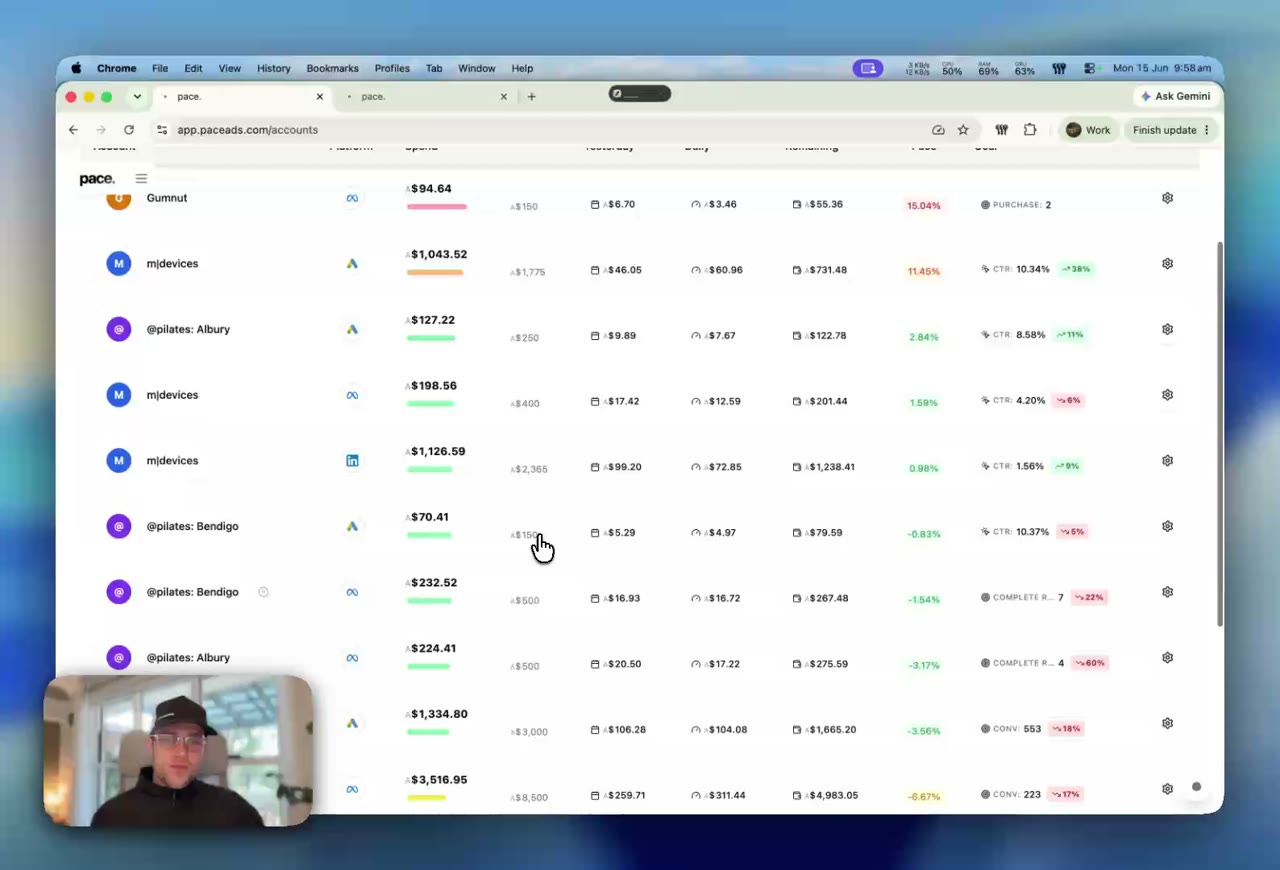
Pace is designed with a Workspace architecture. You group ad accounts by Client or Brand, regardless of which platform they run on. An agency managing a SaaS client running Google Search campaigns for bottom-funnel keywords, Meta retargeting for mid-funnel nurture, and LinkedIn Sponsored Content for top-funnel awareness can see all three in a single workspace.
Here is what the daily workflow actually looks like once accounts are connected. You open Pace at 9am and land on the client list view: each client name, total month-to-date spend, total budget, percentage paced, and a colour-coded status. Three clients are green (on pace), one is amber (drifting +6%), one is red (already 18% over with eleven days to go). You click into the red client and see the breakdown by platform straight away: Google +24%, Meta on track, LinkedIn -8%. The pacing chart underneath plots the actual spend curve against the linear-pace line, so you can see the day Google started running hot. Underneath that, the change log shows the bid adjustment a team member made on the 7th that caused the spike. You shift a portion of LinkedIn's remaining budget across to absorb the Google overspend, log the reasoning in the change note, and move to the next client. Total time per client: two to three minutes. No platform logins, no spreadsheet, no exports.
Compare that to the old workflow: log into Google Ads, screenshot the spend, log into Meta Business Manager, screenshot the spend, log into LinkedIn Campaign Manager, screenshot the spend, paste numbers into a pacing tab, drag a formula down, realise the formula broke because someone renamed a campaign last week. Twenty minutes per client, every morning. At fifteen clients, that is a full day before you've made a single optimisation.
- Google Ads: Search, Display, Shopping, Performance Max, Demand Gen, and YouTube campaigns.
- Meta (Facebook & Instagram): Feed, Stories, Reels, and Advantage+ Shopping campaigns.
- TikTok Ads: In-Feed, Spark Ads, TopView, and Video Shopping campaigns.
- LinkedIn Ads: Sponsored Content, Message Ads, Document Ads, Thought Leader Ads, and Dynamic Ads.
- Microsoft Ads: Search, Audience Network, and Performance Max campaigns across Bing, Yahoo, and the broader Microsoft Search Network.
- Reddit Ads, Amazon Ads and X Ads: the same budgets, pacing and overspend protection as the other platforms, in the same client view.
If you are evaluating tools that offer this kind of consolidation, our buyer's guide covers what to look for beyond surface-level feature lists.
Cross-Channel Budget Fluidity
The biggest advantage of a unified dashboard is the ability to spot macro-trends and reallocate dynamically. Here is a concrete example.
A client has a $20,000 monthly budget: $12,000 allocated to Google, $6,000 to Meta, and $2,000 to LinkedIn. Midway through the month, Google CPCs spike 35% because a competitor enters the auction. At the current trajectory, Google will overspend by $1,800. Meanwhile, Meta is underspending by $1,200 because a creative refresh reduced CPMs. In a fragmented workflow, you discover this mismatch at month-end. In a unified view, you catch it on day 12 and shift $1,000 from Meta to Google's remaining budget allocation.
The pacing formula is straightforward: remaining budget / remaining days = adjusted daily cap. But it only works when you can see "remaining budget" across all channels, not just within one platform's dashboard.
This is what turns a media buyer from a platform technician into a strategic partner. You can tell your client, "We shifted 10% of the budget from Meta to Google because the pacing data showed a higher efficiency opportunity," backed by real-time cross-channel data. For a detailed framework on splitting budgets, see how to allocate budget between Google Ads and Meta Ads. For the wider strategic frame — funnel mapping, channel selection, and how to plan across platforms in the first place — see our guide to cross-channel advertising strategy and management. And for longer-term planning, accurate ad spend forecasting across platforms depends on having this cross-channel visibility.
The Fourth Platform: Microsoft Ads
In 2026, if you have B2B clients, you cannot keep ignoring Microsoft Ads. The pitch used to be easy to dismiss: Bing had a small share, the audience skewed older, the bidding tools lagged Google by years. None of those things are quite as true anymore, and a few new things have shifted the calculation.
Microsoft Ads now serves search results across Bing, Yahoo, AOL, DuckDuckGo, Ecosia, and a growing list of ChatGPT and Copilot search surfaces that route queries through the Microsoft Search Network. The audience skews higher household income and more enterprise. CPCs typically run 30 to 50% cheaper than Google for the same B2B keywords, and conversion rates on offer-driven landing pages are often comparable. For agencies running campaigns for SaaS, professional services, healthcare, and financial verticals, leaving Microsoft out of the stack means leaving cheap, qualified clicks on the table. When to add Microsoft Ads to your Google and Meta stack walks through the qualifying signals in more detail.
The catch is the same catch every fourth platform brings. Another dashboard. Another login. Another set of conversion definitions and bidding quirks. Microsoft uses a separate UET tag, separate conversion goals, and a budget pacing model that behaves closer to Google's than Meta's but with its own seasonality patterns. If your unified workspace already handles Google, Meta, and LinkedIn pacing, adding Microsoft should be a connection step, not a process overhaul. For the practical side of running it well, see Microsoft Ads budget tips most agencies overlook.
Pace connects to Microsoft Ads through the same OAuth flow as the other platforms. Spend, pacing, change logs, and reporting all read from the Microsoft Advertising API, so a Microsoft campaign sits in the same workspace view as Google Search and Meta retargeting. The "manage all your platforms in one place" claim only holds up if it scales as you add the fourth one.
The Cross-Platform Tooling Landscape in 2026
The market for cross-platform ad tools has shifted again in the last twelve months. A few categories worth knowing, with credit where credit is due before any critique.
- Data pipelines (Supermetrics, Funnel, Adverity, Improvado). Excellent at one job: pulling clean data out of ad platforms and dropping it into a warehouse, Looker, or Sheets. If you have an analytics team and a BI stack, these are the right answer. They do not pace budgets and they will not stop overspend.
- Reporting dashboards (AgencyAnalytics, Whatagraph, Swydo, Looker Studio). Strong at client-facing reports with white-label branding. Good for monthly deliverables. They consume data that already exists rather than acting on it.
- Optimisation suites (Optmyzr, Shape, Adalysis). Optmyzr in particular has built a deep feature set for Google and Microsoft Ads optimisation and reporting, and if your agency runs almost entirely on those two platforms it is a credible choice. Meta and LinkedIn support across this category is generally thinner than the marketing suggests.
- Enterprise bidding platforms (Skai, Marin Software, Smartly). True portfolio bidding across platforms, with shared signals and automation that justify the cost above roughly $500k monthly spend per client. Below that, you are paying for capacity you will not use.
- Unified pacing and management (Pace). What we built, so take the framing with appropriate scepticism. The gap we kept hitting was that none of the categories above actually solved the "is this client on pace across all eight platforms today, and what changed yesterday" question without three logins and a spreadsheet. That is the layer Pace owns.
The right tool depends on which of the four unification layers your team needs most. An agency drowning in monthly client reports needs a reporting dashboard. An agency drowning in overspend and missed targets needs unified pacing. Buying the wrong layer is the most common reason agencies churn through three or four tools in a year.
Cross-Platform Reporting Without the Spreadsheet
Once you have unified data, the next question is: how do you report on it? The traditional approach is to export data from each platform, paste it into a spreadsheet, normalize metrics, and build a combined view. This is slow, error-prone, and impossible to maintain at scale.
The deeper problem is that each platform defines metrics differently. Google "conversions" use a 30-day click-through window by default. Meta uses a 7-day click and 1-day view window. LinkedIn uses a 30-day click and 7-day view window. Comparing raw conversion counts across platforms without understanding these differences is misleading.
A unified tool pulls metrics from each platform's API and presents them side-by-side with clear attribution labelling, so you can compare performance with full context on what each number actually means. Pace's approach to cross-platform reporting without GA4 focuses on the management-level questions that matter: is this client on pace, where is the spend going, and what changed?
That last point matters more than most people realise. Knowing what changed across all platforms in one audit trail is more valuable than static performance snapshots. A structured change log in your PPC reports builds client trust and makes troubleshooting faster.
When Should You Consolidate?
Multi-platform management is not a requirement for every advertiser. It becomes essential once you hit two or more platforms and five or more ad accounts. Here are the signs you need consolidation:
- Your pacing spreadsheet has more than 10 tabs.
- You have missed a budget target in the last quarter.
- Your team spends more time on data entry than on strategy.
- You manage three or more platforms per client.
On the other hand, if you run ads on a single platform, manage a total budget under $5,000 per month, or only run brand awareness campaigns where pacing precision is less critical, a unified tool may be more than you need right now.
If any of the signs above sound familiar, you may have outgrown your current PPC management tool.
Security and Authentication
Connecting client ad accounts to a third-party tool requires trust. That is why Pace uses OAuth 2.0 for all platform integrations. We never see or store your passwords. OAuth refresh tokens are encrypted at rest (AES-256) and can be revoked at any time, and all API communication uses TLS 1.3.
- No passwords stored. Revocable OAuth tokens only.
- Encrypted at rest in Google Firestore.
- Compliant with Google's API Terms of Service, Meta's Marketing API policies, LinkedIn's API requirements, and the Microsoft Advertising API terms.
For agencies managing client accounts on behalf of others, this is not optional. Your clients need to know that connecting their ad accounts to a third-party tool does not expose their credentials or data.
Bringing It All Together
If you have ever asked "how can I manage LinkedIn, Google, and Meta ads in one platform?" the answer is a unified workspace that understands how each platform paces budgets and gives you a single view to make cross-channel decisions in real time.
As agencies add TikTok, Amazon, and Reddit on top of Google, Meta, LinkedIn, and Microsoft, the fragmentation problem only grows. Building a unified workflow at four platforms is what makes adding the fifth and sixth platforms a routine connection step rather than another full operational rebuild. Pace already paces all eight: Google, Meta, LinkedIn, Microsoft, TikTok, Reddit, Amazon and X.
If you are managing campaigns across multiple platforms and want to see what a unified workspace looks like, try Pace free. For a full walkthrough of what Pace includes, see our feature breakdown.
Frequently Asked Questions
Can I manage Google, Meta, and LinkedIn ads from one dashboard?
Yes. Unified ad management platforms like Pace let you connect Google Ads, Meta Ads, and LinkedIn Ads into a single workspace. You can view cross-channel spend, budget pacing, and performance data without switching between platform dashboards.
How do I prevent overspending across multiple ad platforms?
Each platform paces budgets differently. Google can overspend daily budgets by up to 2x, Meta by up to 75% (capped at seven times the daily budget over a week), and LinkedIn by up to 50%. A unified pacing tool calculates remaining budget divided by remaining days across all platforms, catching overspend before month-end reconciliation.
What is Platform Blindness in ad management?
Platform Blindness occurs when each ad platform's dashboard only shows its own spend data, hiding cross-channel imbalances. You might be overspending on one platform while underspending on another, but the problem stays invisible until end-of-month reporting.
When should an agency consolidate multi-platform ad management?
Consolidation becomes essential when you manage two or more platforms and five or more ad accounts. Key signs include: your pacing spreadsheet has more than 10 tabs, you have missed a budget target recently, your team spends more time on data entry than strategy, or you manage three or more platforms per client.
Which platforms manage Google, Meta and LinkedIn campaigns together?
Tools that read all three platforms fall into four groups: data connectors (Supermetrics, Funnel, Adverity), reporting dashboards (AgencyAnalytics, Whatagraph, Swydo, Looker Studio), pacing and management platforms (Pace), and enterprise bidding platforms (Skai, Marin Software, Smartly). Only the last two let you change budgets from the same screen. Optmyzr is strongest on Google and Microsoft Ads, with thinner Meta and LinkedIn support.
How do I create unified reporting for LinkedIn, Meta and Google Ads?
Connect all three accounts to one tool through OAuth, group them by client, and report on a shared set of metrics: spend, impressions, clicks, CTR, CPC and conversions. Label conversions by platform, because Google, Meta and LinkedIn use different attribution windows by default. A connector plus Looker Studio works if you have time to build and maintain it; a reporting or management platform does it without the build.
Can I get yesterday's Google, Meta and LinkedIn spend in a Google Sheet every morning?
Yes. A data connector such as Supermetrics, or a scheduled script calling each platform's API, can write one row per channel per day into a sheet. It breaks when tokens expire, campaigns are renamed or an API changes. If the goal is keeping clients on budget rather than the sheet itself, a pacing platform shows the same numbers with pace and remaining budget already calculated.
How do I manage ads across Google, Meta and LinkedIn without hiring more people?
Remove the daily manual work first: logging into each platform, copying spend into a spreadsheet, and working out pace by hand. A unified pacing tool does those checks automatically and flags only the accounts that are drifting, so one person can cover more clients. Pace also adjusts budgets to keep each account on target and shows every change in one log.