Every agency ends up building the same spreadsheet. A column for the monthly budget, a column for spend so far, and a third column that turns those two into a number you can put in front of a client. The maths behind that third column is not complicated. What trips people up is that two different formulas both get called "pacing", they answer different questions, and picking the wrong one is how an account ends up $3,000 short on the 29th.
This post covers both, with the numbers worked through. If you would rather skip the arithmetic entirely, our free budget pacing calculator runs it in the browser. If you're new to the concept, start with our guide to budget pacing and come back.
Formula 1: pacing percentage (where you stand)
This is the reporting number. It compares what an account has actually spent against what it should have spent by today, and expresses the gap as a percentage.
Expected spend to date = (monthly budget ÷ days in month) × days elapsed
Pacing % = (spend to date ÷ expected spend to date) × 100
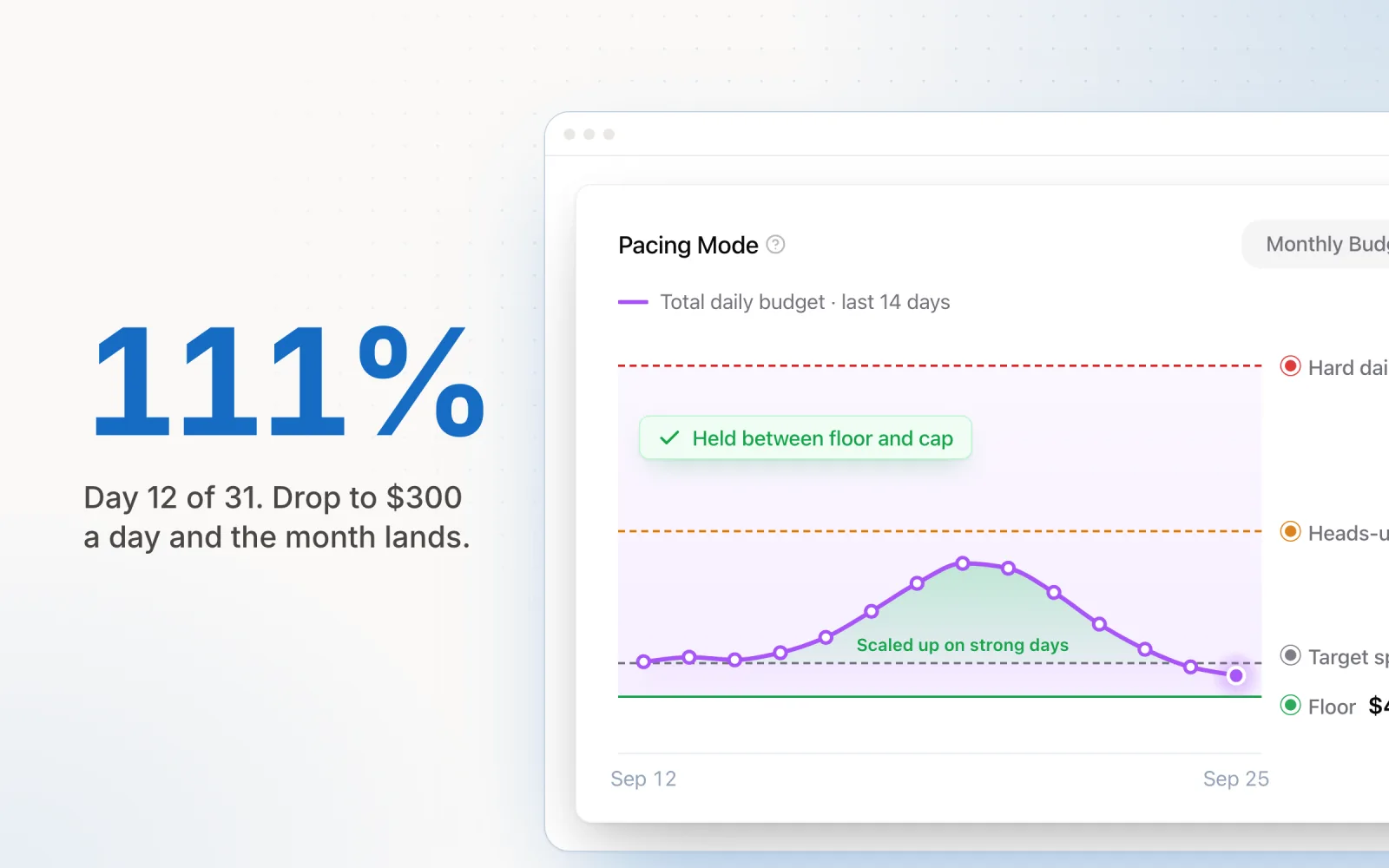
Take a $10,000 monthly budget in a 31-day month. Daily share is $322.58. By the end of day 12, the account should be sitting at $3,870.96. It's actually spent $4,300. Divide one by the other and you get 111%. The account is running about a tenth hot.
Expected spend = ÷ × =
Pacing = ÷ × 100 =
Daily target = ÷ days =
111%
Off target, running hot
Drop to $300 a day and the month lands on budget.
The reason to express it as a percentage rather than a dollar gap is that percentages compare across accounts. A $429 overspend means something very different on a $10,000 budget than on a $200,000 one. Pacing percentage puts a boutique retainer and an enterprise account on the same axis, which is exactly what you want when you are scanning thirty of them on a Monday morning.
What counts as good
| Pacing | Read | What to do |
|---|---|---|
| 95–105% | On track | Nothing. Spend the attention on performance instead |
| 90–95% or 105–110% | Drifting | Watch it. One unusual day moves the number this far |
| Below 90% or above 110% | Off target | Adjust daily budgets now, while there are days left to absorb it |
Those bands loosen at the start of the month. On day 2, one heavy day can throw pacing to 140% and mean nothing at all, because there's barely any denominator to divide by. Most teams ignore pacing entirely for the first three or four days, then start paying attention. By the back third of the month the same bands become urgent, because there is much less runway left to correct in.
Formula 2: daily spend target (what to do next)
Knowing an account sits at 111% doesn't tell anyone what to change. That is the second formula's job, and it is the one that does the real work:
Daily spend target = remaining budget ÷ remaining days
Same account. $10,000 budget, $4,300 spent, 19 days left. Remaining budget is $5,700, so the target for tomorrow is exactly $300, down from the $322.58 it would have run at if the month had started on plan. The overspend gets absorbed across the rest of the month rather than sitting there as a debt.
The difference between this and dividing the monthly budget by 30 is self-correction. A flat daily figure assumes every previous day landed on target, and no day ever does. Recalculating from what is actually left folds yesterday's miss into today's number automatically. Recalculate every morning and the account converges on its budget. Use a fixed daily figure and whatever gap opened in week one is still sitting there in week four, waiting for someone to notice it.
A flat daily figure assumes every previous day landed on target, and no day ever does.
Both formulas on one account, over a month
Nobody intervened after day 5. Pacing percentage by day, with the new daily target each morning.
| Day | Spend to date | Expected | Pacing | New daily target |
|---|---|---|---|---|
| 5 | $1,850 | $1,613 | 115% | $313 |
| 12 | $4,300 | $3,871 | 111% | $300 |
| 20 | $6,700 | $6,452 | 104% | $300 |
| 27 | $8,800 | $8,710 | 101% | $300 |
Notice the pacing column walking back toward 100% on its own. Nobody intervened after day 5. The daily target dropped by $22, the account held that number, and the overspend dissolved. That's the argument for recalculating daily rather than reporting weekly.
The Excel and Google Sheets version
Put the monthly budget in B1, spend to date in B2, and the date you are calculating for in B3. Then:
Days in month =DAY(EOMONTH(B3,0))
Expected spend to date =B1/DAY(EOMONTH(B3,0))*DAY(B3)
Pacing % =B2/(B1/DAY(EOMONTH(B3,0))*DAY(B3))
Daily spend target =(B1-B2)/(DAY(EOMONTH(B3,0))-DAY(B3))
EOMONTH is doing the quiet work here: it handles February, leap years and 30-day months without anyone hard-coding a 30. Format the pacing cell as a percentage, then add conditional formatting that turns it amber below 90% or above 110% and red below 80% or above 120%. Once that's in place you stop reading the sheet row by row and start reacting to colour, which is the only version of this that survives twenty accounts.
One warning about the sheet. It's only as current as the last person who pasted spend into column B. The formulas stay correct. The input goes stale by Wednesday. Most pacing failures I see aren't maths errors. They're a spreadsheet nobody updated over a long weekend.
Where the simple formula breaks
The two formulas above cover a straightforward monthly budget on a single account. Four situations bend them.
Weekends and paused days
A B2B account that spends nothing on Saturday and Sunday shouldn't be counting those as active days. Divide by weekdays remaining instead of calendar days remaining, or the maths will tell you to spend $300 tomorrow when tomorrow is a Sunday and the real weekday number is $420. Our pacing calculator has a weekday-only toggle for exactly this.
Flight dates that ignore the calendar
Plenty of campaigns run on their own clock: a six-week product launch, a 10-day sale. Swap "days in month" for "days in flight" and "days elapsed" for "days since the flight started". The formula shape is identical; only the denominators change. Forcing a flight budget into a calendar-month view is how a campaign ends up 60% paced on the day it finishes.
Spend the formula cannot see
This one does the most damage. If you pace against the campaigns under your management but the account also carries campaign-budget-optimised ad sets, manually-run campaigns, or campaigns someone excluded and forgot, then your spend-to-date figure is lower than the real account-wide number. Pacing looks healthy while the invoice runs over. Always reconcile against the platform's account-level month-to-date spend, not just the sum of the campaigns you are watching.
Platform overspend rules
Setting a daily budget is a request, not a cap. Google can spend up to twice a daily budget on any given day, balancing it out over the month. Meta smooths across the delivery period in its own way. If your target says $300 and Google spends $520 on a high-traffic Tuesday, the formula is fine but reality moved anyway. That's why the daily recalculation matters more than getting the initial number perfect. We covered the specifics in what changed in Google's pacing rules.
When the formula stops being the hard part
Two accounts in a spreadsheet is a solved problem. The maths doesn't get harder at thirty accounts. The operations do. Thirty accounts across five platforms means roughly 150 spend figures to collect before any formula runs at all, every day, and the collection is where the time goes and where the errors creep in.
That's the point where teams either accept a weekly cadence and eat the drift, or automate. Budget pacing tools mostly differ in how much of the loop they close: some just surface the pacing percentage, others recalculate the daily target, and a few write the new budget back to the platform. Pace runs the second formula every day across Google, Meta, LinkedIn, Microsoft, TikTok, Reddit, X Ads and Amazon Ads, then applies the resulting daily budget gradually, with hard day-over-day limits so nothing swings wildly on one bad data point.
The arithmetic doesn't change either way. Whether a person or a system runs it is a question about how many accounts you have, not about the maths.
Frequently asked questions
What is the budget pacing formula?
There are two, and they answer different questions. Pacing percentage tells you where you stand: spend to date divided by expected spend to date, times 100. Expected spend to date is your monthly budget divided by the days in the month, times the days elapsed. The daily spend target tells you what to do next: remaining budget divided by remaining days. Reporting uses the first. Bid and budget decisions use the second.
How do you calculate pacing percentage?
Divide what you have spent by what you should have spent by this point in the month, then multiply by 100. On a $10,000 monthly budget in a 31-day month, day 12 should have $3,871 behind it. If the account has spent $4,300, pacing is 4,300 / 3,871 x 100 = 111%. Anything from 95% to 105% is normal noise. Outside 90-110% is worth a look.
Why does dividing the monthly budget by 30 not work?
Because it never corrects. A flat monthly-budget-divided-by-days figure assumes every previous day landed exactly on target, and no day ever does. Once you are $400 behind, a flat daily number keeps you $400 behind until the last day of the month. Dividing remaining budget by remaining days folds every past variance into today’s number, so the account self-corrects a little each day instead of needing a rescue in the final week.
What is a good pacing percentage?
95-105% is on track and needs no action. 90-95% or 105-110% is drift worth watching but not correcting yet, since a single strong or weak day can move the number that far. Below 90% or above 110% is a real gap that will not close on its own. Early in the month those bands are much noisier, because a single day carries far more weight when only three days have elapsed.
How do you calculate budget pacing in Excel or Google Sheets?
With budget in B1, spend to date in B2 and today’s date in B3: expected spend is =B1/DAY(EOMONTH(B3,0))*DAY(B3), pacing percentage is =B2/(B1/DAY(EOMONTH(B3,0))*DAY(B3)), and the daily target is =(B1-B2)/(DAY(EOMONTH(B3,0))-DAY(B3)). Format the pacing cell as a percentage and add conditional formatting at 90% and 110% so the outliers find you rather than the other way around.

Jordan Parrello
Founder of Pace. Ran an agency pacing sheet by hand for years before building the thing that checks it every 5 minutes. About Pace or LinkedIn