For years, managing Google Ads bids meant spreadsheets, bid rules, and a media buyer adjusting keyword bids off yesterday's numbers. That worked when search was simpler. It does not work now. Auction dynamics shift by device, location, audience, and a few dozen other signals in real time, and a human reviewing reports the next morning is always one step behind. Smart Bidding closes that gap. Used properly, it beats manual every time.
The real question is which strategy to use and when. Get that wrong and Smart Bidding becomes an expensive way to chase the wrong outcome. This guide walks through each strategy, explains value-based bidding without the jargon, and gives you a way to make the call across campaign types.
What Is Smart Bidding in Google Ads?
Smart Bidding is the subset of Google's automated bid strategies that uses machine learning to optimise for conversions or conversion value at each auction. Basic automated bidding follows fixed rules. Smart Bidding reads a much wider set of contextual signals in real time and prices each query individually.
There are four core Smart Bidding strategies:
- Target CPA (tCPA): Sets bids to get as many conversions as possible at a target cost per acquisition you define.
- Target ROAS (tROAS): Sets bids to maximise conversion value while achieving a target return on ad spend.
- Maximize Conversions: Automatically sets bids to get the most conversions within your budget, with no specific CPA target.
- Maximize Conversion Value: Automatically sets bids to get the highest total conversion value within your budget, with no specific ROAS target.
The thing manual bidding cannot do is read everything happening at the moment of the auction. The algorithm can. Device, location, time of day, remarketing list membership, browser, operating system, language, ad creative, query context. A spreadsheet cannot weigh those for every query. The model can, and it does.
That does not make Smart Bidding "set and forget." The algorithm is only as good as the data you feed it, and the targets you set decide what it actually optimises toward. The strategy choice, the conversion data, and the targets are still human calls.
Smart Bidding vs. Manual Bidding
For most accounts the manual-versus-Smart-Bidding debate is over. The trade-offs still matter, though, because manual is sometimes the right call. Our broader bid optimisation strategies for Google Ads covers when each approach is the right fit and how to layer them together inside a single account.
Manual CPC gives you full control over every bid. You set the price at keyword or ad-group level. You get precision and predictability. What you give up is auction-time intelligence. Manual CPC does not know that a mobile user in Melbourne at 2pm on a Tuesday with a history of high-value purchases is more likely to convert than a desktop user in a regional town at midnight. It treats every auction the same. For accounts with under twenty keywords, manual is fine. Past that, it turns into a full-time job that still loses to an algorithm with auction-time data.
Enhanced CPC (eCPC) was the bridge between manual and automated bidding. You set manual bids and let Google nudge them up or down based on conversion likelihood. Manual bidding with training wheels. Google has been quietly deprioritising it, and honestly that is the right call. It is a half-measure. Trust the algorithm or do not. eCPC asks you to half-trust it, which is the worst of both worlds.
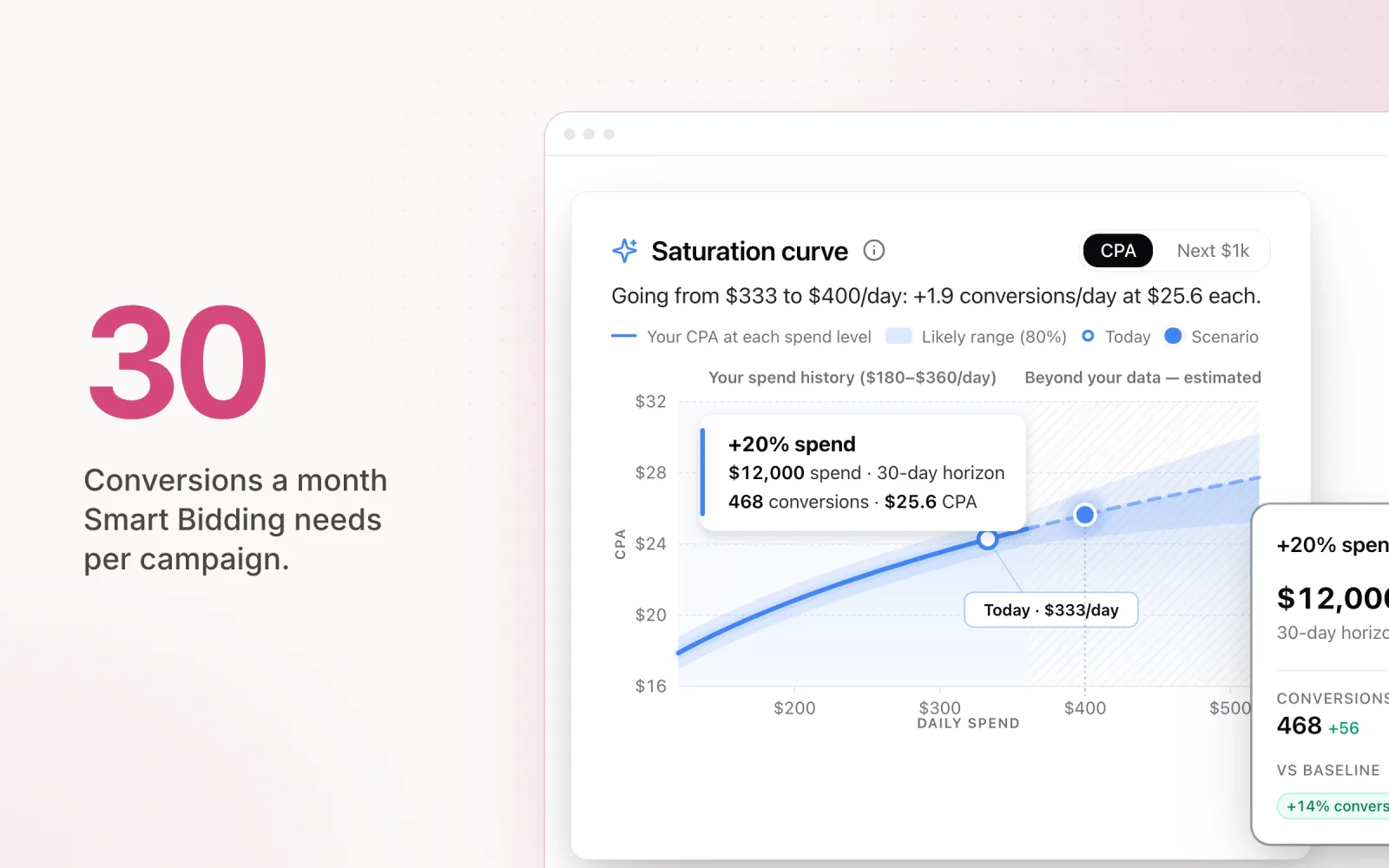
Smart Bidding takes the bid decision off your plate entirely, using models trained on your conversion data plus Google's broader dataset. The non-negotiable requirement is data volume. Smart Bidding needs roughly 30 conversions per campaign per month to learn properly. Below that, the model is guessing, and those guesses produce erratic CPAs and weekly swings that nobody can defend in a client meeting.
Practical rule of thumb: brand-new campaigns with no history start on manual CPC or eCPC. Gather data. Hit 30 conversions in a 30-day window, then switch to Target CPA or Target ROAS using your historical averages as the starting point. Do not set aspirational targets on day one. The model needs a realistic baseline before it has any chance of beating it.
Smart Bidding Strategies for Different Campaign Types
Not every Smart Bidding strategy fits every campaign type. The right choice depends on what you are running and how much conversion data you have. Here is the breakdown.
Search campaigns. Search is where Smart Bidding earns its keep. High-intent queries produce clean conversion signals. For lead gen, Target CPA is the standard call: define the cost per lead you can stomach, the algorithm bids to hit it. For ecommerce, Target ROAS makes more sense because transaction values vary and you want the model bidding harder for the high-value buyers. The 30-conversion threshold applies in both cases. Below it, run Maximize Conversions on a loose budget to bank data, then switch.
Shopping campaigns. Standard Shopping pairs naturally with Target ROAS because products have prices and margins you can actually do math on. Set the target off your real margin, not a round number. If your average product margin is 40%, a 400% ROAS target means you break even on spend before overhead. Most retailers land somewhere in 300 to 600% ROAS. For aggressive growth phases, Maximize Conversion Value without a ROAS target lets the model chase volume, but it will absolutely spend every dollar you give it. Cap the budget.
Performance Max campaigns. PMax limits you to Maximize Conversions or Maximize Conversion Value. You can layer on a Target CPA or Target ROAS, and you should. Without a target, PMax sprays across Search, Shopping, Display, YouTube, Discovery, and Gmail with no real regard for efficiency. The 30-conversion threshold matters even more here because the budget gets diluted across so many surfaces. If a PMax campaign is starved for conversions, expect the model to lean into the cheap, low-intent inventory (Display and Gmail mostly). Our piece on Performance Max budget pacing covers the spend-control side in detail.
Display campaigns. Maximize Conversions is usually the right starting point on Display. CPCs are lower, so conversion data builds faster. Target CPA works once you have the volume, but do not benchmark it against Search. Display CPA will be higher because the intent is lower. Display is for prospecting volume at an acceptable cost, not for matching Search efficiency.
YouTube and Video campaigns. Video Action campaigns (the conversion-driven kind) run Target CPA. Set the target higher than Search because video users are earlier in the journey. For awareness campaigns where you care about views and reach, Maximum CPV (cost per view) keeps you in manual territory, which is fine, there is no conversion event to optimise toward. Demand Gen (the Discovery replacement) follows the PMax logic: Maximize Conversions, layer on a Target CPA once you have data.
Value-Based Bidding Explained
Value-based bidding changes the unit of measurement. Instead of every conversion counting equally, you tag each conversion action with a monetary value, and the algorithm bids on expected value per user rather than raw conversion probability.
The difference is huge. Target CPA treats a $10 purchase and a $10,000 purchase the same. One conversion each. So the model bids the same on both because it is optimising for count, not value. Value-based bidding tells the algorithm what each conversion is actually worth so it bids harder for the $10,000 buyer and easier for the $10 buyer.
How it works in practice. You configure conversion values in Google Ads. For ecommerce this is dynamic: each transaction passes its actual revenue to Google through your conversion tag. For lead gen you assign static values based on what each lead type tends to be worth. A demo request might be $200, a newsletter sign-up $5, a phone call $80. The numbers should reflect average revenue per action, adjusted for close rate and lifetime value.
Once the values are in, you pick Target ROAS or Maximize Conversion Value. The algorithm then prices each auction by expected value. A user with a 5% chance of converting on a $10,000 product (expected value $500) gets a bigger bid than a user with a 30% chance of converting on a $10 product (expected value $3).
When to use value-based bidding. It pays off when your conversion values genuinely vary. If every lead is worth about the same, you are adding complexity for nothing. But if your catalogue spans a wide price range, or your lead types have very different close rates and deal sizes, value-based bidding can move ROAS materially. Same data requirement as any Smart Bidding strategy: 30+ conversions per month, ideally with enough variance for the model to learn which signals predict higher-value outcomes.
Setting it up. Start by auditing conversion tracking. Every conversion action needs a real value. For ecommerce, confirm transaction revenue is passing correctly through GTM and your conversion tag. For lead gen, sit with the sales team and calculate average revenue per lead type, factoring close rate. A demo request that closes at 10% on an average deal of $5,000 is worth $500. Once values are set, pick Target ROAS and use your historical ROAS as the starting target. If you are rethinking the bid layer, our overview of ad optimisation strategies is worth a read.
How to Set Up Smart Bidding
Smart Bidding setup is mostly about the decisions around it, not the clicks inside the platform. The setup takes minutes. The groundwork is what decides whether it works.
Step 1: Verify conversion tracking. Non-negotiable. Smart Bidding optimises toward whatever you tell it matters. If tracking is broken, double-counting, or firing on the wrong event, the model is optimising toward garbage. Before turning on any Smart Bidding strategy, confirm: primary conversions are firing correctly, nothing is double-counting across tags, and the actions marked "Primary" are the ones you genuinely want the algorithm chasing. A classic mistake is leaving page-view micro-conversions set as primary alongside purchases. The model cannot tell a real conversion from a bounce.
Step 2: Campaign-level vs. portfolio bid strategies. A campaign-level strategy applies a target (CPA or ROAS) to one campaign. A portfolio strategy applies a shared target across multiple campaigns, letting Google shift bids between them to hit an aggregate goal. Portfolios usually perform better because the algorithm gets a bigger data pool and more room to move. Use them when several campaigns share the same business objective. Stay on per-campaign strategies when KPIs differ or a client wants per-campaign reporting against specific targets.
Step 3: Set realistic targets. Pull the last 30 to 60 days of performance and use the actual CPA or ROAS as your starting target. Do not set an aspirational number. If your historical CPA is $45, do not open with a $25 target and pray. The model will either choke impressions (bidding too low to win) or burn budget on low-quality placements hunting for cheap conversions. Start at $45. Once it stabilises, tighten by 10 to 15% at a time, and give it two weeks between each move.
Step 4: Let the learning period run. Any time you change a bid strategy or adjust a target, the campaign enters a "Learning" phase that usually lasts two to three weeks. Performance fluctuates during this window, sometimes a lot. That is normal. The algorithm is exploring bid levels and audience segments to calibrate. Do not panic when CPA spikes in week one. Evaluate after the learning period closes, not during it.
Step 5: Do not touch targets during learning. This is the mistake that derails more Smart Bidding rollouts than anything else. A media buyer watches CPA spike, panics, changes the target, and the learning period restarts. The new learning produces more volatility, which triggers another change. The campaign is permanently in learning mode and never stabilises. Set your targets, leave them alone for at least three weeks, and only adjust off post-learning data.
Portfolio strategy caveat. Portfolio strategies treat every campaign in the pool as one. A strong campaign can quietly subsidise a weak one to hit the aggregate target. Make sure you can see per-campaign performance inside the portfolio. If one campaign consistently underperforms while the portfolio looks fine, the portfolio is hiding a problem that compounds as the weak campaign scales.
Common Smart Bidding Mistakes
After running Smart Bidding across hundreds of accounts, the same mistakes show up over and over. Most are avoidable.
Not enough conversion volume. The most common reason Smart Bidding fails. An agency switches a campaign generating 12 conversions a month to Target CPA, then wonders why performance is all over the place. Below the 30-conversion threshold, the model has no signal. It is guessing with your budget. If you are stuck below threshold, consolidate campaigns to pool data, switch to a higher-funnel conversion (form starts instead of completions, add-to-cart instead of purchases), or stay on manual until volume grows.
Changing targets too often. Every target change resets learning. Agencies that adjust weekly in response to short-term swings keep the algorithm permanently in learning mode, which is the least effective state it has. The cadence that actually works: evaluate fortnightly or monthly, make one change at a time, wait for the learning period to close before evaluating again. This is the part nobody wants to hear, but the structure of the system requires patience.
Mismatched conversion actions. If you set micro-conversions (page views, button clicks, scroll depth) as primary alongside actual revenue events, the model weights them equally. It will happily drive hundreds of page views at low CPA because that hits your stated target. Audit primary conversions regularly. Only real business outcomes should be primary. Everything else is secondary, tracked for reporting but not used for bidding.
Not segmenting campaigns by maturity. A brand-new campaign with zero history needs a different approach than one with twelve months of data. Same Smart Bidding strategy on both produces poor results on the new one. New campaigns get conservative strategies (Maximize Conversions to build data). Established campaigns move to target-based (Target CPA or Target ROAS). High-volume mature campaigns are where you can push tighter targets or test value-based bidding.
Ignoring the budget constraint. When a campaign is flagged "Limited by budget" in Google Ads, Smart Bidding cannot do its job. If the budget is the binding constraint, the bids are not. A budget-limited campaign with Target CPA is functionally Maximize Conversions, because the model cannot choose to bid less on some auctions and more on others when it is already spending the lot. Either lift the budget or lower the CPA target.
Smart Bidding handles individual auctions better than any human ever will. What it does not handle is pacing, cross-platform allocation, or any of the strategic calls that sit above the bid layer. Pace watches pacing across platforms while Smart Bidding runs the auctions: you stay in control of the budget, the algorithm stays in control of the bids. Start a free trial to see them work together.

Jordan Parrello
Founder of Pace. Ran an agency pacing sheet by hand for years before building the thing that checks it every 5 minutes. About Pace or LinkedIn