Microsoft Ads usually lands somewhere between 5% and 10% of total search spend for the agency books I have seen in 2026, with the upper end skewing toward B2B and finance-heavy clients. That percentage is small enough to be deprioritised, yet large enough that poor Microsoft Ads budget management quietly wastes thousands of dollars per quarter. After years of managing Microsoft Ads alongside Google, Meta, and LinkedIn for agency clients, I have identified the budget mistakes that recur most often, and the fixes that make a measurable difference.
Why Agencies Treat Microsoft Ads as an Afterthought
The root cause is the Google-first workflow. Most agencies build campaigns in Google Ads, optimise them there, and then import them into Microsoft Ads using the platform's import tool. The assumption is that what works on Google will work on Microsoft with minor adjustments.
That assumption is flawed. Microsoft's search network has a different user demographic (skewing slightly older and higher income), different auction dynamics (fewer advertisers competing for impressions), and different budget pacing behaviour. Treating Microsoft as a Google mirror means inheriting Google's budget structure in an environment where it does not fit.
The result is accounts that consistently underspend (because the imported daily budget exceeds available inventory) or overspend on low-intent queries (because negative keyword lists were not imported cleanly). Both outcomes waste money.
Microsoft Ads in 2026: What Has Actually Changed
If you set up a Microsoft Ads account three years ago and have not looked closely since, a few things are worth knowing before you touch the budget settings. I will flag what I am confident about and where I am still watching.
LinkedIn profile targeting has matured. When LinkedIn audience targeting first landed on Microsoft Ads, it felt like a beta feature bolted onto search campaigns. In 2026 it is wider, with job function, industry, and company size now available across more campaign types and most geographies. It is still a bid modifier rather than a hard filter on most placements, which matters for how you read performance data. More on the worked example below.
Automated bidding has caught up, mostly. Microsoft's Maximise Conversions and Target CPA strategies now behave much closer to Google's Smart Bidding than they did even a year ago. The catch is data volume. If a campaign is running on 30 to 50 conversions a month, the automation works. Below that, it still thrashes. I have had more reliable results on low-volume accounts by holding Enhanced CPC longer than I would on Google.
Performance Max equivalents. Microsoft now offers Performance Max campaigns that look and feel similar to Google's, including the same lack of granular reporting on placement and asset performance. If your agency has formed views on whether PMax suits a particular client on Google, expect the same trade-offs on Microsoft.
Reporting changes. The reporting UI has been reorganised, with conversion path reports more prominent and some legacy reports (notably segmented audience reports) now harder to find. If a report you used to rely on is missing, check the Insights tab before assuming it is gone. I am less confident on what has been retired permanently versus relocated, so check the platform release notes rather than trusting any single guide.
If you are weighing whether to stand Microsoft Ads up at all, our piece on when to add Microsoft Ads to your Google and Meta stack covers the decision in more detail.
Microsoft Ads Budget Tips: Pacing Differences vs. Google
Microsoft's daily budget pacing works differently from Google's in several ways that affect monthly spend accuracy.
Shared budgets. Microsoft supports shared budgets across campaigns, which Google also offers but agencies use less frequently. On Microsoft, shared budgets can be a useful tool for accounts with low and variable search volume. Instead of setting individual campaign budgets that may never be reached, a shared budget pool allows the platform to distribute spend toward whichever campaigns have available impressions on a given day.
Daily overspend limits. Microsoft allows daily spend to exceed the daily budget by up to 100% on any given day (compared to Google's 100% overspend, recently increased to 150% on some campaign types). However, Microsoft's monthly cap aims to keep total spend at or below Daily Budget x Number of Days in the Month. In practice, low-volume accounts often undershoot this monthly target because there simply are not enough impressions to fill the budget.
Import quirks. When you import campaigns from Google, the budget figures come across directly. A Google campaign spending $200/day in a high-volume market may only have $40/day worth of available inventory on Microsoft. If you leave the $200 daily budget in place, the campaign will underspend dramatically, and your pacing reports will show it consistently below target without a clear reason.
The LinkedIn Audience Targeting Advantage
This is the single most underutilised feature on Microsoft Ads. Because Microsoft owns LinkedIn, you can layer LinkedIn profile targeting (job function, industry, company size, seniority) onto your Microsoft search campaigns. No other search platform offers this.
The practical value is significant for B2B advertisers. You can run a search campaign targeting keywords like "project management software" and restrict impressions to users whose LinkedIn profile indicates they are in senior management at companies with 200+ employees. The CPCs are Microsoft-level (typically 20-40% lower than Google), but the targeting precision approaches LinkedIn-level.
The budget implication: if you are running LinkedIn Ads for B2B lead generation at $6-10 per click, testing the same audience criteria on Microsoft Search at $2-4 per click is worth the experiment. Allocate 10-15% of your LinkedIn budget to a Microsoft test campaign with LinkedIn audience overlays, run it for 30 days, and compare cost-per-lead. For a deeper look at managing LinkedIn's own pacing quirks alongside this strategy, see our agency guide to LinkedIn Ads budget pacing.
Worked example: targeting CFOs at SaaS companies
The cleanest way to show the difference is to price the same audience on both platforms. Take a SaaS finance tool targeting CFOs and VPs of Finance at companies with 200 to 5,000 employees in the United States.
On LinkedIn Ads, that audience is a textbook fit. You build it from job title plus industry plus company size, run Sponsored Content or a Lead Gen Form, and pay LinkedIn rates. For a competitive B2B SaaS keyword cluster, I have seen CPCs in the $9 to $14 range and cost per lead anywhere from $180 to $400 depending on offer strength. The targeting is precise but the auction is expensive.
On Microsoft Ads, you take the same audience definition and apply it as a bid modifier on a search campaign targeting keywords like "financial planning software" or "SaaS revenue forecasting tool." A user searches one of those terms, Microsoft checks their LinkedIn profile, and if they match your CFO-at-200-to-5000-employee-SaaS criteria, the bid is increased. CPCs on those keywords typically sit in the $4 to $7 range on Microsoft, even with a bid modifier on the LinkedIn segment.
Two caveats from running this in practice. First, volume is the trade-off. A LinkedIn campaign can run on that audience alone; the Microsoft campaign relies on the keyword auction first, so total impressions for the matched audience are smaller. Second, the LinkedIn audience overlay is a bid modifier on search, not a hard filter, so some non-matching users still convert through the campaign. Read your Microsoft segment performance separately rather than assuming every click came from the targeted audience.
The pattern I have seen: Microsoft Search with LinkedIn overlays does not replace a LinkedIn campaign, but it consistently lands cost per lead 30 to 50% below the equivalent LinkedIn Sponsored Content campaign in the same vertical. Run them in parallel and treat Microsoft as the lower-funnel, higher-intent half of the same B2B targeting strategy.
Common Microsoft Ads Budget Mistakes
Mistake 1: Importing Google budgets without adjustment. As noted above, Microsoft's search volume is a fraction of Google's for most keywords. A campaign that needs $150/day on Google might only support $30-50/day on Microsoft. Set budgets based on Microsoft's impression share data and historical spend patterns, not Google ratios.
Mistake 2: Ignoring shared budgets for low-volume accounts. If an account has five campaigns but only enough daily search volume to fill two or three of them, individual budgets lead to consistent underspend on most campaigns. A shared budget allows the platform to allocate spend dynamically toward the campaigns with available impressions.
Mistake 3: Not accounting for audience network spend. Microsoft's Audience Network (display and native placements) is enabled by default on many campaign types. If your Google import carries over campaigns without explicitly excluding the Audience Network, a portion of your search budget will flow into display-like placements that may not match your intent. Check campaign settings post-import and disable the Audience Network if your goal is search-only.
Mistake 4: Using the same bid strategy without adjustment. Automated bidding on Microsoft often requires more time to learn than on Google, because the lower volume means fewer conversion signals. If your Google campaigns use Target CPA bidding, consider starting with Enhanced CPC on Microsoft and transitioning to automated bidding once the campaign has accumulated enough conversion data (typically 30+ conversions per month).
Microsoft Ads Import Gotchas: Where the Google Import Quietly Breaks
The Google Ads import tool is the right starting point, and Microsoft has clearly invested in making it work. Most of the structure carries over cleanly: campaign settings, ad groups, keywords, ads, and most negative lists. The problems are in the edges, and they are the things that quietly burn budget after the import completes.
Budget mismatches. The import copies daily budget values one-for-one. A $200/day Google campaign becomes a $200/day Microsoft campaign even when the Microsoft inventory will only sustain $40-60/day. Your pacing dashboard then shows the campaign perpetually under budget, which can trigger automated rules elsewhere in your stack to push more spend at a campaign that physically cannot absorb it.
Unsupported features fail silently. Some Google-specific features either do not exist on Microsoft or behave differently. Demand Gen campaigns and a handful of Google asset types do not have direct Microsoft equivalents and will not import. The import log flags these, but in practice the log gets skimmed and the missing pieces are noticed weeks later when someone asks why the Microsoft account has half as many active campaigns as Google.
Audience mapping issues. Custom audiences, customer match lists, and remarketing audiences do not move across automatically. The lists need to be uploaded to Microsoft separately, and the audience associations on each ad group then need to be reconnected. Easy to miss on a first import; harder to spot in performance data, because the campaign still runs, just without the audience layer that was doing most of the lifting on Google.
Conversion tracking drift. Imported conversion actions often do not include the original conversion category, value rules, or attribution model. If you depend on conversion values for automated bidding, audit each conversion action in Microsoft after import. A campaign optimising toward a conversion with the wrong value will rebalance spend in unhelpful ways.
Negative keyword list scope. Account-level negative keyword lists on Google import as campaign-level lists on Microsoft, or sometimes do not link at all. If your agency relies on a shared negative list across many clients, expect to re-attach it manually per Microsoft account and to re-audit it after each major import.
Sync mode confusion. Microsoft offers both one-time imports and scheduled sync. Scheduled sync is convenient but will overwrite Microsoft-side changes on the next run. If you have hand-tuned a Microsoft campaign (different budget, different bidding strategy, different audience overlay), a scheduled sync can wipe those changes out. Either pause sync for accounts you are managing independently or document what should never be overwritten.
Setting Realistic Microsoft Ads Budgets
The right approach starts with available inventory, not with a percentage of your Google budget. Use Microsoft's Keyword Planner to estimate monthly search volume and projected spend for your target keywords. Compare this against the budget your client has allocated.
In many cases, the available inventory will be lower than the allocated budget. This is normal. It is better to set a realistic daily budget that the platform can actually spend (and pace toward accurately) than to set an aspirational budget that leads to chronic underspend and misleading pacing reports.
For accounts with seasonal variability, review the previous 12 months of Microsoft spend data to identify patterns. Microsoft's search volume tends to correlate with Google's seasonal trends but with lower absolute numbers and occasionally different timing, particularly in B2B verticals where desktop search (Microsoft's strength) peaks during business hours.
For the broader question of how Microsoft fits into a multi-platform budget, our breakdown of how to allocate budget between Google Ads and Meta Ads covers the framework for splitting spend, which transfers cleanly once you treat Microsoft as a third channel rather than a Google clone.
Integrating Microsoft Ads Into Your Cross-Platform Pacing Strategy
The agencies that manage Microsoft Ads well do not treat it as a standalone channel. They include it in their cross-platform management workflow alongside Google, Meta, and LinkedIn. This means unified budget tracking, consolidated pacing calculations, and a single view of total client spend across all channels.
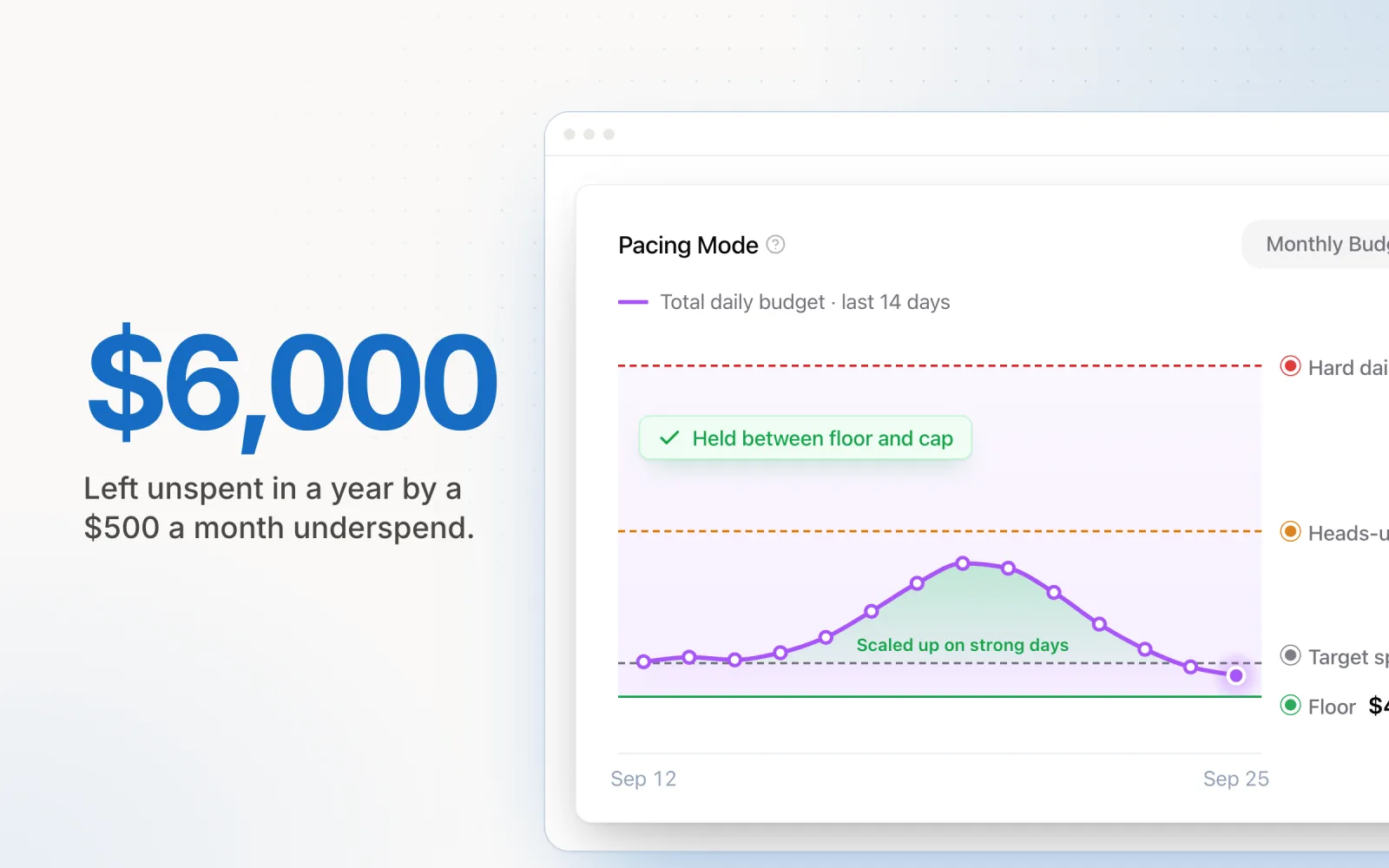
When Microsoft Ads lives in a separate spreadsheet or is checked "when someone remembers," budget leakage accumulates quietly. An account that underspends by $500/month on Microsoft over a year has left $6,000 of allocated budget unspent. For the client, that is either money that could have driven results elsewhere, or a line item on an invoice for management fees on spend that never happened.
Bringing Microsoft into a centralised pacing tool, alongside your other platforms, ensures it receives the same daily monitoring and automated adjustments as your larger Google and Meta accounts. The same pacing logic applies: remaining budget divided by remaining days, adjusted for day-of-week patterns, with automated alerts if spend deviates beyond acceptable thresholds.
Microsoft Ads is not going to be your largest channel. But managed well, it delivers qualified traffic at lower CPCs than Google, with targeting capabilities (via LinkedIn data) that no other search platform can match. The budget tips above are the difference between Microsoft being a profitable complement to your media mix and a neglected account that quietly wastes your client's money. Pace brings Microsoft Ads into the same pacing and monitoring workflow as your Google, Meta, TikTok, LinkedIn, Reddit, X Ads, and Amazon Ads accounts — start a free trial to get started. For a broader view of forecasting spend across platforms, the principles of inventory-based budgeting apply across every channel in your portfolio.

Jordan Parrello
Founder of Pace. Ran an agency pacing sheet by hand for years before building the thing that checks it every 5 minutes. About Pace or LinkedIn