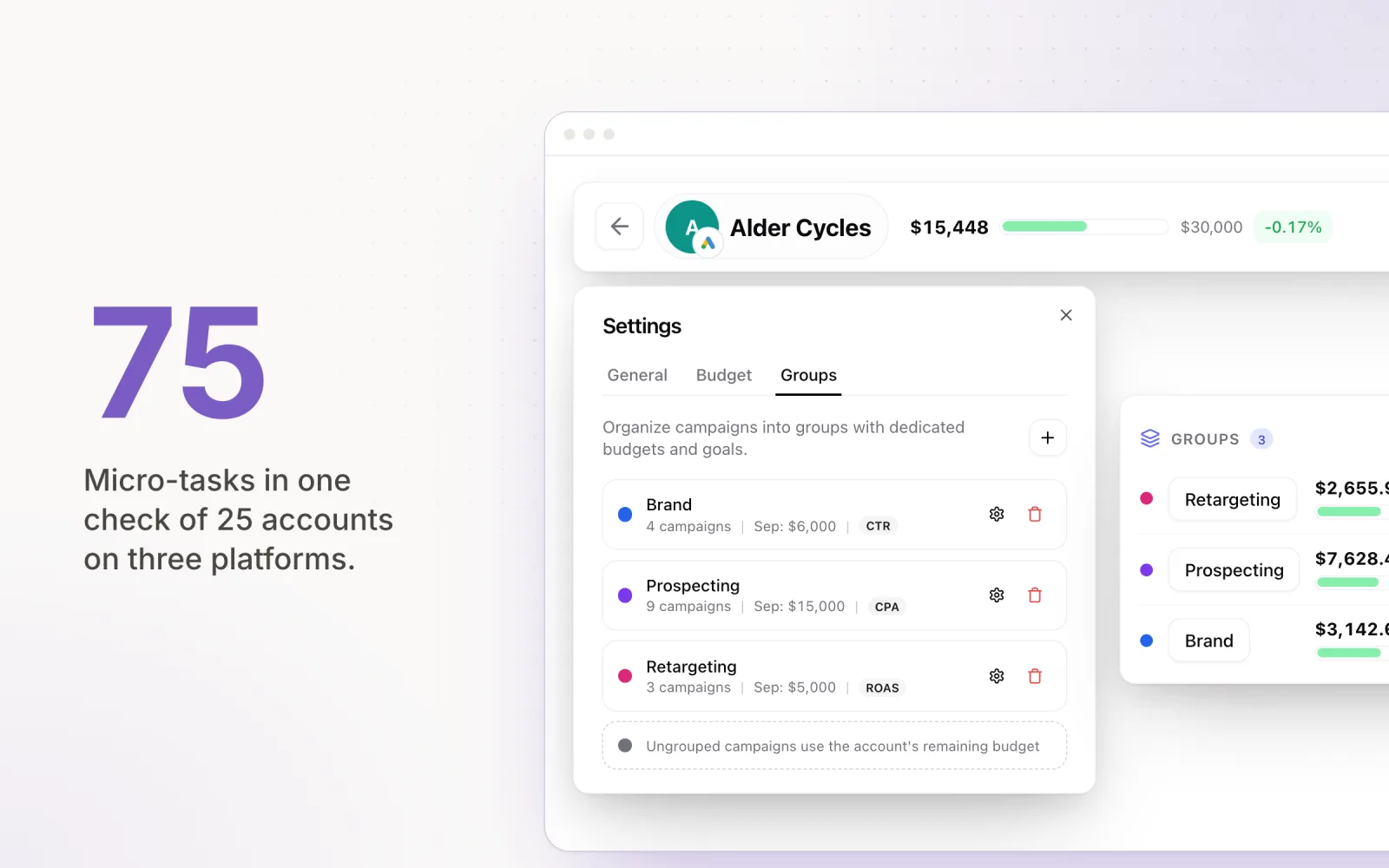
My agency went from four Google Ads accounts to just over thirty in about two years, and nothing about running one account prepared me for it. I assumed the skills would transfer. They mostly don't. When you manage multiple Google Ads accounts, the failures change shape: one account fails loudly, but thirty fail quietly, one line item at a time, and the failure you miss is the one that ends up in a client call.
This is the workflow I wish someone had handed me at account number ten: the manager account setup and where it stops helping, the boring hygiene that saves you, a daily triage routine, and budget pacing, which I think is the single biggest failure mode in multi account PPC management. Pacing is also why I ended up building Pace for agencies, so I'll flag where a tool helps and where a spreadsheet is fine.
Get the Google Ads manager account right first
If you run more than two or three accounts and you're still logging into each one separately, fix that this week. A Google Ads manager account (the MCC, and everyone still calls it that even though Google renamed it years ago) gives you one login and an overview page with topline metrics for every client account, plus consolidated billing if you want it. Linking is a request-and-accept flow that takes minutes, and clients keep ownership of their own accounts.
The limits matter less than people think, but know them. An MCC can hold up to 85,000 linked accounts in total, while the number of active accounts is capped based on your trailing 12-month spend, and a fresh manager account with no spend history caps out at 50 active accounts. A client account can sit under at most 5 manager accounts at once, which bites when you take over an account that still has two old agencies linked. And a manager account can only have one direct parent, so plan your sub-MCC structure before you build it, not after.
Keep the structure flat until you can't. We ran one MCC with every client directly under it until around account 25, then split into sub-MCCs by service tier so account managers only saw their own book. Splitting earlier than you need to just adds clicks.
What the MCC won't give you is the number your clients actually care about. It shows spend, but it has no concept of spend against target. Google doesn't know what your client agreed to spend this month, so the overview page can't tell you whether an account is on pace. You have to build that yourself, and most of the rest of this post is about how.
Naming conventions and account hygiene
This is the least glamorous section and the one I'd defend hardest. At ten-plus accounts, you and your team will be context-switching constantly, and a consistent naming scheme means you read a screen instead of decoding it.
Ours was a pipe-separated pattern: client code, channel, intent, geo. So "ACME | Search | Brand | AU" or "ACME | PMax | Prospecting | NZ". Every campaign in every account, no exceptions, including the legacy campaigns we inherited, which we renamed in the first week of onboarding. It feels pedantic until the first time you scan 200 campaigns across 30 accounts in a single report and can parse it at a glance.
The rest of the hygiene list: rename conversion actions to plain English ("Qualified lead form" beats "Submit Lead Form GTM-V2 (3)"), keep one shared negative keyword list per vertical and actually attach it, give every client a separate payment profile so one expired card can't take down anything else, and audit account access quarterly. The access audit sounds paranoid until you find an ex-employee of the client's previous agency still holding admin on a live account. We did, twice.
The first 30 minutes: a daily triage routine
Across thirty accounts you can't deep-dive daily, so the morning routine has one job: find the accounts that need attention today and ignore the rest. Mine ran in the same order every day.
First, the zero-spend check. Anything that spent nothing yesterday but should have. This is the worst failure class because it's silent: a billing decline, or a campaign someone paused on a Friday and forgot. Five minutes, scan the yesterday-spend column, done.
Second, pacing. Each account's month-to-date spend against where the month should be at this date. More on this below, because it deserves its own section.
Third, policy. Disapprovals and "limited" statuses, especially on anything new. Google's automated policy enforcement produces false positives constantly, and an appeal you file at 9am resolves days earlier than one you notice on Thursday.
Fourth, conversion sanity. If conversions dropped to zero but clicks held steady, the market didn't collapse overnight. Your tag broke, or the client's dev team shipped a new checkout page without telling you. Same logic in reverse: a sudden conversion spike usually means a duplicate tag, not a miracle.
That's the whole routine. Anything it flags becomes the day's actual work; anything it doesn't flag waits for the weekly review. The discipline is in not poking around accounts that look fine, which I wrote more about in managing ad budgets for 20+ clients without burnout.
Budget pacing: the failure mode when you manage multiple Google Ads accounts
Every multi-account problem I've described so far is annoying. Pacing is the one that costs money. Clients agree to monthly budgets. Google Ads runs on average daily budgets. The translation between those two numbers is where money leaks, and the leak gets bigger with every account you add.
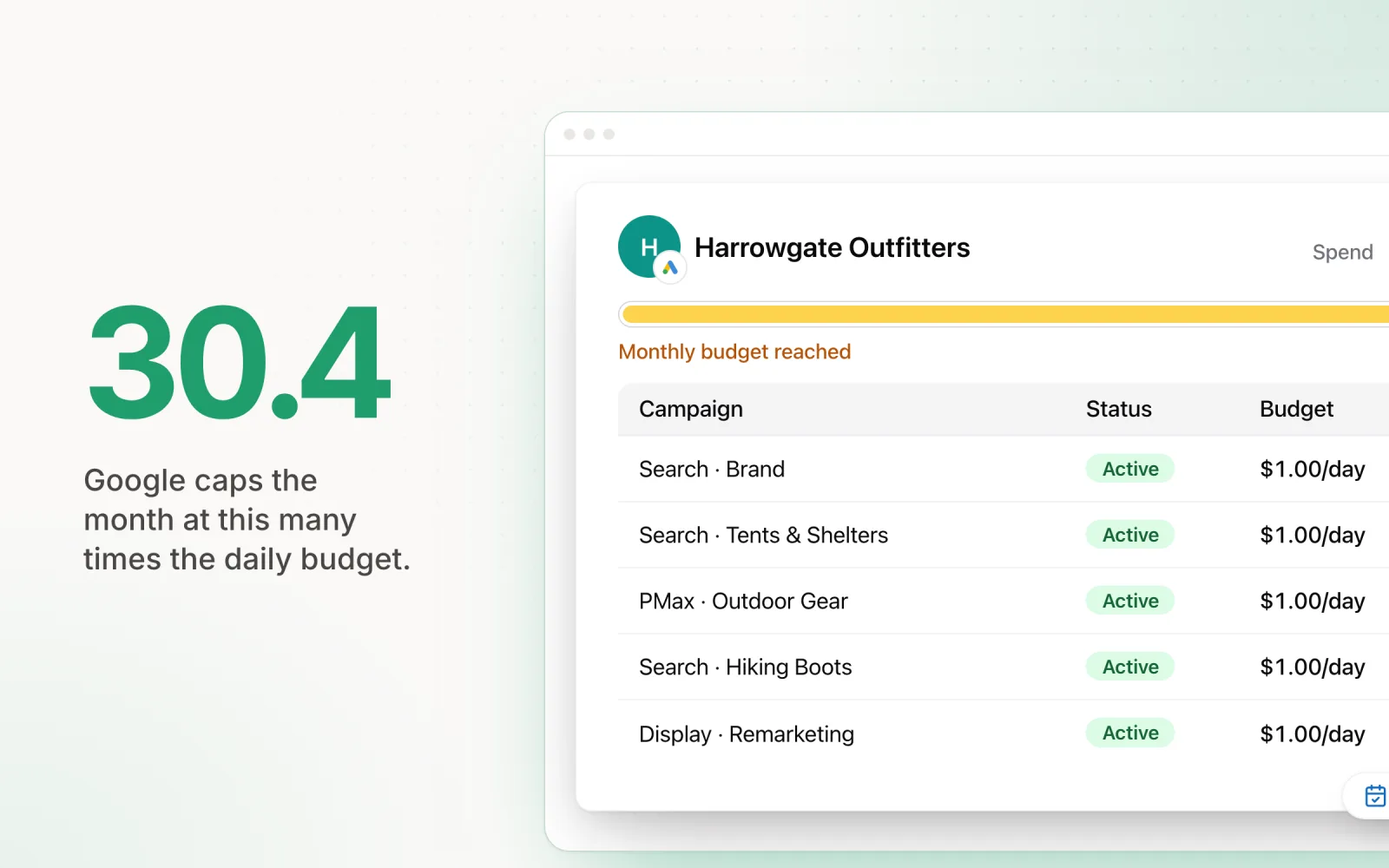
The mechanics make it worse. Google can spend up to twice your average daily budget on any single day, and caps the month at 30.4 times the daily budget. That nets out fine if you set a daily budget on the 1st and never touch it. But you do touch it. You pause a campaign for a creative refresh, or raise budget on a winner mid-month. Every change resets the math, and the 30.4 multiplier stops protecting you because it applies per campaign, not against your client's monthly number.
At one account, you hold this in your head. At thirty, you can't. We had a spreadsheet that pulled month-to-date spend per account and computed the required daily budget as remaining budget divided by remaining days. It worked, and I recommend exactly that model to anyone under ten accounts. The catch is that the spreadsheet only tells you the number; a person still has to log in and change daily budgets across every account, every day or two. We measured it once: the pacing loop alone ate around 8 hours a week across the team, which tracks with the numbers in how agencies waste 10+ hours a week on manual budgeting.
And underspend is worse than it sounds. Overspend gets you an awkward email and sometimes a credit. Underspend gets you a client quietly wondering what they pay a retainer for, and that doubt compounds. Treat 15% under pace with the same urgency as 15% over.
Alerting that you will not start ignoring
The instinct at scale is to alert on everything. Within two weeks you're archiving them unread, and an alert system you ignore is worse than none because it gives you false confidence that something is watching.
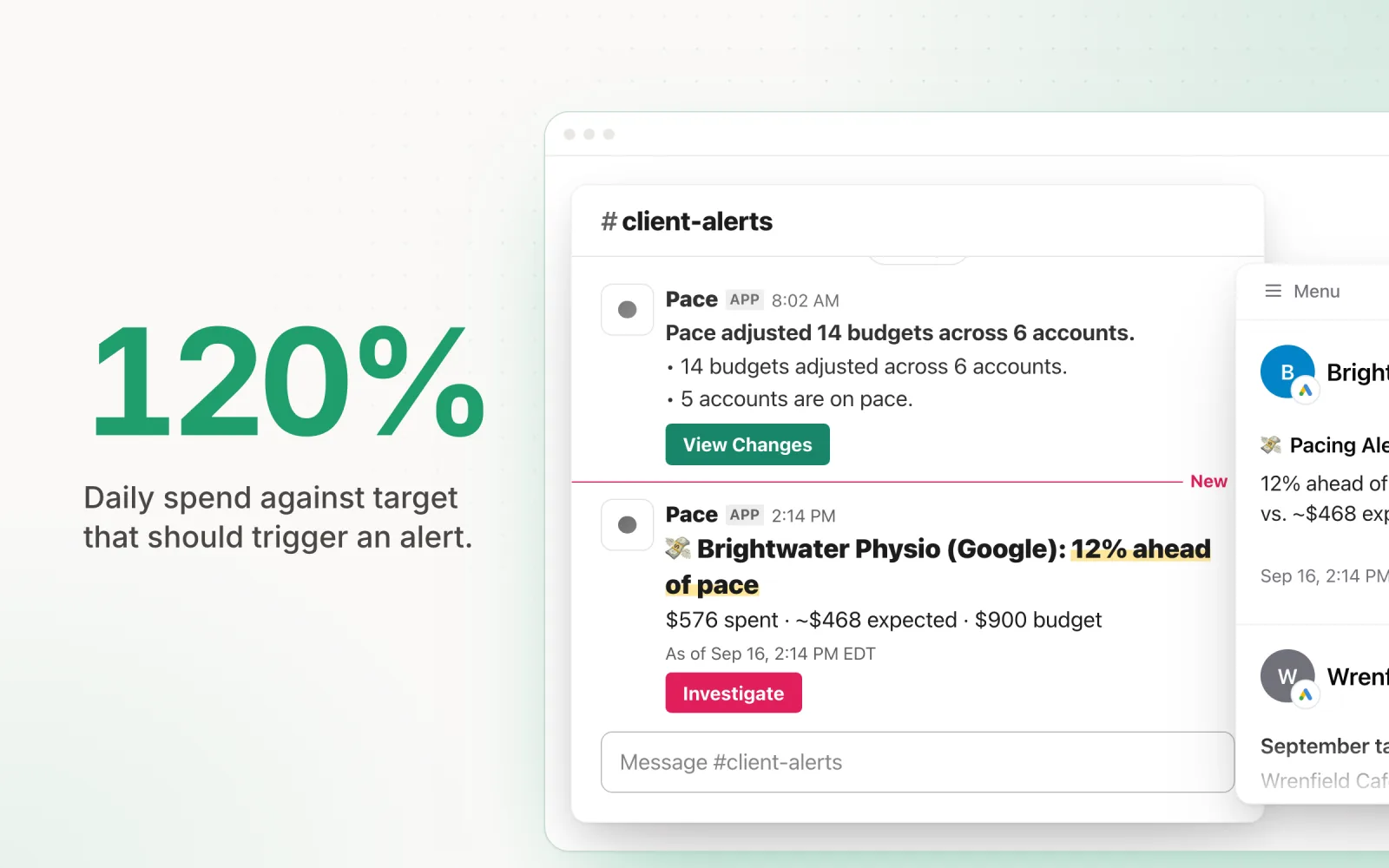
I ended up with four alerts that earned their place: zero spend by mid-morning on any active account, pacing variance beyond 10%, CPA moving more than about 30% week over week with meaningful spend behind it, and disapprovals hitting more than a handful of ads at once. Everything else got reviewed weekly, on purpose. If a signal doesn't change what you do today, it shouldn't interrupt you.
We built Pace's anomaly detection around the same rule. Findings, our insight engine, returns nothing about 90% of the time by design, and repeat alerts for the same root cause go quiet for three days instead of firing daily. I have strong feelings about alert fatigue because I lived the alternative. If you want the broader monitoring picture beyond Google, I covered the options in PPC monitoring tools that track campaigns across platforms.
When MCC plus spreadsheets stops scaling
For us the spreadsheet system broke somewhere between 15 and 20 accounts. Not all at once. A missed update here, a pacing tab nobody refreshed before a client call there, and a widening gap between "the sheet says change the budget" and anyone changing it.
The free upgrade path is Google Ads scripts at the MCC level, and they're useful. A nightly script can pull spend across every account and flag pacing outliers into a sheet automatically. Know the constraints, though: a parallel script run handles at most 50 accounts per execution, and the bigger cost is organisational, because the script becomes load-bearing infrastructure that one person understands. When that person leaves, you own a black box.
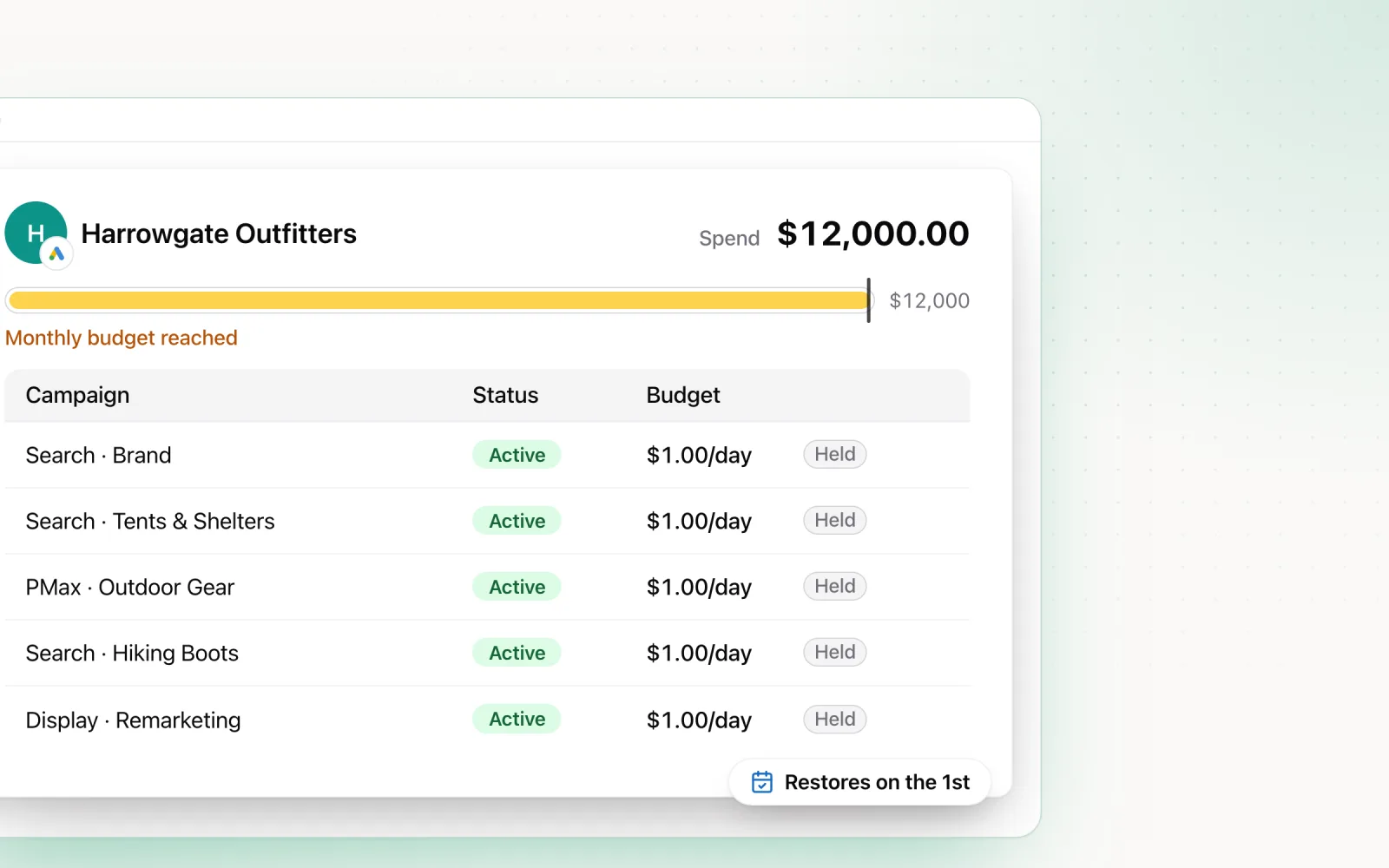
Past that point you're shopping for tooling, and what tooling adds over scripts is the closed loop. A script can tell you an account is off pace; a tool can change the daily budgets to correct it and log what it did. That loop is the reason Pace exists. It connects to your manager account over OAuth, reads the full hierarchy including nested sub-MCCs, and keeps checking spend against each account's monthly target. When an account drifts, it adjusts the daily budget gradually, with hard day-over-day limits so nothing swings wildly. A separate guardrail running every 5 minutes treats the monthly budget as the cap: once an account reaches it, campaigns drop to $1 a day (or pause, if you choose). Every change gets logged with the old value, the new value, and the reasoning, which is the audit trail your account managers currently rebuild by hand for client reports.
Where Pace isn't the answer: if you run fewer than ten accounts, the spreadsheet plus the morning routine above covers it, and I'd spend the money on conversion tracking instead. And if your pain is bid management or query mining rather than budgets and monitoring, the optimisation suites are a better fit. I compared those in the best Google Ads management tools.
At scale, the job stops being account optimisation and becomes running a system that tells you which account needs you today. Most of that system is admin, and that's fine. Automate pacing first, because it's the piece that costs real money when it slips. Try Pace free if you want to see the pacing and monitoring layer running on your own MCC before you commit to anything.

Jordan Parrello
Founder of Pace. Ran an agency pacing sheet by hand for years before building the thing that checks it every 5 minutes. About Pace or LinkedIn