What Are Google Ads Management Tools?
Google Ads management tools are third-party software that sits on top of the Google Ads API and adds the things the native interface either skips or does badly at scale: optimisation recommendations, automation rules, budget pacing, reporting dashboards, account auditing.
They are different from Google Ads Editor, which is Google's own desktop app for bulk offline edits, and different again from Google Ads scripts, where you write JavaScript that runs inside the platform. Editor and scripts are useful, but neither gives you layered optimisation, cross-account management, or client-ready reporting.
Agencies pay for third-party tools for a few reasons. Scale is the obvious one: hand-managing thirty accounts is not realistic, and bulk actions, rule engines, and unified dashboards make a large portfolio survivable. Automation is the second: bid tweaks, budget pacing, negative keywords, ad rotation tests. These are mostly repeat work that should not be eating an account manager's afternoon. Reporting is the third, and the one clients judge you on. Native Google Ads reporting rarely produces something you would want to send a client without an hour of cleanup. (If you want a wider view that goes beyond Google-only options and looks at the full paid search management tools and strategy landscape, start there first.)
The category has grown a lot. A few years ago the choice was Optmyzr or a spreadsheet. Now there is a specialised tool for every slice of Google Ads work, and matching the right one to your stack is half the job.
The 9 Best Google Ads Management Tools at a Glance
If you only have 30 seconds, the matrix below covers the questions agencies actually ask before booking a demo: does it go beyond Google, does it ship real AI features (not just Google's auto-apply), does it log every change for client reporting, where does pricing land, and what agency size it fits. The full write-ups follow.
| Tool | Coverage | AI features | Audit trail | Pricing tier | Agency fit |
|---|---|---|---|---|---|
| Optmyzr | Google, Microsoft | Rule engine + 2026 AI assist | Yes | From $250/mo | Mid to enterprise (Google-led) |
| Opteo | Google only | ML recommendations | Yes | From $129/mo | Solo to boutique |
| Adalysis | Google, Microsoft | Auto audits, ad testing stats | Yes | From $149/mo | Solo to mid-market |
| WordStream | Google, Meta, Microsoft | Basic recommendations | Limited | From ~$49/mo | SMB and beginner |
| Marin Software | Google, Meta, Amazon, Apple, more | Portfolio ML bidding | Yes | Enterprise | Enterprise (50+ accounts) |
| Google Ads Editor | Google only | None | No | Free | All sizes (bulk edits) |
| Google Ads Scripts | Google only | Whatever you build | If you log it | Free | Any size with a developer |
| Skai | Google, Meta, Amazon, retail media | Predictive optimisation | Yes | Enterprise | Enterprise and retail brands |
| Pace Ads | Google, Meta, TikTok, LinkedIn, Microsoft, Reddit, X Ads, Amazon | AI-driven pacing + Intelligence agent | Full, client-shareable | Free trial, mid-market pricing | Boutique to mid-market cross-platform |
The Best Google Ads Management Software
The tools below are the strongest options in 2026. Each one fits a slightly different agency profile, so the right pick depends on your size, technical depth, and which platforms your clients actually run. A note on the 2026 landscape: Optmyzr has been rolling out an AI assist layer through 2026, Shape.io's pacing has been folded into the broader NinjaCat platform post-acquisition, and Skai continues to absorb retail media features following the Kenshoo merger. Verify exact ship dates with each vendor before quoting them to clients.
Optmyzr
Optmyzr is the most established third-party Google Ads platform out there. Rule-based automation, PPC scripts, optimisation layering, budget monitoring, quality score tracking. Its strength is depth. You can chain rules into multi-step workflows, build custom monitoring alerts on almost any account metric, and bend the rule engine to do things most other tools cannot.
Budget pacing works at campaign and account level with configurable daily adjustment logic. The scripting layer lets advanced users extend the platform past whatever the built-in rules cover. Reporting includes white-label templates that agencies can customise and schedule.
The limitation is platform coverage. Optmyzr does Google Ads and Microsoft Ads. That's it. No Meta, no LinkedIn, no TikTok. For agencies with even moderate cross-channel spend, that gap forces a second tool. Pricing starts around $250 per month for smaller accounts and scales with managed ad spend.
Opteo
Opteo's pitch is the opposite of Optmyzr. Instead of asking you to build rules, it analyses your accounts and surfaces specific suggestions. Pause this keyword. Drop the bid on that ad group. Add these negatives. The interface is clean enough that solo practitioners and small teams can work through a list of recommendations in minutes rather than configuring an automation engine.
Each recommendation includes an estimated impact, so you can sort by what actually matters. Opteo tracks performance over time too, which lets you see the compounded effect of the changes you applied. It is Google Ads only. No Microsoft, no social. Pricing sits well below Optmyzr, which is why it is a common first paid tool for agencies outgrowing manual work but not yet ready for enterprise automation. For a deeper look at features, plans, and the platforms it competes with, see our full Opteo review.
Adalysis
Adalysis lives in two places where Google Ads accounts usually leak: ad testing and auditing. Automated audits flag the obvious culprits, poor quality scores, missing extensions, keyword conflicts, budget underdelivery. Ad testing is structured A/B with statistical significance tracking, so you actually know when an ad has won, not just when it is temporarily ahead.
The negative keyword work is genuinely good. Adalysis crawls search term reports across your accounts and proposes negatives that cut waste. Quality score monitoring tracks changes at the keyword level, which is useful for paid search analysis when something dips and the top-line metrics are not telling you why.
Google Ads only. Pricing is generally below Optmyzr and Opteo, so for agencies that want stronger auditing and testing without burning a software budget, it lands well. If continuous auditing is your primary need, also worth a look is TrueClicks, which goes deeper on monitoring and rule-based checks.
WordStream
WordStream (now part of LocaliQ) is built for small businesses and agencies handling smaller accounts. There's a recommendations dashboard for quick wins and the free Performance Grader, which audits a Google Ads account and benchmarks it against industry averages. For a side-by-side look at how it stacks up against other free Google Ads grader tools, the comparison covers what each one actually checks and where they fall short.
The interface is beginner-friendly with guided workflows for optimisation steps. That makes it reasonable for advertisers new to Google Ads, or for clients you want to give some visibility into their own account. For experienced agencies running complex campaigns, the recommendations tend to be too shallow to do real work. Treat it as an entry-level tool, not a long-term agency platform.
Marin Software
Marin is the enterprise pick for large agencies and brands that need cross-channel management at scale. It connects to Google Ads, Meta, Amazon, Apple Search Ads, and others, so you get one interface for bidding, budget allocation, and performance analysis across the whole paid media portfolio.
Budget allocation works at the portfolio level across channels and campaigns, with Marin's algorithms reshuffling spend based on performance signals. Bidding automation supports custom strategies at keyword, ad group, and campaign level. The trade-off is complexity and cost. Onboarding is non-trivial, the learning curve is steeper than most alternatives, and pricing assumes you are running substantial monthly spend. Smaller agencies will struggle to justify the overhead.
Google Ads Editor
Google Ads Editor is Google's free desktop app for bulk campaign management. Download account data, edit offline, push it back up. For large accounts it is essential. Building hundreds of ads, adjusting bids across thousands of keywords, restructuring a campaign hierarchy: all dramatically faster in Editor than in the web UI.
Editor is not an automation tool. It does not monitor performance, suggest optimisations, or adjust budgets. It is a management tool that virtually every serious Google Ads practitioner uses every week. Copy and paste campaign structures, find and replace across ad copy, push bulk changes with full review before they go live. For account builds and large-scale restructures, nothing else comes close.
Google Ads Scripts
Google Ads scripts are JavaScript-based automations that run directly inside Google Ads. They can hit anything the API exposes: bid adjustments, budget changes, pausing, reporting, alerts. Scripts are free and run on Google's infrastructure, so no extra software cost, no external dependency.
The flexibility is the appeal. If you can describe the logic, you can build a script for it. Typical use cases: budget pacing scripts that adjust daily budgets against monthly targets and days remaining, anomaly detection that pings when spend or conversions go sideways, and competitor monitoring through auction insights changes. The downside is JavaScript. Agencies without a developer will struggle to build and maintain anything serious, and debugging is limited compared to a real dev environment. For agencies with engineering on hand, scripts are one of the cheapest and most powerful options on this list.
Skai
Skai (the merged Kenshoo and Signals platform) is the enterprise pick when retail media is in the conversation. Google, Meta, Amazon, Walmart, Apple Search, and most of the major retail networks are all in one workspace, with predictive bidding and portfolio budget allocation across the lot. For brands running shopper marketing alongside paid search, the consolidation is genuinely useful.
Skai's strength is also its constraint. The platform is built for in-house brand teams and large agencies running eight-figure annual spend; pricing, onboarding, and account management reflect that. Smaller and mid-market agencies will find the contract and the complexity hard to justify, even if the feature surface looks tempting. If retail media is not a real part of your client base, Marin or Pace will cover the cross-platform need at a more sensible cost.
Pace Ads
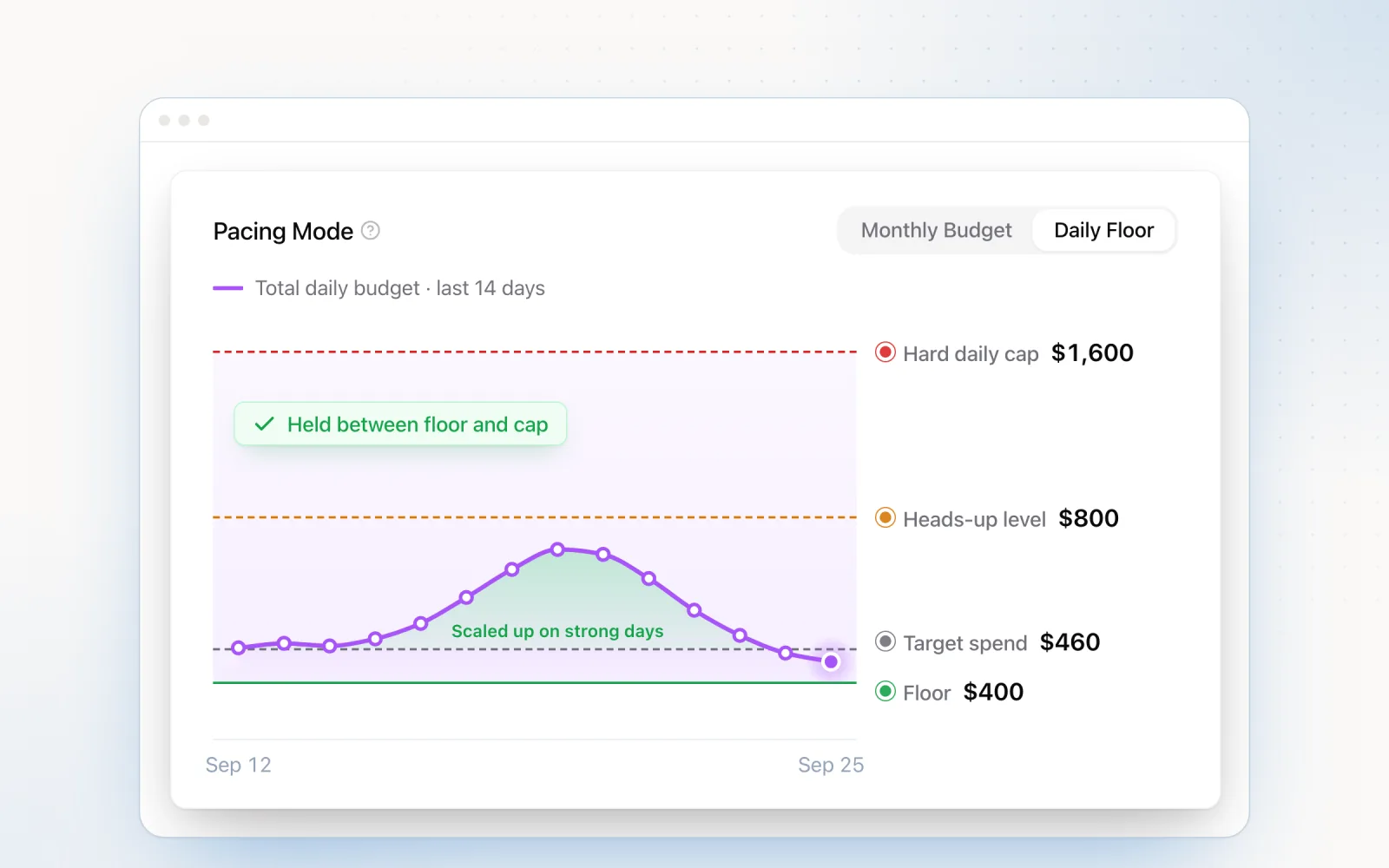
Pace is the platform we built. AI-driven ad management across Google Ads, Meta, TikTok, LinkedIn, Microsoft Ads, Reddit Ads, X Ads, and Amazon Ads from a single dashboard. The core feature is automated budget pacing: connect via OAuth, pull spend data in real time, and adjust daily budgets to hit monthly targets on every connected platform. The AI handles platform-specific pacing quirks, Google's 30.4x daily budget cap, Meta's CBO learning phases, LinkedIn's lifetime budget behaviour, so you do not have to.
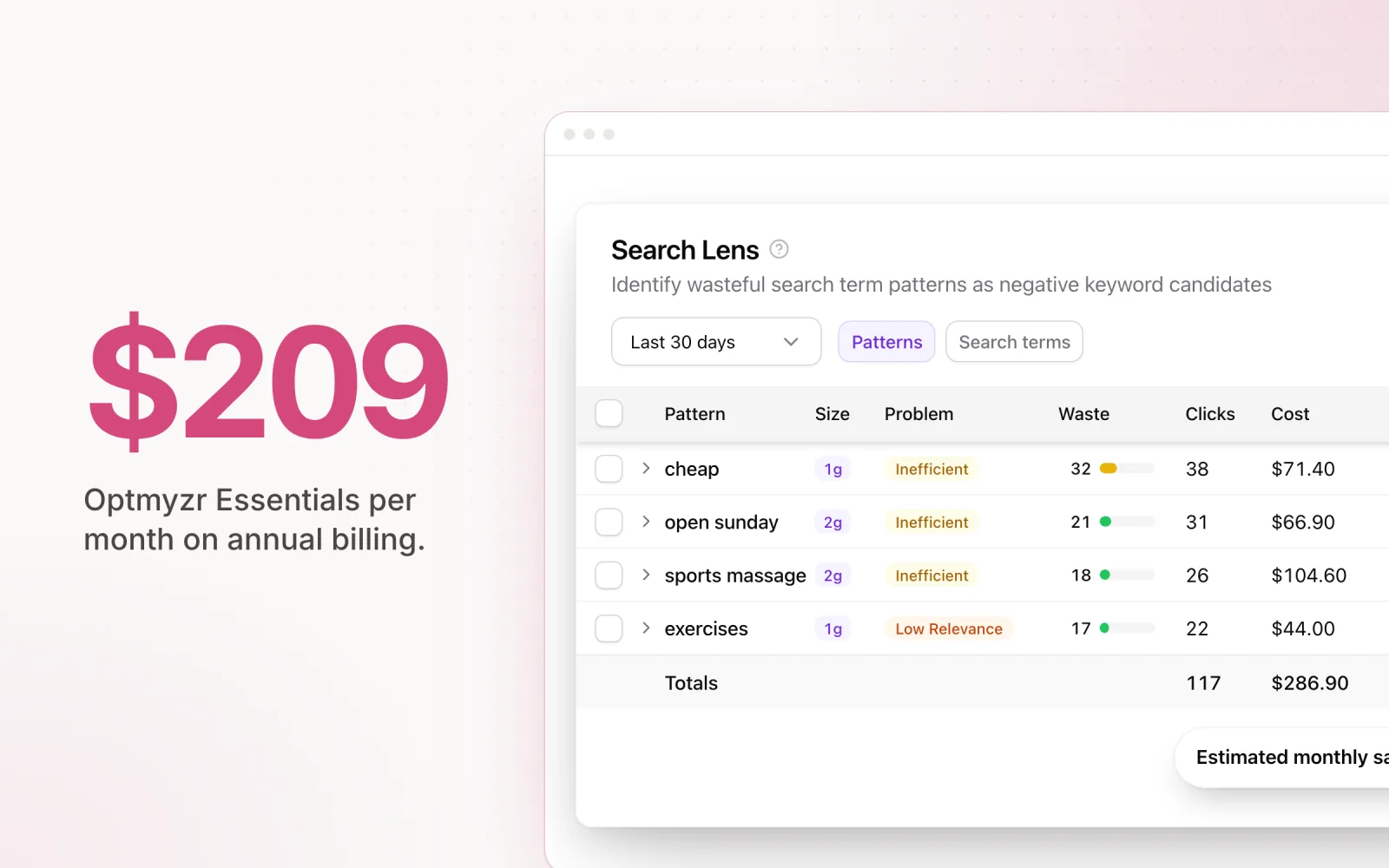
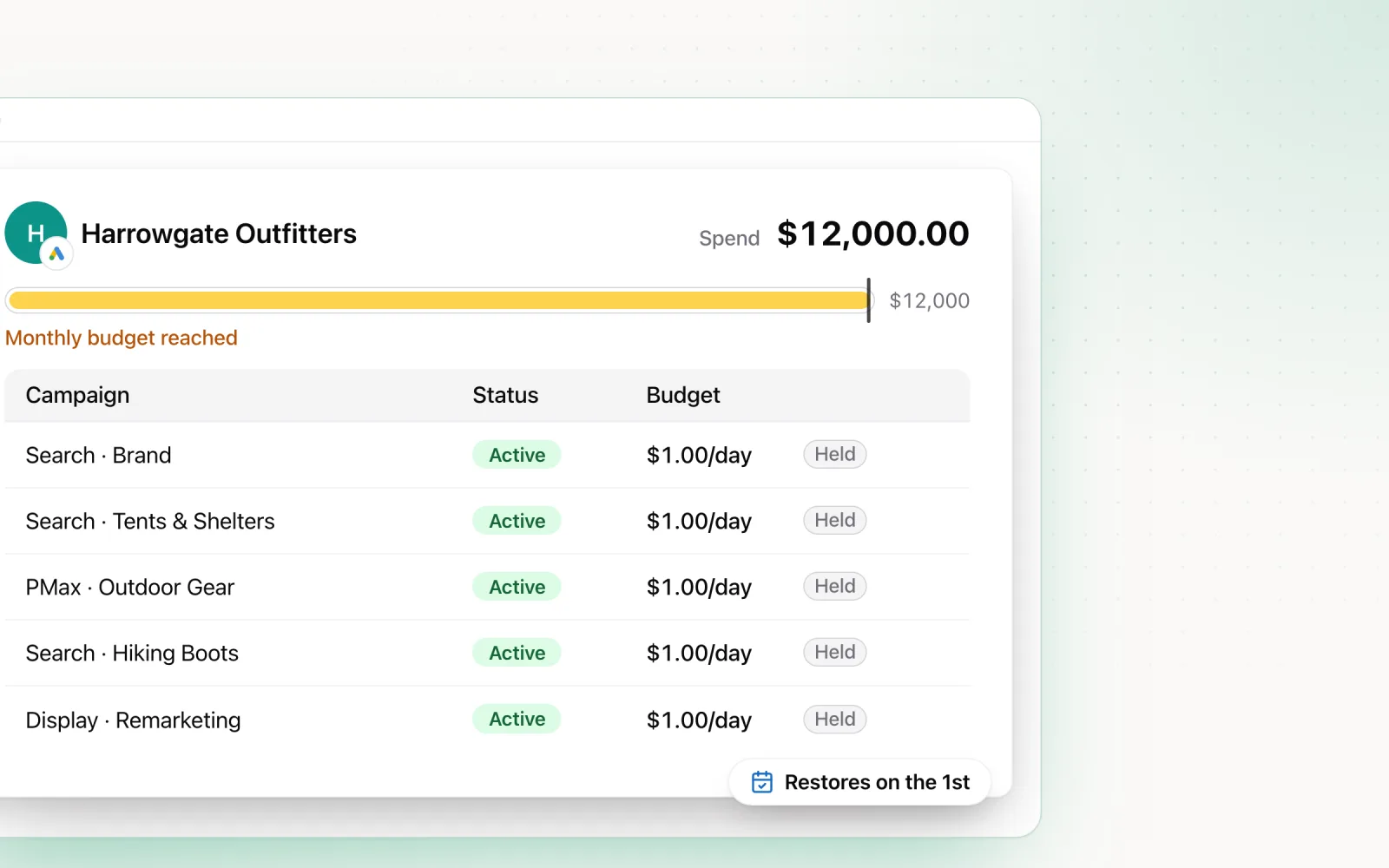
Beyond pacing, Pace ships Findings for cross-platform anomaly detection, Dot as a conversational AI agent for digging into account data, Search Lens for keyword and search term work, and overspend protection with hard limits enforced every five minutes. Every automated change is logged with timestamps, before/after values, and the reasoning behind it, then shared directly with clients as a change report.
The cross-platform coverage is the differentiator. Where most Google Ads tools leave Meta and LinkedIn as blind spots, Pace runs pacing, reporting, and automation across all eight major platforms. Pricing is built for mid-market agencies managing multiple client accounts. Start a free trial.
Best Google Ads Automation Tools
Inside the broader management category, automation tools deserve their own section. Automation is where agencies actually win their time back. The type of automation you pick matters more than most people think.
Rule-based automation is if-then logic. If cost per conversion is over a threshold, drop bids by a percentage. If a campaign is underspending, lift the daily budget. Optmyzr is the strongest option here. Its rule engine lets you chain conditions and actions across campaigns and ad groups, and the rules themselves stay transparent, which is useful when a client asks why something changed.
Custom script automation via Google Ads scripts gives you the most flexibility. You write the logic, you automate anything the API supports. Budget pacing scripts, anomaly detection, automated reporting, competitive monitoring. The cost is development time and maintenance. Scripts break when Google updates the API, and debugging is rough compared to a real IDE.
AI-driven automation uses machine learning across account data to make calls that rule-based systems would miss. Pace sits here. It works out optimal daily budget adjustments using historical pacing data, seasonal patterns, and how spend is moving across platforms. The upside is that AI handles more variables at once than any static rule set. The catch is transparency. Any AI tool you use needs to explain its decisions, which is why audit trails are not optional.
Most agencies end up using a mix. Rule-based for well-understood repeat tasks. Scripts for the custom stuff. AI for the messy, multi-variable decisions that rules cannot handle without becoming spaghetti.
Google Ads Optimisation Tools
Optimisation tools are about improving performance, not automating management. The distinction is real. Automation saves time. Optimisation improves results. They are not the same thing.
Opteo is strong here on the back of its recommendation engine. It analyses account data and proposes specific actions, ranked by estimated impact. The interface is simple enough that teams review and apply recommendations in a sitting rather than configuring a workflow.
Adalysis goes at optimisation through structured auditing and ad testing. Automated audits flag the things that quietly degrade performance: quality score drops, missing extensions, keyword cannibalisation. Ad testing brings statistical rigour to creative decisions. Find problems, test solutions. That combination is what makes Adalysis useful for agencies that prefer methodical work over vibes.
Optmyzr ships an optimisation score tracker that grades your accounts against a configurable set of best practices. Across a large portfolio that is genuinely useful, since it tells you which accounts are drifting without forcing you to inspect each one by hand.
Google's built-in optimisation score and recommendations are free and right there in the interface, but tread carefully. Google's recommendations are generated by algorithms that optimise for Google's objectives, which do not always align with yours. Auto-applying recommendations without review usually inflates spend without a matching lift in returns. Treat the score as a starting point for investigation, not a list of actions to accept. For a deeper look at building an optimisation process that scales, see our guide to ad optimisation strategies.
How to Choose the Right Google Ads Tool
The right tool comes down to four factors that vary a lot between agencies. Run yourself through each one and the field narrows fast.
Agency size and account volume. Solo practitioners and small teams running fewer than ten accounts get the most out of Opteo or Adalysis. Simple interfaces, minimal learning curve, pricing that fits a smaller portfolio. Mid-market agencies handling ten to fifty accounts need more automation depth, which points to Optmyzr or Pace. Enterprise agencies with hundreds of accounts and complex channel mixes should look at Marin for the breadth of platform coverage and portfolio-level budget management.
Platform coverage. If you run Google Ads only (or Google plus Microsoft), Optmyzr has the deepest feature set in that ecosystem. If your clients' media mixes include serious Meta and LinkedIn spend, you need a cross-platform tool like Pace or Marin. Running separate tools per platform creates exactly the fragmented workflow management software is supposed to fix.
Budget. Google Ads Editor and Google Ads scripts are free and surprisingly powerful. If software budget is tight, Editor for bulk management plus custom scripts for automation covers a lot of ground. When the budget loosens, Opteo and Adalysis are the most affordable step up into dedicated tooling. Optmyzr and Marin sit at the higher end of the pricing spectrum, which their depth tends to justify.
Technical capability. Non-technical teams should lean toward Opteo. Minimal configuration, plain-language recommendations. Agencies with developers or technically literate account managers extract serious value from Google Ads scripts and Optmyzr's rule engine. The investment in learning either compounds as account volume grows.
Pick by Agency Size: The Short Version
The honest answer to "which tool should I buy" is usually a function of how many client accounts sit on your roster. Run yourself through this in order.
Solo freelancer or in-house operator (1 to 5 accounts). Start with Google Ads Editor for bulk work, plus the free Performance Grader to keep audits cheap. If you need optimisation suggestions and budget allows, Opteo is the cleanest paid step up at this scale. Adalysis is the alternative if ad testing matters more to you than recommendations. Skip Optmyzr at this size; you will pay for depth you do not yet need. Pace is overkill for 1 to 5 accounts unless you are already running cross-platform.
Boutique agency (5 to 15 accounts). This is the band where manual pacing starts costing real hours. Opteo or Adalysis still works if your portfolio is Google-only. If you have any LinkedIn spend or want a single dashboard for all eight platforms, Pace is the cleanest fit. If budget pacing is your primary need above everything else, our comparison of budget pacing tools walks through the trade-offs in more detail.
Mid-market agency (15 to 50 accounts). Cross-platform coverage is no longer optional. Optmyzr is the right pick if you are Google and Microsoft heavy and your team can absorb the rule engine. Pace is the alternative if Meta and LinkedIn are real parts of your client base and you want audit trails you can hand directly to clients. Some agencies at this size run both: Optmyzr for the deep Google work, Pace for cross-platform pacing and reporting. If you are weighing Marin at this size, our WordStream and alternatives review covers the mid-market options that sit below Marin's enterprise tier.
Enterprise agency (50+ accounts). Marin and Skai are the realistic options for portfolio-level bidding and budget allocation across channels at this scale. Skai if retail media is in the mix, Marin for broader paid social and search. Optmyzr at the top of its pricing tiers still serves enterprise agencies that lean Google-first. Pace is increasingly used at this size as a parallel layer for cross-platform pacing and client-shareable audit trails, since the enterprise tools tend to optimise for analyst workflows rather than the change reports clients actually want to see.
Beyond Google: When You Need Cross-Platform Tools
Most agencies in 2026 run campaigns across Google, Meta, LinkedIn, and Microsoft Ads. Google-only media plans are increasingly rare. For B2B, LinkedIn is essential. For e-commerce, Meta is still a core acquisition channel. The shape of the market has changed.
Google-only tools leave gaps. Budget management gets fragmented when Google pacing is automated but Meta and LinkedIn live in spreadsheets. Reporting needs manual aggregation across platforms, which is where errors creep in and where hours go to die. Optimisation decisions happen in silos, with no view of how a shift on one platform reshapes performance on another.
Consider a cross-platform tool when more than thirty per cent of your managed spend is on Meta or LinkedIn, when clients ask for unified reporting across all channels, or when manual cross-platform pacing is eating more than an hour per client per week. The efficiency gains compound across a portfolio.
For agencies weighing options, our comparison of budget pacing tools goes deeper on the leading platforms, and the Optmyzr alternatives review covers the transition from Google-only to cross-platform tooling.
The Google Ads tool market is mature enough that there is no single best tool for every agency. The honest approach is to match the tool to the workflow you actually have: the platforms you manage, the volume in your portfolio, the technical skill on your team, the software budget you can defend. Start with whatever is eating the most time manually, then expand from there. Start a free Pace trial if cross-platform management is the part hurting most.

Jordan Parrello
Founder of Pace. Ran an agency pacing sheet by hand for years before building the thing that checks it every 5 minutes. About Pace or LinkedIn