Most PPC client reporting fails for a boring reason: the agency writes the report for itself, not for the person reading it. I ran a performance media agency before building Pace, and our early monthly reports were 14 pages of charts that proved how hard we worked. Then a client told me, on a call I still think about, that he read the first page and skimmed the rest. I started asking other clients and got some version of the same answer every time.
The structure below is what we settled on after that, and it kept clients on retainer for years. There's nothing clever about it. Four sections in a fixed order, sent the same day every month, all of it built to answer the client's questions before they ask them.
What clients actually read: the first 90 seconds
Watch a client open your report on a call sometime. They don't read it the way you wrote it. They scan it like a bank statement: am I okay, and do I need to do something? In my experience you get about 90 seconds before they decide whether the report gets read or filed.
Two questions sit at the front of every client's mind. Did you spend the budget the way you said you would, and did that spend buy what you promised? Everything else in the report is supporting evidence. If page one is a wall of impression trends and CTR sparklines, the client goes hunting for the answer to those two questions, half-finds it, and starts building their own story about what happened. You don't want clients building their own story.
The PPC client reporting structure that retains clients
The order matters as much as the content: spend against budget first, results against target second, what changed and why third, next month's plan last.
Leading with budget pacing feels wrong to most agency people. We want to lead with wins. But budget is where trust lives. A client who sees, eight months running, that you landed within 2% of the agreed budget stops worrying about the money, and a client who stops worrying about the money renews. The reverse holds too. The fastest way I've watched agencies lose accounts is a client discovering an overspend on their card statement before the agency mentioned it.
Results come second, and always against the target you agreed, not against whatever comparison makes the month look flattering. If the CPA target is $80 and you hit $94, say $94 against $80, then explain. Clients will forgive a missed month if the explanation is honest. What they won't forgive is feeling managed.
Third is the change section, which I'll spend more time on below because it does more for retention than any other page. Last is the plan: the moves you intend to make next month and the result you expect from each. Make the plan specific enough that next month's report can be checked against it. That loop, plan stated and then plan reviewed, is what makes a report feel like management instead of narration.
A section-by-section PPC report template
Page one is the pacing summary. One row per account or platform: monthly budget, spend for the period, and the variance as a percentage. If anything sits more than about 5% off, add one sentence on why and what you did about it. This page should take 20 seconds to read, and a client should be able to read only this page and still know whether they need to keep going.
Page two is results against target. Four to six metrics, no more. Spend, conversions, and CPA or ROAS against the agreed target, plus a diagnostic like CTR or CPC only when it explains something else on the page. I went deeper on which numbers earn a place in paid search reporting metrics and best practices, but the short version is that any metric without a target or a consequence is decoration. If you run Google, Meta, and LinkedIn for the same client, blend this page into one view rather than three platform silos. I covered how to do that without a heavy dashboard build in cross-platform ad reporting without GA4.
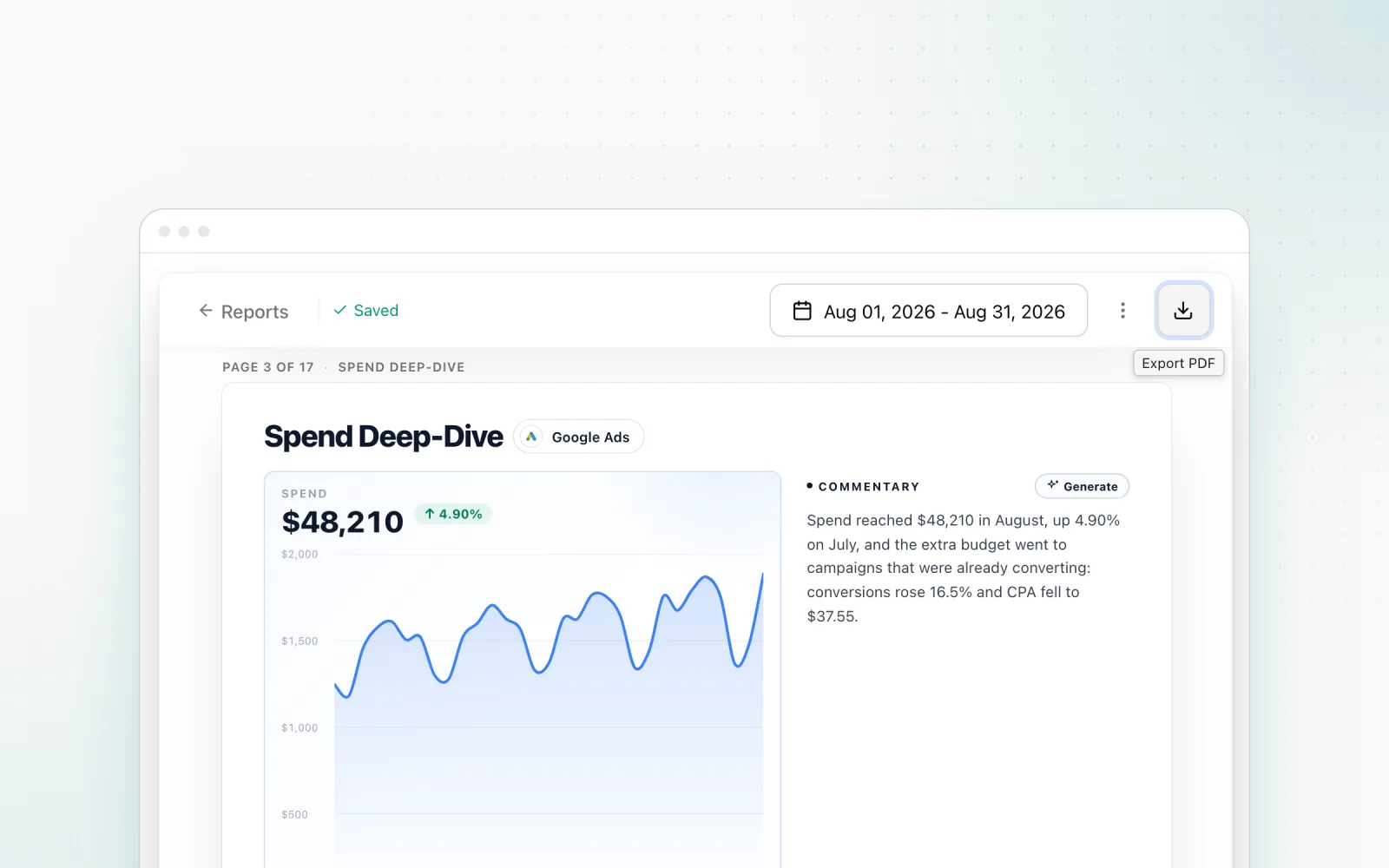
Page three is what changed and why. Pick the changes that mattered, usually five to ten, not the full list of sixty tweaks. Budget moves between campaigns, new creative launched, keywords paused, targeting adjustments. Each gets one line of reasoning. "Shifted $3,000 from prospecting to branded search because branded CPA was running 60% lower" is a complete entry.
Page four is next month. Two or three planned moves and the result you expect from each. If you need a decision from the client, a creative approval or a budget call, put it here. A question on this page gives them a reason to reply, and replies keep the relationship warm.
That's the whole report. If something genuinely interesting happened that month, add a deep-dive page for it. If your monthly report regularly runs past six pages, you're writing for yourself again.
Why change logs build trust
The change section is the one clients bring up on calls, and for years I underweighted it because it never felt like the impressive part. It lands because every retainer client is quietly asking what they're paying for. A results page doesn't answer that, because results can be the market or the season as much as the work. A list of deliberate changes with reasoning is the only page in the report that proves work happened.
It also protects you when a month goes bad. CPA spiked, but here are the four changes we made and the reasoning behind each one, with dates. That's a professional conversation. CPA spiked and the client has no idea what you did, or whether you did anything? That's suspicion, and suspicion compounds. I wrote a separate piece on why your PPC reports should include a change log if you want the full argument.
The honest problem is that compiling one manually is tedious, which is why most agencies skip it. Google Ads keeps a native change history, but it's a raw log built for auditors, and clients never see it. This is one of the parts I ended up automating in Pace. Every budget change it makes is logged with the old value, the new value, and the reasoning, and its client reports include an Account Changes page that builds itself from that audit trail. However you produce the section, by hand in a doc or automatically, it needs to exist.
The death-by-dashboard trap
At some point every agency considers replacing the monthly report with a live dashboard. The pitch is appealing: build the dashboard once and never write a report again. Cost isn't the barrier either. Looker Studio is free for the core product, and tools like AgencyAnalytics run about $20 per client a month last I checked. I compared the main options in the best PPC reporting tools for agencies.
Here's what actually happens. Most clients never log in, so the agency loses its monthly proof-of-work moment and the relationship goes quiet, which feels fine right up until renewal. The clients who do log in often do it on day 14, see a half-month CPA with no context, and email you in a mild panic. A dashboard is data without narrative. The narrative is the job.
Dashboards work well as a supplement for the client who actually wants to dig through the data, and they're the right primary tool in a few cases, like in-house teams that want raw access or clients who treat you as an execution arm rather than an advisor. At the very small end, skip the tooling entirely. If a client spends $2,000 a month, a five-line email and a shared spreadsheet beat any reporting product, and you shouldn't feel junior for sending one.
Report cadence by client size
Cadence should scale with spend, because the cost of a surprise scales with spend.
Under about $5,000 a month, a short monthly email with the four sections compressed into a few paragraphs is enough, with a call each quarter. Between $5,000 and $25,000, send the full monthly report plus a mid-month one-liner whenever pacing drifts more than about 10%. From $25,000 to $100,000, the monthly report gets a weekly two-sentence pacing note and a standing monthly call. Above $100,000 a month, the client should never be the first to notice anything: a weekly summary on top of the monthly report, with alerting that catches overspend the day it starts rather than at month end.
The detail that matters more than the schedule itself is consistency. A report that arrives on the 3rd one month and the 9th the next reads like an agency that's winging it, even when the work is good. Pick a day and hold it. This is also the part that breaks first as you grow. Producing reports manually for five clients is a slow afternoon, and producing them for forty is a hiring decision, which is most of why agencies running 20 or more accounts automate the data side and keep the human hours for commentary.
Where to start
You don't need to rebuild your whole reporting stack this week. Reorder page one so spend against budget leads. Add the change section next month, even if it's five bullet points compiled by hand. Those two edits move a report from "here's data" to "here's what we did with your money", and that second sentence is what clients renew for.
If you want the production side handled, Pace builds branded client reports for Google, Meta, LinkedIn, Microsoft, TikTok, Reddit, X Ads, and Amazon accounts, with a budget pacing page, an Account Changes page pulled from its own audit trail, and one-click PDF export. Try Pace free and run next month's reports off live data instead of screenshots.

Jordan Parrello
Founder of Pace. Ran an agency pacing sheet by hand for years before building the thing that checks it every 5 minutes. About Pace or LinkedIn