What Is PPC Bid Management?
PPC bid management is how you set and adjust what you pay per click across your campaigns. Every time a user triggers an auction (a search query, a product listing, a social feed placement), your bid decides whether your ad appears and what you pay if someone clicks. Bid management is the lever that controls that equation at scale.
Most agencies use a mix of three approaches.
Manual bidding. You set CPCs at the keyword or ad group level. Full control, no scale. Manual works for small accounts or one-off specialist campaigns, like a single high-value keyword where you know exactly what a click is worth. Beyond a few dozen keywords, it's a time sink that produces worse results than the automated alternatives.
Automated bidding (platform algorithms). Google's Smart Bidding, Meta's campaign budget optimisation, LinkedIn's automated bidding. Machine learning adjusts bids in real time using device, location, time of day, audience signals, and hundreds of other inputs no human could weigh fast enough. The trade-off is transparency: you set a target, and the algorithm decides what each individual auction is worth.
Third-party bid management. External tools that layer logic on top of platform-native bidding. They don't replace Smart Bidding. They augment it by adjusting targets, reallocating budgets, and applying rules the platforms themselves don't support. For agencies running dozens of accounts, third-party tools cover the cross-account and cross-platform coordination no single ad platform offers natively.
For agencies, bid management happens at several levels at once. At the keyword level, which terms deserve higher or lower bids. At the ad group level, grouping by intent and applying shared strategies. At the campaign level, choosing between Target CPA, Target ROAS, or Maximise Conversions. And at the portfolio level, coordinating bid strategies across campaigns so the aggregate makes sense. Get one level wrong and the others can't make up for it.
Pay Per Click Bid Management in 2026
Pay per click bid management is what the term sounds like: the discipline of deciding what you pay for each click and adjusting those payments as conditions change. The mechanics have moved a long way from where they were five years ago. In 2026, almost nobody is sitting in front of a keyword bid grid typing in new CPCs. The work is now split between three jobs: choosing the right automated strategy for each campaign, setting and adjusting the targets that strategy optimises toward, and watching for the conditions where the algorithm needs help.
Inside that frame, pay per click bid management still comes down to four practical decisions.
- Strategy selection. Manual CPC, Maximise Clicks, Maximise Conversions, Target CPA, Target ROAS, Maximise Conversion Value. The right choice depends on conversion volume, campaign type, and how mature the account is.
- Target setting. Setting the CPA or ROAS target at a number the account can actually hit based on the last 30 to 60 days of performance, not a number pulled from a quarterly business goal.
- Adjustment cadence. Deciding when to nudge a target, when to switch strategies, and when to leave the algorithm alone through a learning period.
- Cross-platform coordination. Making sure Google bid changes don't create budget pressure that breaks Meta or LinkedIn pacing, and vice versa.
The rest of this guide works through each of these in turn, starting with the tools that handle the heavy lifting on most accounts.
The Best Bid Management Tools for PPC
The right tool depends on your scale, your platform mix, and how much control you want. Six options below, ordered roughly from built-in and free to enterprise.
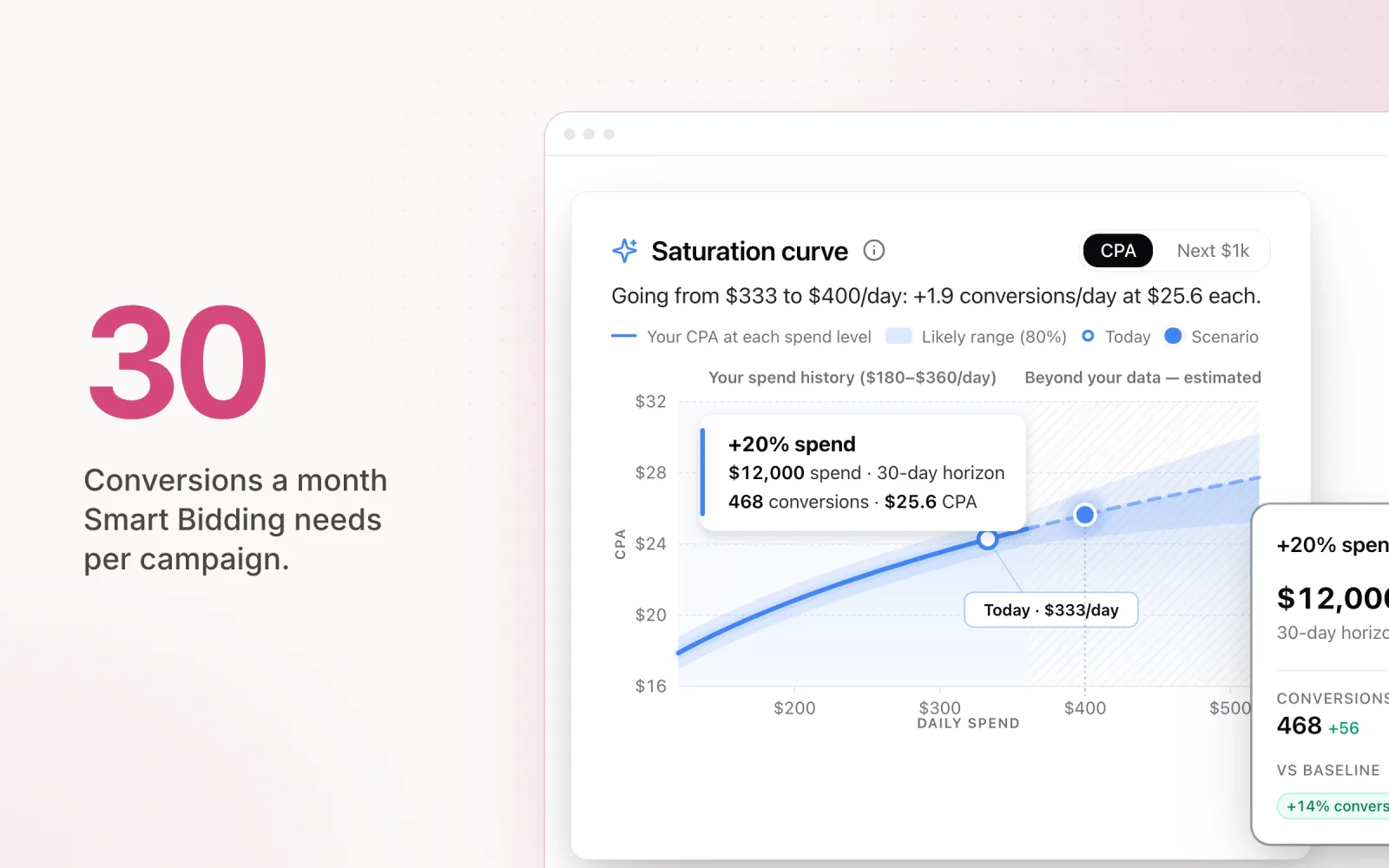
Google Smart Bidding. Built into Google Ads at no extra cost. Smart Bidding is the default starting point for most advertisers. Four main strategies: Target CPA (cost-per-acquisition goal), Target ROAS (return-on-ad-spend goal), Maximise Conversions (most conversions inside your budget), and Maximise Conversion Value (highest conversion value inside your budget). It uses auction-time signals manual bidding can't see, including cross-device behaviour, remarketing list membership, and ad creative context. The catch is data volume. Campaigns need roughly 30+ monthly conversions for the model to optimise well. Below that, the algorithm doesn't have enough signal and performance gets erratic.
Optmyzr. Rule-based bid management with custom scripts that give agencies granular control over how bids and targets move. The strength is the logic you can layer on top of Smart Bidding. For example, bump a Target CPA by 10% when a campaign is underpacing, or tighten Target ROAS when conversion volume drops below a set threshold. Optmyzr also handles bulk bid adjustments across accounts, which saves real time for agencies running large books of Google and Microsoft Ads.
Marin Software. Marin is the enterprise cross-channel option. Unified bid management across Google, Meta, and Amazon from one interface, with proprietary algorithms that use cross-channel attribution data. It's built for large advertisers or agencies running millions in monthly spend across platforms, where the platform cost is justified by the size of the optimisation opportunity. The onboarding lift is real, and pricing reflects the enterprise positioning.
Skai (formerly Kenshoo). Skai combines AI-driven bidding with budget allocation across paid search, social, and retail media. The bidding engine uses predictive models to forecast conversion probability and adjust bids accordingly. It shines for retail and ecommerce advertisers running across Google Shopping, Amazon, and social at the same time. The portfolio optimisation can shift spend between channels in real time based on performance.
SA360 (Search Ads 360). Google's enterprise bid management platform sits above individual Google Ads accounts and runs portfolio strategies that span multiple accounts. It's built for advertisers and agencies that need to coordinate bidding across dozens or hundreds of accounts with shared conversion goals. Portfolio strategies pool conversion data across accounts, giving the algorithm a larger learning set. If you live primarily inside the Google ecosystem at scale, SA360 is the strongest option.
Pace Ads. Pace works on the budget layer instead of the keyword layer. Rather than adjusting individual bids, Pace's AI analyses 45 days of performance and adjusts daily budgets so you hit your monthly target without overshooting or underspending. It pairs cleanly with Smart Bidding. Smart Bidding decides what to bid on each auction, Pace decides how much budget Smart Bidding has to spend each day. Smart Bidding does its best work on consistent, well-paced budgets, not the feast-and-famine cycles you get from manual pacing. Start a free trial to get started.
The table below pulls the six tools side by side on the points that usually decide a shortlist: which ad platforms they cover, whether they still let you adjust bids manually, what they automate, and how they charge. For a deeper look at the Google-only category, our roundup of the best Google Ads management tools covers each option in more detail.
| Tool | Platforms supported | Manual bid mgmt | Automated bid mgmt | Pricing |
|---|---|---|---|---|
| Google Smart Bidding | Google Ads only | Yes (Manual CPC alongside) | tCPA, tROAS, Maximise Conversions, Maximise Conversion Value | Free, built into Google Ads |
| Optmyzr | Google, Microsoft, Meta (reporting), Amazon (limited) | Yes, with bulk bid tools and scripts | Rule-based adjustments on top of Smart Bidding, scripts, automated alerts | From around USD $264/month, tiered by spend |
| Marin Software | Google, Microsoft, Meta, Amazon, Apple Search | Yes, plus bulk edits | Proprietary cross-channel bidding algorithms, portfolio optimisation | Custom enterprise pricing, percent-of-spend model |
| Skai | Google, Microsoft, Meta, Amazon, retail media networks | Limited; primarily an automation layer | Predictive bidding, cross-channel budget allocation, AI forecasting | Custom enterprise pricing, percent-of-spend model |
| Search Ads 360 | Google, Microsoft, Yahoo Japan, Baidu | Yes | Portfolio bid strategies across accounts, conversion data sharing | Custom enterprise pricing via Google sales |
| Pace Ads | Google, Meta, TikTok, LinkedIn, Microsoft, Reddit, X Ads, Amazon | Sits beside manual or automated bidding; doesn't change bids | AI-driven daily budget pacing across platforms, target tracking | Tiered subscription, free trial available |
The decision usually comes down to two questions: how many platforms are you running, and where do you need control. If you live entirely inside Google Ads, Smart Bidding plus Optmyzr or SA360 covers the bid layer. If you run multi-platform, you either need a true cross-channel tool (Marin, Skai) or a budget-layer tool sitting on top of each platform's native bidding (Pace). For more on what's worth automating in 2026 versus what stays manual, our take on PPC automation in 2026 walks through the trade-offs in detail.
Bid Management Strategies by Campaign Type
No single bid strategy works for every campaign type. The right call depends on the objective, the conversion data available, and how much control the platform actually gives you. For a tactical walk-through of how to set and adjust targets inside Google Ads specifically, see our bid optimisation strategies for Google Ads.
Two 2026 platform shifts matter before getting into campaign types. On Google's side, Performance Max and Demand Gen now share a unified Smart Bidding stack, and Google has rolled out an AI-driven "Max" bidding tier that blends Maximise Conversion Value with cross-campaign signals from other accounts in your MCC. The catch is that the cross-account signal sharing requires opt-in conversion data pooling, and most agencies are still sceptical of handing client data into a shared model. On Meta's side, Advantage+ campaigns have absorbed most manual bid controls. Cost cap and bid cap remain, but the default is now Highest Volume or Value Optimisation with an optional ROAS goal, and Meta's 2026 documentation explicitly recommends letting the system bid uncapped during the first seven days of any new campaign. Agencies that override on day one and then complain about volatile delivery are usually fighting their own intervention, not the algorithm.
Search campaigns. For lead gen, Target CPA is the default. Set the target at the CPA that's profitable for the business, not aspirational, and based on what the account has actually done in the last 30 to 60 days. For ecommerce Search, Target ROAS usually wins because it accounts for variable order values. Anchor your ROAS target to your margin structure. If your average margin is 40%, a 4x ROAS means you're breaking even before any other costs. Always start from historical performance. Setting a target the account has never hit just pushes the algorithm into conservative bidding that kills volume.
Shopping campaigns. Shopping almost always performs best on Target ROAS. The trick is segmentation. Use custom labels to group products by margin tier, then apply different ROAS targets per segment. High-margin products can carry lower ROAS targets (higher bids, more aggressive spend); low-margin products need tighter targets to stay profitable. Segmenting by margin is the highest-impact bid lever in Shopping, by a long way. Our complete guide to Google Shopping ads covers the feed, structure, and campaign-type decisions that sit underneath any bid strategy.
Display campaigns. Maximise Conversions is the standard for Display. CPCs are inherently low and the volume of inventory makes manual bid management impractical. Trying to set manual bids across thousands of Display placements is wasted time. Let the algorithm optimise for conversions inside your budget, and put your effort into audience targeting and creative quality instead.
Performance Max campaigns. PMax gives you only two bid strategies: Maximise Conversions and Maximise Conversion Value. No manual CPC, no Target CPA or Target ROAS unless you add an optional target. The limited bid control is intentional. PMax is built to be algorithm-driven. Your real levers are budget allocation, asset quality, audience signals, and conversion action selection. Trying to force bid-level control on a campaign type that doesn't support it just frustrates everyone.
YouTube campaigns. For action-oriented YouTube (driving website conversions), Target CPA aligns the algorithm with your performance goals. For awareness and reach campaigns, CPV (cost per view) bidding gives you control over what you pay per view. Mixing objectives and bid strategies on YouTube produces messy results. If your goal is conversions, use Target CPA and measure on CPA. If your goal is awareness, use CPV and measure on view rate and reach.
Portfolio Bid Strategies: Managing Bids Across Campaigns
A portfolio bid strategy applies one bid strategy across multiple campaigns, so Google optimises the aggregate instead of each campaign in isolation. Instead of five separate Target CPA goals on five campaigns, you group them under one portfolio strategy with a shared CPA target and let the algorithm balance the load.
The big win is pooled data. A campaign with 15 monthly conversions on its own doesn't have enough signal for Smart Bidding to optimise well. Five campaigns at 15 conversions each, grouped together, give the algorithm 75 conversions to learn from. The learning period shortens and performance gets more stable.
Portfolio strategies also cut the management overhead. Instead of monitoring and tuning 20 individual campaigns, you manage four or five portfolios. Fewer decisions, same optimisation quality.
The risk: one campaign can subsidise another inside the portfolio. A high performer absorbs more budget while a struggling campaign gets squeezed, and the aggregate CPA looks fine even though individual campaign performance varies a lot. You lose visibility into which campaigns are pulling their weight.
Rule of thumb: group campaigns with similar goals, similar conversion types, and similar conversion volumes. Don't mix brand and generic campaigns in one portfolio. Brand campaigns convert at dramatically different rates and will skew the learning. Don't mix campaigns with wildly different conversion volumes either, because the high-volume campaign will dominate the algorithm's attention.
Bid Management at Scale
Managing bids on a handful of campaigns is fine. Managing bids on 50 campaigns across four platforms and 20 client accounts is a different game. The problems that show up at scale aren't about individual bid decisions. They're about coordination, prioritisation, and keeping a portfolio consistent when it's too large for manual attention.
First problem: volume. There are simply too many campaigns to review and adjust bids on by hand. Even with Smart Bidding handling auction-level decisions, you still need to monitor target performance, shift targets when business goals change, and step in when the algorithm underperforms. Multiplied across dozens of accounts, the monitoring workload is bigger than any individual or small team can hold without systematic support.
Second problem: maturity variation. Different campaigns sit at different stages. A new campaign in its learning period needs patience and stable targets. A mature campaign with six months of performance data may need more aggressive targets to push results. A declining campaign may need a strategy change entirely. Applying the same management approach to all three is how you waste a quarter.
Third problem: cross-platform coordination. A client's Google Ads bid strategy doesn't live in isolation. It interacts with their Meta spend, their LinkedIn budget, and the overall marketing plan. Adjusting Google without watching Meta can produce budget imbalances that hurt the aggregate result.
The fix is a hierarchy. First, tier your accounts by priority. High-spend accounts get closer attention and more frequent target reviews. Mid-tier accounts get a weekly check. Lower-spend accounts get fortnightly reviews with automated alerts for big deviations. Second, use portfolio strategies for campaigns inside the same tier that share objectives. Fewer strategies to manage. Third, set automated rules as guardrails. Pause a campaign if CPA exceeds 200% of target for seven straight days. Alert the team if impression share drops below 40% on a high-priority campaign. Fourth, use external tools for cross-platform budget coordination so a bid strategy change on one platform doesn't create unintended consequences on another. For the broader framework on scaling ad operations, see our guide on ad optimisation strategies that scale.
A Smart Bidding Decision Framework: Trust the AI or Override?
The honest answer most agencies don't say out loud: Smart Bidding wins most of the time, and the cases where it loses are predictable. After running it across hundreds of accounts, the pattern is clear. Trust the algorithm when the conditions are right, override when they aren't. Our complete guide to Smart Bidding strategies covers the strategy mechanics in depth; this section is about the override call.
Trust Smart Bidding when all of these are true.
- The campaign has 30+ conversions in the last 30 days. Below that, the model is guessing. With it, the algorithm has enough signal to actually price auctions.
- Conversion tracking is clean and stable. No double-counting, no recent tag changes, primary conversions reflect real business outcomes.
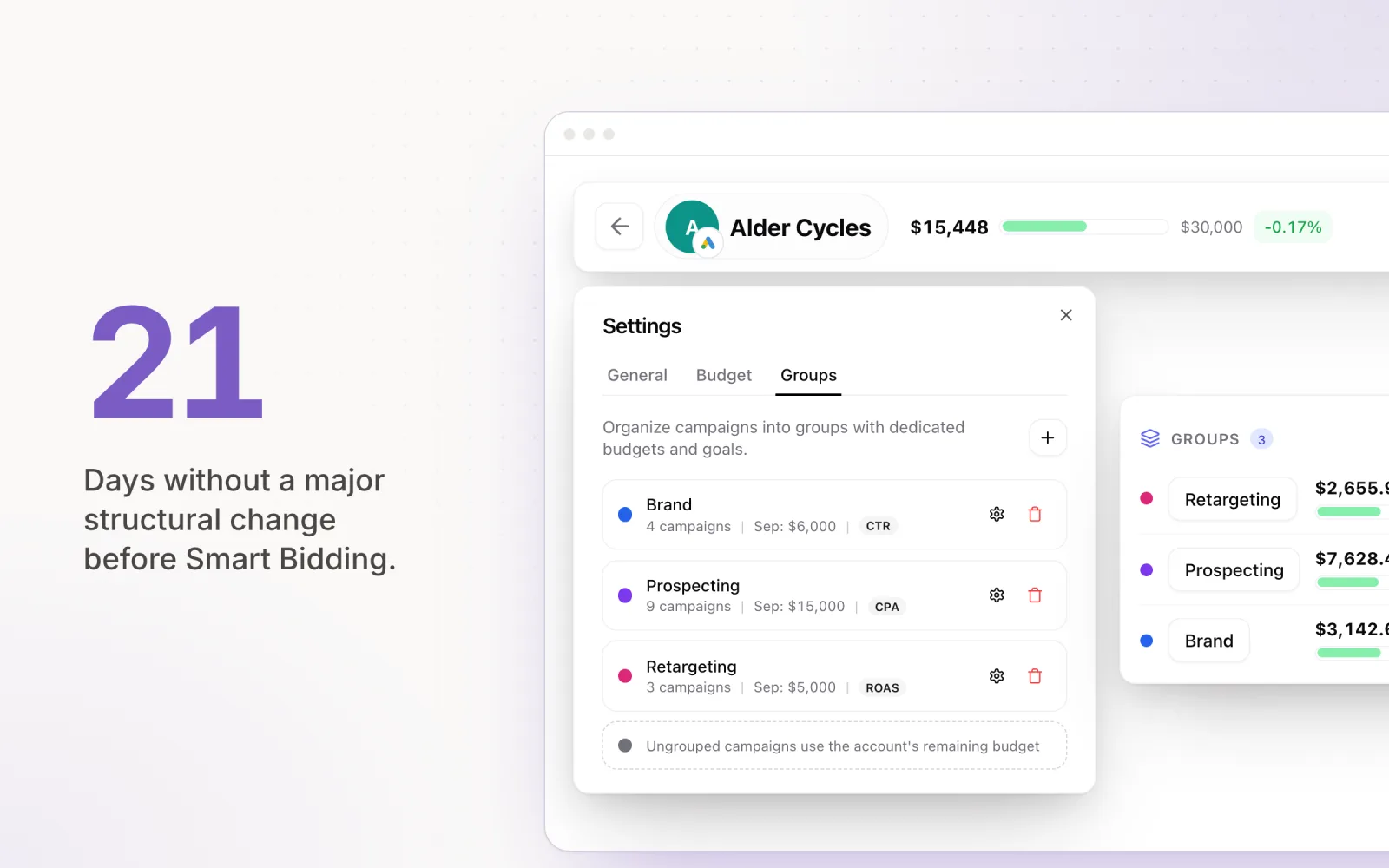
- The account hasn't had a major structural change in the last 21 days. Conversion action changes, audience restructures, big keyword cleanups, and account consolidations all reset learning.
- Budgets are stable and not consistently capped. "Limited by budget" warnings strip Smart Bidding of its ability to choose between auctions.
- The target is anchored to historical performance, not a quarterly business goal. A Target CPA 40% below the trailing 60-day average forces the algorithm into a corner.
Override (or step back to manual or Maximise Conversions) when any of these show up.
- Low conversion volume. Fewer than 30 conversions per month per campaign. The fix is to consolidate campaigns, move to a higher-funnel conversion action (form starts instead of submits, add-to-carts instead of purchases), or pool campaigns into a portfolio bid strategy so the algorithm gets the volume it needs.
- Recent account changes. If you've restructured campaigns, migrated conversion tracking, added or removed major audiences, or merged accounts in the last three weeks, Smart Bidding is still learning the new shape of the account. Give it stable inputs for at least 14 days before judging performance or adjusting targets.
- Seasonal swings outside the model's training window. A B2B account that suddenly hits end-of-financial-year demand, a retailer running Black Friday, or any campaign hit by a one-off event the model hasn't seen before. Use Google's seasonality adjustments (3 to 14 days), pre-warm the campaign with a Maximise Conversions strategy during the spike, or tighten targets manually if you can see the spike has ended.
- Tracking instability. If you've recently fixed a broken pixel, switched analytics providers, or moved from last-click to data-driven attribution, the conversion data the algorithm trained on no longer matches what it sees now. Pause learning by switching to manual until the conversion data has stabilised for at least 14 days.
- New product launches or new market entry. The algorithm has no historical data for the new product line or geography. Run Maximise Clicks or Manual CPC long enough to bank baseline conversion data, then switch.
Recognising these conditions matters as much as the framework itself. Three signals to watch in the Google Ads UI. First, Top Movers and Diagnostic Insights flag when bid strategies enter learning or limited states. Second, "Bid strategy status" should read "Learning" briefly after a change and then "Active" within 14 days; anything else means something's off. Third, the campaign-level "Search lost IS (rank)" and "Search lost IS (budget)" columns surface when the algorithm is being forced down by your bid or your budget rather than the market. If both are above 30%, the strategy isn't the problem, your inputs are.
Common Bid Management Mistakes
Experienced PPC managers still make bid management errors that cost performance. They're common because they feel right in the moment, even though they work against how automated bidding actually learns.
Over-adjusting targets. Changing your Target CPA or Target ROAS daily in response to short-term noise resets the algorithm's learning every time. Smart Bidding needs stable inputs. A target change triggers a fresh learning period, and performance usually gets worse before it gets better. If you're adjusting targets more than once a fortnight, you're almost certainly making things worse. Set a target, leave it for two to three weeks, then evaluate.
Ignoring learning periods. When you launch a new bid strategy or make a meaningful change, the algorithm enters a learning period of roughly two to three weeks. Performance will be volatile. CPAs may spike, ROAS may dip, daily results will swing. The instinct is to intervene. Intervening just extends the learning period. The right move is to set appropriate targets, make sure the budget is sufficient, and wait. Watch for catastrophic issues, ignore the rest.
Mismatched conversion actions. Your bid strategy optimises toward whatever conversion action you've assigned to the campaign. If you're bidding on Target CPA but your primary conversion action is page views instead of actual purchases or qualified leads, the algorithm will happily drive page views at your target cost. Not what you want. Audit your conversion actions before you touch any bid strategy. Make sure the algorithm is optimising toward an action that represents genuine business value.
Aspirational targets instead of realistic ones. A Target CPA of $10 when the account's historical CPA is $30 forces the algorithm into a corner. It either suppresses volume dramatically (bidding only on the cheapest, lowest-intent auctions) or misses the target entirely. Start from a target that reflects actual historical performance, then improve it 10 to 15% at a time once the strategy stabilises. Ambitious targets are fine as a long-term goal. The path there is incremental, not one leap.
Ignoring budget constraints. Smart Bidding can't optimise well when a campaign is "limited by budget." If the daily budget runs out before all the profitable auctions are captured, the algorithm has to compress its bidding into a shorter window and loses its ability to pick the highest-value auctions. If your campaign consistently shows the "limited by budget" flag, you have two choices: raise the budget, or lower your bid targets so the algorithm bids less aggressively and stretches what's there. Hoping the algorithm will figure it out on its own gets you suboptimal auction selection and volatile performance.
The thread through most of these mistakes is impatience. Automated bidding isn't a dial you turn for instant results. It's a system that needs stable inputs, enough data, and time to learn. Pace handles the budget layer so Smart Bidding can do its job: consistent daily budgets, no end-of-month scrambles, and no "limited by budget" signals from sloppy pacing. Start a free trial to get started.

Jordan Parrello
Founder of Pace. Ran an agency pacing sheet by hand for years before building the thing that checks it every 5 minutes. About Pace or LinkedIn